ในบทความนี้
- ทำไม "fleet" คือคำถามที่ชุมชนถามจริง
- กายวิภาคของ Hermes Desktop
- ยี่สิบ laptop หนึ่ง backend ที่ hardened แล้ว
- Sign in: fail-closed, OIDC และ audit log
- หนึ่ง agent ต่อหนึ่งบทบาท: profiles และ distributions
- สิ่งที่ฝ่าย IT ปักได้วันนี้ (Linux host) และยังปักไม่ได้ (laptop): managed scope
- อัปเดตทั้ง fleet โดยไม่ทำมันพัง
- มองเห็นต้นทุนและการใช้งานทั้ง fleet
- ข้อจำกัดที่ต้องพูดตรง ๆ และ checklist สำหรับองค์กร
In this post
- Why "fleet" is the question the community is actually asking
- Anatomy of Hermes Desktop
- Twenty laptops, one hardened backend
- Signing in: fail-closed auth, OIDC and the audit log
- One agent per role: profiles and distributions
- What IT can pin today (Linux hosts) and cannot (the laptops): managed scope
- Updating a fleet without breaking it
- Seeing cost and usage across the fleet
- Honest limits and an org checklist
🤔 ลองนึกภาพนี้ดูครับ — ทีมของคุณมียี่สิบคน แต่ละคนมี laptop ของตัวเอง ทุกคนอยากได้ AI agent ที่ "เป็นของทีม" ไม่ใช่ของใครคนใดคนหนึ่ง จำ context เดียวกัน ใช้ skills ชุดเดียวกัน อยู่ใต้กติกาความปลอดภัยชุดเดียวกัน — แล้วคุณจะติดตั้ง Hermes กี่ครั้ง? ยี่สิบครั้ง หรือครั้งเดียว?
เจ็ดตอนแรกของซีรีส์นี้ตอบคำถามเกือบทุกข้อจากมุมของ terminal — #1 Hermes 101 วางแบบจำลองความคิดว่า Hermes คือ CLI + gateway daemon + session plane, #2 Agent Teams เปิดชั้น multi-agent ทั้ง delegation, Kanban และ Bot Mode, #4 Security ไล่แนวป้องกันทุกชั้นและเขียนไว้ตรง ๆ ว่า Hermes ไม่มี SSO/RBAC ในตัว ส่วน #7 Production ทำให้เครื่องเดียวรัน 24/7 ได้อย่างน่าเบื่อ สิ่งที่ยังขาดคือมุมของ คนที่นั่งอยู่หน้าเครื่อง — และนั่นคือมุมที่ชุมชน Hermes ส่งเสียงดังที่สุดตลอดสามเดือนที่ผ่านมา
ตอนปิดซีรีส์นี้จึงว่าด้วย Hermes Desktop ในฐานะจุดสัมผัสของทั้งองค์กร: แอป native ที่ต่อเข้า backend เดียวกันจากทุก laptop, sign in ด้วย identity provider ขององค์กรเอง, profile ต่อบทบาทที่แจกและอัปเดตด้วย git, ค่าที่ฝ่าย IT ปักไว้บน Linux backend แล้วผู้ใช้แก้ไม่ได้ (บน laptop เองยังปักไม่ได้) และปุ่มอัปเดตทั้ง fleet — พร้อมรายการข้อจำกัดที่ผมจะไม่กลบ เพราะบางข้อ (RBAC ที่ยังไม่มี, secrets ที่รั่วข้าม profile) เป็นเรื่องที่ CTO ต้องรู้ก่อนเซ็นอนุมัติ และในบทความนี้ผมจะแก้ประโยค "ไม่มี SSO" จากตอน #4 ให้แม่นขึ้นด้วย: self-hosted OIDC มีจริง, org claims ใน Nous Portal มีจริง, ส่วน RBAC แบบเป็นชั้น — ยังไม่มี
ทำไม "fleet" คือคำถามที่ชุมชนถามจริง
ผมชอบเริ่มจากข้อมูลมากกว่าความรู้สึก ใน repo NousResearch/hermes-agent ซึ่งปิด GitHub Discussions ไว้ (ชุมชนจึงคุยกันผ่าน issue กับ Discord) issue ที่ได้ reaction มากที่สุดตลอดกาลไม่ใช่เรื่อง model ไม่ใช่เรื่อง memory แต่คือ #38602 "Desktop Client-Only Installation" — 68 reactions เปิดเมื่อ 4 มิถุนายน 2026 (ปิดแล้ว) ตามมาด้วย #36970 ที่ขอ onboarding สำหรับ remote client โดยเฉพาะ (31 reactions) และคำขอเดียวกันยังกลับมาอีกใน #50643 (GUI-only install — ยังเปิดอยู่) กับ #85422 ที่บ่นว่า installer macOS ทางการยังบังคับ bootstrap agent บนเครื่อง ทั้งที่ผู้ใช้แค่อยากต่อไปหา gateway ที่มีอยู่แล้ว (เปิดตั้งแต่ 13 สิงหาคม 2026)
อ่านรวมกันแล้วข้อความชัดมาก: คนไม่ได้อยากได้ agent ตัวที่ยี่สิบเอ็ด เขาอยากได้ หน้าต่างบานที่ยี่สิบเอ็ด ไปยัง agent ตัวเดิม
อีกด้านของเหรียญคือ issue ที่มีคน comment มากที่สุดในบรรดา issue ที่มนุษย์เปิดตั้งแต่ 1 กรกฎาคม 2026 — เกือบทั้งหมดเป็น Desktop regression: #83683 restart แล้ว Desktop ไป reap gateway ทิ้งแต่ไม่ launch กลับ (33 comments), #63047 ค้างสนิทบน macOS 27 beta (28), #89675 ไม่มี session ขึ้นเลยหลังอัปเดต (21), #73082 renderer กิน CPU 100% ตอน idle (18) และ #93888 ที่ Desktop ส่ง runtime ID ของเครื่อง local ไปให้ remote gateway จน restore session ไม่ได้ (17 comments, ยังเปิดอยู่) นี่คือ product ที่คนใช้จริงจนเจ็บจริง ไม่ใช่ demo
ปลายเดือนสิงหาคมก็ยังไม่เงียบ: #96282 Desktop boot timeout (P1 — เปิดและปิดในวันเดียวคือ 27 สิงหาคม 2026), #95189 gateway ตายทุก ~2 นาทีบน WSL2 จนดัน renderer ไป OOM (ยังเปิดอยู่ P2) และ #95028 "[Architecture] Hermes Authority Execution Layer — the twelve issues are one defect" (ยังเปิดอยู่ label needs-decision) ซึ่งเป็นฉากหลังของความปั่นป่วนเรื่อง remote auth ที่จะโผล่มาอีกในบทความนี้
เส้นเวลาสั้น ๆ เพื่อให้เห็นว่าเรื่องนี้ใหม่แค่ไหน: Nous ประกาศ Hermes Desktop เป็น public preview ผ่านบัญชี X ทางการเมื่อ 2 มิถุนายน 2026 — โพสต์ X นั้นเป็นแหล่งเดียวของวันที่นี้ และผมดึงซ้ำไม่ได้ ("First demoed in Jensen's GTC keynote, it's now in public preview") — สื่อ third-party เรียกมันว่า v0.15.2 แต่ผมต้องบอกตามตรงว่า ไม่มี GitHub release ที่ tag นั้น: รายการ release กระโดดจาก v2026.5.29 ไป v2026.6.5 ซึ่ง release notes นับเองว่า "874 commits since v0.15.2" จากนั้น v0.16.0 "The Surface Release" (tag 2026.6.5 เผยแพร่ 6 มิถุนายน) รวม desktop PR ราวร้อยตัว, v0.17.0 (19 มิถุนายน) ประกาศว่า "The desktop is now a serious daily driver, not a preview." และ v0.21.0 "Pantheon" (31 สิงหาคม 2026) คือเวอร์ชันที่หน้า product แสดงอยู่วันนี้
💡 ขนาดของ repo วันที่ผมเขียน (1 กันยายน 2026) ตาม search API: 25,442 open PRs และ 12,961 open issues โดยมี issue เปิดใหม่ 6,875 รายการเฉพาะเดือนสิงหาคม — ผมจงใจไม่อ้างตัวเลข open_issues_count รวมของ GitHub เพราะมันนับ PR ปนเข้าไปด้วย
กายวิภาคของ Hermes Desktop
เอกสารทางการนิยาม Desktop ไว้ในประโยคเดียวที่ควรจำ: "a native app built around the same agent you get from the CLI and the gateway" — same config, same API keys, same sessions ในเชิงสถาปัตยกรรมมันคือ Electron shell ที่มี renderer เป็น React คุยกับ process hermes serve แบบ headless ผ่าน API tui_gateway ที่เป็น JSON-RPC บน WebSocket ถ้าคุณจำแบบจำลองสามกล่องจากตอน #1 ได้ (CLI · gateway daemon · session plane) Desktop คือกล่องที่สี่ที่เสียบเข้ากับ session plane เดิม ไม่ใช่ agent ตัวใหม่
# เปิด Desktop จาก terminal (alias: hermes gui)
hermes desktop

# สิ่งที่ Desktop รันอยู่เบื้องหลัง — backend headless ที่ renderer ต่อเข้าไป
hermes serve

# บ้านของ agent — ที่เดียวกับที่ CLI ใช้
#   macOS / Linux : ~/.hermes
#   Windows       : %LOCALAPPDATA%\hermes
ประเด็นสำคัญคือ hermes serve ไม่ใช่ API server ที่พอร์ต 8642 จากตอน #5 Integrations — ตัวนั้นคือช่องทางเอา Hermes ไปอยู่หลังแอปอื่น ส่วน hermes serve คือ backend ของ Desktop โดยเฉพาะ ผมเห็นบทความหลายชิ้นใช้สองคำนี้สลับกันแล้วพาผู้อ่านหลงทาง
เรื่อง platform ต้องอ่าน matrix ทางการให้ครบ เพราะหน้า product เขียนกว้าง ๆ ว่า macOS 12 ขึ้นไป, Windows 10/11 และ Linux แต่หน้า platform support บอกละเอียดกว่านั้น:
| ระดับ | Platform | วิธีติดตั้ง / หมายเหตุจากเอกสาร |
|---|---|---|
| Tier 1 | macOS Apple Silicon | Hermes Desktop หรือ install.sh |
| Tier 1 | Windows 10/11 x86_64 / aarch64 | Hermes Desktop หรือ install.ps1 — "A few features are not available" |
| Tier 1 | Linux / WSL2 | ทดสอบบน Ubuntu ล่าสุด; ต้องมี glibc, systemd, FHS |
| Tier 1 | Docker | "Docker installs do not support hermes update" |
| Tier 2 | Android/Termux, Nix | ใช้ได้แต่ไม่รับประกัน (Nix: "Breaks often") |
| Unsupported | AUR, macOS Intel, pypi, brew | ไม่อยู่ในขอบเขตการรองรับ |
สองจุดที่ทำให้คนตกม้าตาย: Mac Intel อยู่ในกลุ่ม unsupported — องค์กรที่ยังมี MacBook รุ่นก่อน Apple Silicon ปนอยู่ต้องนับก่อนวางแผน และ pip install อยู่ในกลุ่ม unsupported เช่นกัน ทั้งที่ v0.14.0 เคยประกาศ package บน PyPI (เวอร์ชันล่าสุดบน PyPI ค้างที่ 0.19.0 ขณะที่ GitHub อยู่ที่ v0.21.0) — อย่าเอา pip เข้ารายการวิธีติดตั้งขององค์กร
ฝั่ง Windows native เป็นข่าวดีสำหรับฝ่าย IT: one-liner PowerShell ติดตั้งลง %LOCALAPPDATA%\hermes โดยไม่ต้องใช้สิทธิ์ admin จัดหา Python 3.11 ผ่าน uv, Node 26, Git แบบ portable, ffmpeg และ ripgrep ให้เอง installer แบบ GUI กับ CLI ใช้ install dir เดียวกัน และข้อจำกัดที่เอกสารระบุมีข้อเดียวคือ terminal pane ที่ฝังอยู่ในหน้า /chat ของ dashboard (ต้องการ POSIX PTY)
# Windows (PowerShell) — ไม่ต้องใช้สิทธิ์ admin
iex (irm https://hermes-agent.nousresearch.com/install.ps1)

# Linux / macOS / WSL2
curl -fsSL https://hermes-agent.nousresearch.com/install.sh | bash

# Electron runtime ที่ Desktop ดาวน์โหลดเพิ่มมีขนาดราว 114 MB
และข้อที่ผมชอบที่สุดจากหน้า product: "No account is needed to run the base app" — Desktop เป็น MIT ดาวน์โหลดฟรี การ sign in ด้วย Nous Portal เป็นทางเลือกที่เปิดประตูไป Hermes Cloud และ model ผ่าน Portal ไม่ใช่ประตูหน้าบ้าน
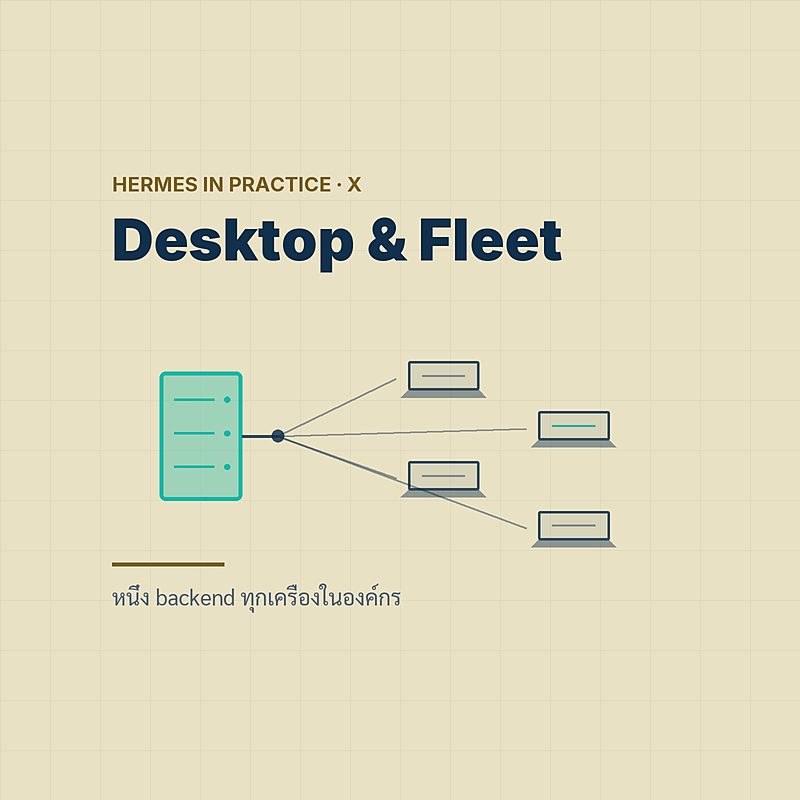
ยี่สิบ laptop หนึ่ง backend ที่ hardened แล้ว
หัวใจของบทความนี้อยู่ที่หน้า Settings → Gateways ซึ่งตั้งแต่ v0.20.2 (tag v2026.8.16) กลายเป็น Connections registry แบบหลาย gateway เอกสารทางการสรุปเป้าหมายไว้ว่า "Register every Hermes backend you own — the local runtime, remote gateways on your LAN or VPS, SSH hosts, and Hermes Cloud instances — in one desktop app" มีสี่ชนิด:
| Connection | คืออะไร | Auth | tools รันที่ไหน |
|---|---|---|---|
| Local | runtime บนเครื่องนี้ Desktop start ให้เอง | — | laptop ของผู้ใช้ |
| Remote gateway | hermes serve ที่ปลายทาง reach ได้ทาง HTTP(S) — "LAN, Tailscale, or the internet" Desktop ไม่ start ให้ | session token หรือ OAuth | host ปลายทาง |
| SSH | "the app opens the tunnel and starts the dashboard for you" แล้ว adopt dashboard token | SSH key + dashboard token | host ปลายทาง |
| Hermes Cloud | instance ที่ auto-discover ผ่านบัญชี Portal มี organization picker เมื่ออยู่หลาย org | Portal sign-in | container ของ Nous |
ประโยคที่เปลี่ยนวิธีคิดเรื่องความปลอดภัยทั้งหมดอยู่ใน README ของแอป: remote mode "treats the gateway host as the execution boundary: agent tools, terminal commands, and file operations run against the remote Hermes host" แปลว่าใน topology ที่ผมเสนอ — ยี่สิบ laptop ต่อเข้า hermes serve ตัวเดียวบนเครื่องที่ hardened ตามตอน #7 — คำสั่ง shell ทุกคำสั่งรันบนเครื่องนั้น ไม่ใช่บน laptop ไฟล์ที่ agent แก้อยู่บนเครื่องนั้น credential ที่ agent ใช้อยู่บนเครื่องนั้น laptop เป็นแค่จอ
ลำดับชั้นภายใน registry คือ gateway → profile → sessions ถ้าสอง gateway มี profile ชื่อซ้ำกัน Desktop จะแสดงเป็น @name-device เพื่อไม่ให้สับสน มี connection หนึ่งเป็น Primary เสมอ และเมื่อ profile เกินสิบสามตัว แถบ profile จะย่อตัวลง (v0.20.6 เรียกมันว่า fleet profile rail) ทั้งหมดนี้ไม่ได้เสร็จใน release เดียว — issue tracking #94724 "Desktop persistent multi-gateway connections — CAMPAIGN COMPLETE (29 PRs)" ปิดเมื่อ 27 สิงหาคม 2026 โดยมี PR ยี่สิบเก้าตัวอยู่เบื้องหลัง registry ที่คุณเห็นวันนี้
เรื่อง token เอกสารเขียนละเอียดพอให้ทีม security อ่านได้: token ของแต่ละ connection เก็บเป็นไฟล์ owner-only (0600) ใน user-data directory ของแอป อยู่ในมือ Electron main process — "the renderer and plugins never see token bytes" — และตั้งแต่ v0.20.6 เลือกเข้ารหัสด้วย OS keychain เพิ่มได้แบบ opt-in ผมย้ำคำว่า "plugins never see" ไว้ตรงนี้เพราะจะกลับมาที่มันในหัวข้อ managed scope
# เช็กว่า backend ปลายทางเปิด auth gate อยู่จริง ก่อนแจก URL ให้ทีม
curl -s https://hermes.example.internal:9119/api/status | jq '.auth_required, .auth_providers'

# ถ้า Desktop ต่อไม่ติด — WebSocket close code บอกชั้นที่ล้ม
#   4401 = ยังไม่ได้ authenticate     4403 = authenticate แล้วแต่ไม่มีสิทธิ์
ข้อเดียวที่ registry ไม่ทำให้อัตโนมัติคือการข้าม trust boundary: "Direct bot mentions and delegation remain gateway-local by default. Crossing a backend boundary changes filesystem, credentials, tools, and trust context" — ถ้าอยากให้ bot บนเครื่อง A คุยกับ bot บนเครื่อง B ต้องตั้ง hermes peer อย่างจงใจ (คำสั่ง peer อยู่ในตอน #2 Agent Teams แล้ว ผมจะไม่ทวน)
Sign in: fail-closed, OIDC และ audit log
นี่คือหัวข้อที่ผมต้องแก้คำพูดของตัวเองจากตอน #4 ประโยค "Hermes ไม่มี SSO/RBAC ในตัว" ถูกครึ่งเดียว ครึ่งที่ผิดคือ SSO — สำหรับ dashboard และ remote gateway ที่ self-host Hermes มี enterprise sign-in ที่จริงจังกว่าที่ผมให้เครดิตไว้ ครึ่งที่ยังถูกคือ RBAC (หัวข้อสุดท้ายจะว่าด้วยเรื่องนั้น)
เริ่มจากหลักการ: dashboard bind ที่ 127.0.0.1:9119 โดย default และเมื่อคุณ bind ไปยัง address ที่ไม่ใช่ loopback โดยยังไม่ได้ตั้ง provider เอกสารแยกพฤติกรรมไว้สองแบบ: รันจาก terminal จริง Hermes "doesn't just fail — it offers to set one up on the spot" (เลือก username & password หรือ OAuth ได้ตรงนั้น) ส่วน "Non-interactive callers — Docker/s6, CI, piped runs — skip the prompt and hit the fail-closed error" — backend ของ fleet รันเป็น service เสมอ สำหรับมันจึงเป็น fail-closed จริง: deploy ที่ไม่มีคนเฝ้าไม่มีทางเริ่มโดยไม่มี auth มีสาม provider ให้เลือก (ใน source tree อยู่ที่ plugins/dashboard_auth/: basic, nous, self_hosted และ drain):
| Provider | กลไก | เหมาะกับ |
|---|---|---|
| Username / password | env HERMES_DASHBOARD_BASIC_AUTH_* | เอกสารตั้งใจให้ใช้กับ dashboard บน "trusted network" หรือที่เข้าถึงได้ผ่าน VPN เท่านั้น — "not suitable for exposing a dashboard directly to the public internet" |
| Nous Portal OAuth | hermes dashboard register; authorization-code + PKCE (S256) | เอกสารแนะนำสำหรับอะไรก็ตามที่ reach ได้นอกเครื่องตัวเอง ผูกกับบัญชี Portal |
| Self-hosted OIDC | plugin self_hosted: PKCE public client, OIDC discovery, ตรวจ ID token แบบ RS256/ES256 | "Authentik · Keycloak · Zitadel · Authelia · Auth0 · Okta · Google" — identity provider ขององค์กรเอง |
# ทางที่ 1 — username/password: เฉพาะหลัง VPN เท่านั้น
HERMES_DASHBOARD_BASIC_AUTH_USERNAME=ops
HERMES_DASHBOARD_BASIC_AUTH_PASSWORD=<long-random>
HERMES_DASHBOARD_BASIC_AUTH_SECRET=<session-signing-secret># ทางที่ 2 — Nous Portal OAuth: ลงทะเบียน install นี้กับบัญชี Portal
hermes dashboard register
# → เขียน HERMES_DASHBOARD_OAUTH_CLIENT_ID ลง ~/.hermes/.env ให้เอง
# หรือเปิด /local-dashboards ใน Portal เพื่อตั้งชื่อ จัดการ และเพิกถอน dashboard ที่ self-host
# ทางที่ 3 — OIDC ขององค์กรเอง (ตัวอย่างกับ Keycloak)
# config.yaml
dashboard:
oauth:
self_hosted:
issuer: https://sso.example.ac.th/realms/staff
client_id: hermes-desktop
# หรือผ่าน environment
HERMES_DASHBOARD_OIDC_ISSUER=https://sso.example.ac.th/realms/staff
HERMES_DASHBOARD_OIDC_CLIENT_ID=hermes-desktopฝั่ง Desktop รองรับสิ่งนี้ด้วย Native Sign-In ตาม RFC 8252: แอปเปิด system browser พร้อม PKCE รับ token กลับมาเก็บเป็นไฟล์ owner-only (เข้ารหัสด้วย OS keychain ได้) — "No embedded webview, no browser session cookies" ส่วน embedded webview เหลือไว้เป็น legacy fallback สำหรับ gateway รุ่นเก่า หลัง sign in Desktop จะ "sign in once and reuse the resulting session for the WebSocket via a single-use ticket" และมี DNS-rebinding guard ที่บังคับให้ Host header ตรงกับที่ตั้งไว้
ชิ้นที่ทำให้ผมมั่นใจพอจะเอาไปคุยกับฝ่ายตรวจสอบภายใน: audit log — "Every login start, success, failure, and session-verify failure is written as a JSON line to $HERMES_HOME/logs/dashboard-auth.log" โดย redact access_token, refresh_token, code, code_verifier, state และ Authorization header ออกก่อนเขียน
# ดู login event ล่าสุด — หนึ่ง event ต่อหนึ่งบรรทัด JSON
tail -n 20 $HERMES_HOME/logs/dashboard-auth.log

# ส่งเข้า SIEM ขององค์กรได้ทันที เพราะเป็น JSON lines อยู่แล้ว
tail -F $HERMES_HOME/logs/dashboard-auth.log | your-log-shipper
ขอบเขตที่ต้องพูดให้ชัด: OIDC ที่ว่ามาทั้งหมดใช้กับ dashboard/remote gateway ที่คุณ host เอง ไม่ใช่กับบัญชี Nous Portal สำหรับ Portal สิ่งที่มีเอกสารรองรับคือ organization picker ตอน sign in, claims org_id/org_role ใน token, การเช็ค membership ซ้ำทุก call และหน้า /local-dashboards เท่านั้น — ผมหาเอกสาร SSO/SAML สำหรับ Portal organization ไม่พบ ณ วันที่เขียน (หน้า /manage-subscription, /api-docs, /help และ /local-dashboards ตอบ HTTP 429 ทุกครั้งที่ผมลองดึง)
หนึ่ง agent ต่อหนึ่งบทบาท: profiles และ distributions
เมื่อทุก laptop ต่อ backend เดียวกันแล้ว คำถามถัดไปคือ "ทุกคนต้องคุยกับ agent ตัวเดียวกันหรือ?" คำตอบของ Hermes คือ profile — #2 Agent Teams อธิบายกลไกไว้ครบแล้ว — profile, multiplexing, Bot Mode และ hermes peer (หัวข้อ 6 และ 8 ของตอนนั้น) ผมจะไม่ทวน วันนี้ผมอยากมองมันเป็น operating model ขององค์กร: หนึ่ง profile ต่อหนึ่งบทบาท
เอกสารนิยามชัด: "A profile is a separate Hermes home directory" ที่ ~/.hermes/profiles/<name> มี config.yaml, .env, SOUL.md, memories, sessions, skills, cron jobs และ state DB ของตัวเอง
# สร้าง profile ต่อบทบาท — --description ป้อนเข้าระบบ routing ของ Kanban
hermes profile create research --description "งานวิจัย: literature review, สรุปเปเปอร์, ร่าง proposal"
hermes profile create finance  --description "งานการเงิน: ใบเสร็จ, งบโครงการ, ตรวจสอบยอด" --clone

# --clone คัดลอก config/.env/SOUL/skills — ไม่คัดลอก sessions และ memory
# ทางเลือกอื่น: --clone-all | --clone-from <profile> | --no-skills | --portal

# แต่ละ profile ได้ alias ของตัวเอง
research            # เทียบเท่า hermes -p research
finance
สองบรรทัดจากเอกสารที่ทีมต้องท่องขึ้นใจ: "Profiles do not sandbox the agent" — มันแยก state ไม่ได้แยก permission ระดับ OS — และ "Never point two agent processes at the same profile" เพราะ state DB ไม่ได้ออกแบบมาให้เขียนพร้อมกัน
หนึ่ง gateway process ต่อหนึ่ง profile
Default ของ Hermes คือ แยก process ต่อ profile — LaunchAgent หรือ systemd unit ต่อ profile พร้อม token lock กัน gateway ตัวที่สองใช้ token ซ้ำ (รายละเอียดอยู่ในตอน #2 หัวข้อ 8) ส่วน multiplexing หลาย profile ใน process เดียวเป็น opt-in ผ่าน gateway.multiplex_profiles สิ่งเดียวที่ผมเพิ่มจากมุมองค์กร: ปล่อย default ไว้ — เหตุผลอยู่ในหัวข้อสุดท้าย
Bot Mode: bot ก็คือ profile — และห้องกลุ่มยังผูกกับ Desktop
สิ่งที่องค์กรต้องรู้จาก Bot Mode (bundle มากับ Desktop ตั้งแต่ v0.20.3 เป็นทางการใน v0.21.0 — กลไก message_agent, group chat และ peer อยู่ในตอน #2 หัวข้อ 6) มีสามข้อ: "a Bot is a Hermes profile" ดังนั้นทุกอย่างในหัวข้อนี้ใช้กับ bot ได้ทั้งหมด; รายชื่อทีม — "names and roles from each profile's title/description" — ถูกฉีดเข้า system prompt ของทุก Bot Chat จึงควรเขียน --description เป็นภาษาที่อยากให้ bot ตัวอื่นอ่าน; และ bot ทุกตัว ใช้ OAuth/token pool เดียวกับ profile หลักโดย default — บิลรวมที่บัญชีเดียว
ข้อจำกัดที่ทำให้คำว่า "fleet ของ bots" ต้องเล็กลง: วันนี้ รอบสนทนาของห้องกลุ่มถูกขับโดย renderer ของ Desktop ไม่ใช่ gateway — ประวัติและสมาชิกของห้องถูก mirror ไปยัง gateway ("Rooms follow your gateways, not one Desktop") แต่ตัวขับรอบยังอยู่ในแอป issue #95163 "Opt-in backend-hosted group rooms" (เปิด 26 สิงหาคม 2026, P3, needs-decision) เขียนไว้เองว่า "Rooms stall when the driving client goes away" และ #97681 "Bot Group Chats should keep working after Desktop closes" (เปิด 29 สิงหาคม 2026, P2, ยังเปิดอยู่) รายงานว่า gateway-owned authority "now on main" แล้วแต่ parity ยังไม่ครบ — bot ที่ต้องทำงานตอนไม่มีใครเปิด Desktop จึงควรอยู่บน cron ของ profile หรือ hermes peer ระหว่าง gateway ตามตอน #2 ไม่ใช่ในห้องกลุ่ม
Profile distributions: agent ที่ version ด้วย git
นี่คือชิ้นที่ทำให้ "หนึ่ง agent ต่อบทบาท" กลายเป็นของที่แจกได้จริง เอกสารนิยาม "A profile distribution packages a complete Hermes agent — personality, skills, cron jobs, MCP connections, config — as a git repository" และแบ่งความเป็นเจ้าของไฟล์ไว้ชัดเจน:
- Distribution เป็นเจ้าของ (ถูกแทนที่เมื่อ update):
SOUL.md,config.yaml,mcp.json,skills/,cron/,distribution.yaml - ผู้ใช้เป็นเจ้าของ (ไม่ถูกแตะเลย):
memories/,sessions/,state.db*,auth.json,.env,logs/,workspace/,plans/,home/,*_cache/,local/
# ติดตั้ง agent ประจำบทบาทจาก repo ภายในองค์กร
hermes profile install github.com/your-org/hermes-research-agent

# เมื่อทีมกลาง merge เวอร์ชันใหม่ — ทุกเครื่องดึงเฉพาะส่วนที่ distribution เป็นเจ้าของ
hermes profile update
hermes profile update --force-config   # ทับ config.yaml ที่ผู้ใช้แก้เอง

# ส่งออกแบบ tarball (ระวัง: export สามารถรวม memories/sessions ไปด้วยได้)
hermes profile export
ข้อควรระวังสามข้อจากเอกสาร: distribution เป็น unsigned by default; cron jobs ที่มากับ distribution ไม่ถูก schedule อัตโนมัติ (ต้องเปิดเอง — ซึ่งดี); และ "SOULs and skills are active immediately, so vet distributions from unknown sources" — สำหรับองค์กร ผมมองว่า repo distribution ควรอยู่ใต้ branch protection และ PR review เหมือน infrastructure code ทุกชิ้น ส่วน skills/ ที่ distribution เป็นเจ้าของคือคำตอบเชิงปฏิบัติของหัวข้อ "แชร์ skills ในทีม" จากตอน #6 Skills
เรื่อง memory: distribution ไม่แตะ memories/ เลย และแต่ละ profile ถือ MEMORY.md (เพดาน 2,200 ตัวอักษร) กับ USER.md (1,375) ของตัวเองเป็น snapshot ที่ freeze ตอนเริ่ม session — รายละเอียดอยู่ในตอน #3 Memory ส่วน SOUL.md โหลดจาก $HERMES_HOME/SOUL.md เท่านั้น ถูกสแกน prompt-injection แล้วฉีดเข้า slot แรกของ system prompt ตามที่เขียนไว้ทุกตัวอักษร (ค่า default ใน repo เป็นย่อหน้าเดียว 546 ตัวอักษร)
ถ้าอยากให้ agent ตัวเดียวพูดต่างกันตามห้อง โดยไม่ต้องสร้าง profile ใหม่ มี channel_overrides ใน gateway-config.yaml:
# gateway-config.yaml — override ต่อห้อง: model / provider / system_prompt
platforms:
  slack:
    channel_overrides:
      "C0FINANCE01":
        model: <model-id>
        system_prompt: "ตอบเฉพาะเรื่องการเงินโครงการ อ้างเลขที่เอกสารทุกครั้ง"
# system_prompt นี้แทนที่ global gateway prompt เฉพาะห้องนั้น
# และเป็น ephemeral — ฉีดต่อ turn ไม่ถูกเก็บลง history
(PR #56967 merge เมื่อ 2 กรกฎาคม 2026 แต่ release ที่ ship ยังไม่ถูก pin ในเอกสาร ส่วนคำขอ "personality ต่อ channel" #21637 ถูกปิดแบบ not planned — บุคลิกจึงยังผูกกับ profile ไม่ใช่ห้อง) และเมื่อองค์กรของคุณย้ายมาจาก OpenClaw ตามตอน OpenClaw Migration profiles + distributions คือ topology ปลายทางที่ pattern multi-agent ยุค OpenClaw ไม่มีให้
สิ่งที่ฝ่าย IT ปักได้วันนี้ (Linux host) และยังปักไม่ได้ (laptop): managed scope
ปัญหาคลาสสิกของ agent บน laptop พนักงานคือ config อยู่ใน home directory ของผู้ใช้ — ใครก็แก้ได้ Hermes ตอบด้วย managed scope: ไฟล์ /etc/hermes/config.yaml และ /etc/hermes/.env ที่ root เป็นเจ้าของ ซึ่งเอกสารระบุว่า "win over the user's ~/.hermes/config.yaml, ~/.hermes/.env, and even the shell environment — for exactly the keys it pins" เจตนาที่เขียนไว้ตรงตัวคือ "for fleet/org deployments where IT needs to pin… the model provider, a shared API base URL, or security.redact_secrets: true"
# /etc/hermes/config.yaml  (root:root 0644) — ปักเฉพาะ key ที่องค์กรต้องคุม
model:
  provider: custom
  base_url: https://llm-gateway.example.ac.th/v1   # ทุกเครื่องออกทางนี้เท่านั้น
security:
  redact_secrets: true
approvals:
  mode: manual

# /etc/hermes/.env  (root:root 0644 — world-readable โดยออกแบบ)
#   ใส่เฉพาะค่าที่แชร์ได้และไม่อ่อนไหว เช่น org API base URL หรือ feature default
#   API key ไม่ควรอยู่ในไฟล์นี้ — ผู้ใช้ทุกคนบนเครื่องอ่านได้ (ดูข้อจำกัดด้านล่าง)

# ย้ายตำแหน่งได้ผ่าน HERMES_MANAGED_DIR — แต่ตัวแปรนี้ต้องถูก admin ล็อกไว้เอง
# ไม่อย่างนั้นผู้ใช้ชี้มันไปที่ไหนก็ได้
Key ที่ไม่ได้ปักยังเป็นของผู้ใช้ตามปกติ — นี่คือความสวยของมัน: IT คุม provider, endpoint และนโยบาย redact ส่วนผู้ใช้ยังตั้ง SOUL.md, skills และ profile ของตัวเองได้
แต่ต้องอ่านหน้า managed scope ให้จบ เพราะ v1 มีข้อจำกัดที่เอกสารเขียนเอง และมันเปลี่ยนความหมายของหัวข้อนี้สำหรับ fleet ของ laptop: (1) "Enforcement is filesystem permissions only" — ถ้าผู้ใช้เขียน directory นั้นได้ หรือรัน Hermes เป็น root managed scope เป็นแค่คำแนะนำ; (2) "The managed .env is world-readable (0644), so any local user can read secrets pushed through it" — เอกสารบอกให้ใช้กับค่าที่แชร์ได้และไม่อ่อนไหว ไม่ใช่ secret สำคัญ; (3) "The agent's own tools are not hard-blocked from a managed env value" — ค่า env ที่ปักถูกใส่ตอน start แต่ agent ตั้งค่าอื่นใน subprocess shell ของตัวเองได้; และ (4) สิ่งที่อยู่ "out of scope for v1" อย่างชัดเจน: ตำแหน่ง managed แบบ native บน macOS และ Windows ("v1 is Linux/POSIX-first"), directory แบบ layered (managed.d/), ไฟล์ที่ลงนาม และการส่งผ่าน MDM
เอาข้อ (4) มาวางทับตาราง platform ด้านบน: Tier-1 desktop คือ Apple Silicon กับ Windows — ทั้งสองไม่มี managed scope ดังนั้นสิ่งที่ฝ่าย IT ปักได้ วันนี้ คือ Linux host และ container: backend ตัวเดียวที่ยี่สิบ laptop ต่อเข้า ซึ่งใน topology ของบทความนี้ก็คือที่ที่ execution boundary อยู่พอดี ส่วน laptop ที่รัน Local connection เอง — ยังปักอะไรไม่ได้เลยจนกว่าจะมีเวอร์ชันถัดไป และการส่งผ่าน MDM ก็ยังอยู่แค่ในรายการ "may come later"
คู่มือ "Running Hermes on a Personal or Work Machine" ให้ default ที่ผมอยากให้ CTO ทุกคนอ่านก่อนกังวล: approvals.mode: smart (LLM ตัวช่วยประเมินความเสี่ยงของคำสั่ง), approval timeout 300 วินาทีแล้ว fail closed, hardline blocklist ที่เปิดตลอดและ "no override flag", write guard บน ~/.ssh ~/.aws ~/.kube /etc/sudoers ~/.netrc auth.json .env, security.redact_secrets เปิด และ "Hermes Agent does not collect telemetry" ข้อแนะนำเพิ่มสำหรับเครื่องทำงาน:
# ~/.hermes/config.yaml บนเครื่องพนักงาน (หรือบน Linux host ปักผ่าน /etc/hermes)
approvals:
  mode: manual                 # คนกดอนุมัติทุกคำสั่งที่เสี่ยง
checkpoints:
  enabled: true                # shadow-git ให้ /rollback ใช้งานได้

# จำกัดขอบเขตการเขียนไฟล์
HERMES_WRITE_SAFE_ROOT=/Users/staff/work
# และเลือก backend เป็น Docker หรือ SSH แทน local เมื่อทำได้
Threat model ที่คู่มือประกาศคือ "an honest-but-wrong agent" ไม่ใช่ process ที่ตั้งใจร้าย — สำหรับฝ่ายหลัง กลับไปอ่านตอน #4 ซึ่งยังใช้ได้ทุกบรรทัด
Governance ของ Desktop plugin
Desktop มี plugin system ของตัวเอง (Plugin SDK จาก v0.20.0) ที่ ไม่เกี่ยวอะไรเลย กับ Python plugin ของตัว agent — เอกสารเขียนว่ามันแชร์ "no code, no APIs, and no delivery mechanism" กัน plugin เป็นไฟล์ ESM ไฟล์เดียวที่ $HERMES_HOME/desktop-plugins/<id>/plugin.js และประโยคที่ IT ต้องอ่านสองรอบคือ "A loaded plugin is evaluated as ESM in the renderer realm with full app authority" — สิทธิ์เต็มของแอป (ยกเว้น token bytes ที่อยู่ใน main process ตามที่กล่าวไว้)
# การแจก plugin ทำผ่าน deep link ที่ต้องกดยืนยันก่อนติดตั้ง
hermes://plugin/install?repo=your-org/hermes-desktop-theme&enable=1

# นโยบายที่ผมใช้: allowlist เฉพาะ repo ภายใน
# และปิด scan โฟลเดอร์ home สำหรับ Projects sidebar บนเครื่องที่มีข้อมูลอ่อนไหว
repo_scan_enabled: false
สามฟีเจอร์ล่าสุดที่เกี่ยวกับ governance โดยตรง: v0.20.6 เพิ่ม consent-gated real-profile browsing — agent ใช้ Chromium profile จริงของผู้ใช้ได้ก็ต่อเมื่อได้รับความยินยอม (บน Windows มี close-with-approval flow) และตั้งแต่ v0.21.0 in-app browser "stopped being a window the agent could only look at: Hermes now navigates, clicks, and reads it directly"; ปุ่ม Send diagnostics "uploads a redacted debug bundle to Nous-internal storage" — opt-in ต่อครั้ง ไม่ใช่ telemetry; และบน macOS hermes desktop --setup-tcc-identity ทำให้ "Permission grants survive every update" — ไม่ต้องกดอนุญาต Accessibility/Screen Recording ใหม่ทุกครั้งที่อัปเดต ซึ่งสำหรับ fleet ยี่สิบเครื่องคือความต่างระหว่างอัปเดตเงียบ ๆ กับตั๋ว helpdesk ยี่สิบใบ
อัปเดตทั้ง fleet โดยไม่ทำมันพัง
ตอน #7 สอน hermes update --backup บนเครื่องเดียว fleet ทำให้เรื่องเดียวกันยากขึ้นเป็นเท่าตัว — และ Nous ยอมรับเรื่องนี้เป็นลายลักษณ์อักษร — แล้วปิดมันได้: issue tracking #91277 "[Tracking] Fleet update reliability" (เปิด 21 สิงหาคม 2026 และปิดแบบ completed เมื่อ 27 สิงหาคม — หกวัน) เปิดด้วยประโยค "~30 open issues and ~15 open PRs each patch one corner of the same class" นิยาม "ชนิดของ deployment" ให้แต่ละชนิดมีเส้นทางอัปเดตของตัวเอง แล้วปิด Phase 0–2 ครบ: #91283 update receipts + การตรวจเวอร์ชันทั้ง fleet, #91321 แก้ ps-scan บน macOS + ยกเว้น launchd, #91378 restart fleet ที่เป็น launchd ทั้งชุด และ #91439 receipt finalisation — receipts และการตรวจเวอร์ชันชุดนี้คือสิ่งที่ปุ่ม Update all instances ด้านล่างพึ่งพาอยู่วันนี้ ข้อที่สำคัญที่สุดสำหรับ topology ของเรา: "Docker / Hermes Cloud image — NOT updatable in place — pull new image + recreate"
ฝั่ง Desktop ปุ่ม Update all instances บนหน้า Gateways "dispatches hermes update to every eligible gateway" ด้วยลำดับที่เอกสารระบุชัด: "the connected backend first, then every other eligible registered gateway (Hermes Cloud entries are platform-managed and skipped), and the desktop app itself last" — backend ก่อน แอปทีหลัง เพื่อไม่ให้ renderer ใหม่คุยกับ backend เก่า ส่วน SSH connection ได้ managed SSH remote-update engine ตั้งแต่ v0.20.6 และ v0.21.0 เพิ่ม "Detached update hand-off on every OS" ซึ่งแก้อาการ Windows ค้างที่หน้า "Updating Hermes"
# บน backend (git install) — วินัยเดิมจากตอน #7 ใช้ได้ทั้ง fleet
hermes update --check          # มีเวอร์ชันใหม่ไหม ยังไม่ลงมือ
hermes update --backup         # สำรองก่อน แล้วค่อยอัปเดต
# hermes update rebuild ครั้งเดียวทั้ง install แล้ว sync skills ไปทุก profile

# บน backend ที่เป็น Docker — ไม่มี in-place update
docker compose pull
docker compose up -d           # state อยู่ใน volume จึงไม่หาย

# Hermes Cloud — Desktop ข้ามให้เอง (platform-managed)
# หรือสั่งผ่าน Portal MCP server: agent → update container image

# ถอนออกสามระดับ — เลือกให้ตรงกับสิ่งที่ต้องการลบ
hermes uninstall --gui     # ลบเฉพาะ Desktop app — agent และข้อมูลยังอยู่
hermes uninstall           # ลบ runtime — ~/.hermes ยังอยู่
hermes uninstall --full    # ลบทุกอย่างรวม ~/.hermes  ← เครื่องที่คืนองค์กร
ลำดับที่ผมใช้กับ fleet: (1) อ่าน release notes — เดือนสิงหาคมเดือนเดียวมี release ไล่จาก v0.20.0 ถึง v0.21.0 (2) อัปเดต backend ตัว staging ก่อน แล้วให้ทีมเล็ก ๆ ใช้หนึ่งวัน (3) กด Update all instances จาก Desktop ของเครื่อง ops เครื่องเดียว (4) ค่อยปล่อย Desktop auto-update ให้ผู้ใช้ทั่วไป — เพราะ regression ที่ดังที่สุด (#83683, #89675 และ boot/repair-loop ใน #96282/#96297) ล้วนเกิด "หลังอัปเดต"
มองเห็นต้นทุนและการใช้งานทั้ง fleet
สิ่งที่ v0.21.0 เพิ่มมาและตอบโจทย์ fleet ตรง ๆ คือ MCP command center พร้อม "a fleet cost/usage overlay showing schema token estimates and 30-day usage per server, and hermes:// deep links that install an MCP server with explicit confirmation" — คุณเห็นได้ว่า MCP server ตัวไหนกิน schema token เท่าไรและถูกเรียกแค่ไหนใน 30 วัน ข้าม gateway ที่ลงทะเบียนไว้ ส่วน per-delegation cost surfacing ทำให้ subagent แต่ละตัวที่ตอน #2 สอนให้ delegate มีป้ายราคาติดตัว
เครื่องมือชิ้นที่สองคือ Context-usage meter ที่แจกแจง token ของ context ปัจจุบันเป็น system prompt, tool definitions, skills, memory, rules, MCP และ subagent definitions — เวอร์ชัน GUI ของ hermes prompt-size ที่ตอน #7 แนะนำ และเป็นที่แรกที่ผมจะดูเมื่อมีคนบ่นว่า "agent ช้าลง"
ฝั่งบิล ตั้งแต่ v0.19.0 "Quicksilver" (20 กรกฎาคม 2026) มี /subscription และ /topup ใน TUI/CLI พร้อม billing tab ที่ตรงกันใน Desktop — ผู้ใช้เติมเครดิต Portal ได้โดยไม่ต้องออกจากแอป (คำสั่งสองตัวนี้ยังไม่อยู่ในรายการ slash command ของ user guide ผมอ้างจาก release notes) และ v0.19.0 เดียวกันคือตัวที่เพิ่ม Bitwarden กับ 1Password เป็นแหล่ง secret — ทางออกสำหรับข้อ "secrets ไม่นอนเปลือยใน .env" ที่ตอน #7 ตั้งไว้
จัดการ Hermes Cloud จาก CLI ผ่าน MCP
สำหรับองค์กรที่บาง agent อยู่บน Hermes Cloud (ยังเป็น preview; เงื่อนไขคือเครดิตขั้นต่ำ $10 หรือ subscription ที่ active, scale to zero เมื่อ idle; ช่องทาง Telegram, Discord, Slack, Email, CLI — ชุดย่อยของแพลตฟอร์มที่ตอน #5 ไล่ไว้) Desktop จะ auto-discover instance ผ่านบัญชี Portal ตั้งแต่ 10 กรกฎาคม 2026 — บัญชีที่อยู่หลาย org จะเจอ organization picker (ภายในคือ HTTP 409 org_selection_required) และ Nous สรุปคุณค่าไว้ในโพสต์ X วันที่ 14 สิงหาคมว่า "an agent that keeps working after you close the laptop" ส่วนงาน ops ทำจาก terminal ได้ผ่าน MCP server ทางการของ Portal:
# เพิ่ม Portal เป็น MCP server (OAuth + PKCE — เปิด browser หนึ่งรอบ)
hermes mcp add --url https://portal.nousresearch.com/mcp --auth oauth hermes-cloud
hermes mcp test hermes-cloud

# จากนั้นใน session:
#   agents  (read-only) — list, status, estimate costs
#   agent   (mutating)  — start / stop / restart / create / destroy
#                          update env vars / update container image
# token อยู่ที่ ~/.hermes/mcp-tokens/ และ "membership is re-checked on each call"
สิ่งที่ผมจะไม่เขียนเพราะไม่มีเอกสารสาธารณะรองรับ: ขนาดเครื่อง, ราคา, rate limit ต่อ tier และ ตำแหน่งของ server — หน้า /cloud มีคำถาม "Where are the servers located?" ใน FAQ แต่ในเนื้อหาที่ผมดึงมาไม่มีคำตอบ สำหรับองค์กรไทยที่ต้องตอบ PDPA เรื่องนี้เพียงพอให้เลือก self-host backend ก่อนจนกว่าจะมีเอกสาร
ข้อจำกัดที่ต้องพูดตรง ๆ และ checklist สำหรับองค์กร
ผมสัญญาไว้ตอนต้นว่าจะไม่กลบ นี่คือรายการ ณ 1 กันยายน 2026:
1. ไม่มี RBAC เป็นชั้น — issue #527 "Gateway Permission Tiers — RBAC (Owner/Admin/User/Guest)" เปิดตั้งแต่ 6 มีนาคม 2026 (22 reactions, label needs-decision) การอนุญาตวันนี้เป็นแบบ binary ไล่ลำดับ: per-platform allow-all → DM pairing → per-platform allowlist → global allowlist → global allow-all → default deny และ FAQ ยืนยันว่าหลายคนใช้ instance เดียวกันได้ผ่าน allowlist กับ DM pairing เท่านั้น — ใครผ่าน allowlist ได้ก็ทำได้ทุกอย่างที่ agent ทำได้
2. secrets รั่วข้าม profile เมื่อ multiplex — issue #82936 รายงานว่าภายใต้ gateway.multiplex_profiles secrets ของ default profile รั่วเข้าไปใน terminal tool และ Kanban worker subprocess ของ profile รอง เปิดเมื่อ 10 สิงหาคม 2026 label type/security P2 และ ยังเปิดอยู่ — ขัดกับที่เอกสาร multiplexing อ้างว่า .env แยกต่อ profile ผมนำเสนอเป็นความขัดแย้งที่ยังไม่ปิด ไม่ใช่ bug ที่แก้แล้ว
hermes config set gateway.multiplex_profiles true บน backend ที่ profile ต่างกันถือ credential ต่างกัน จนกว่า #82936 จะปิด3. การแยกข้อมูลในห้องกลุ่มยังเป็นหน้าที่ของ model — บทวิจารณ์ของ bednars.me (12 กรกฎาคม 2026 บน Portal tier $20) เล่าว่า agent เปิดเผย context ส่วนตัวเมื่อถูกดึงเข้าห้องทดสอบ และสรุปว่า "the model should never be responsible for deciding whether another participant may access data" — เป็นความเห็น third-party แต่สอดคล้องกับข้อ 1 และกับ issue #4281 (session จาก gateway บน local backend ไม่ถูก sandbox) ที่ยังเปิดอยู่ตามที่ตอน #4 บันทึกไว้
4. ไม่มีเอกสาร SSO/SAML/RBAC สำหรับ Portal organization — วลี "granular access controls" จากโพสต์ประกาศ Hermes Cloud (โพสต์ X วันที่ 8 กรกฎาคม 2026 — แหล่งเดียว และผมดึงซ้ำไม่ได้) ยังเป็นแค่วลี กลไก org ที่มีเอกสารคือ org picker, claims org_id/org_role, การเช็ค membership ต่อ call และ /local-dashboards; Terms of Service ของ Portal (อัปเดต 18 มิถุนายน 2026) ไม่มีกลไก org account หรือ seat เลย มีแต่ค่าธรรมเนียม non-refundable, ลบบัญชีภายในหกเดือนหลังยกเลิก และอนุญาโตตุลาการที่ Cupertino
5. ไม่มี status page สาธารณะ ที่ผมหาพบ และ Hermes Cloud ยังไม่เผยแพร่ขนาดเครื่อง ราคา หรือ region
6. egress proxy ยังคุมเฉพาะ Docker — iron-proxy "wires the egress proxy into the Docker backend only. Modal, Daytona, SSH, and Singularity do not receive proxy env vars or CA mounts yet." ถ้า backend ของ fleet ใช้ SSH mode การควบคุม egress ต้องทำที่ระดับเครือข่ายเอง
7. ห้องกลุ่มของ Bot Mode หยุดเมื่อ Desktop ปิด — ตัวขับรอบสนทนาอยู่ใน renderer ของ Desktop (#95163 เปิดอยู่ P3 needs-decision; #97681 เปิดอยู่ P2 ตั้งแต่ 29 สิงหาคม 2026 — gateway-owned authority "now on main" แล้วแต่ยังไม่ครบ) "ทีม bot ที่ทำงาน 24/7" วันนี้จึงหมายถึง cron ต่อ profile และ peer ระหว่าง gateway ไม่ใช่ห้องกลุ่ม
เพื่อความเป็นธรรม รายงาน "State of Hermes Agent — July 2026" ของ Hermes Atlas (โครงการชุมชนที่ไม่เกี่ยวข้องกับ Nous) ชี้ scale-to-zero, managed scope, profile multiplexing และ drain coordination เป็นสัญญาณ "hosted/team deployment" ของไตรมาส — ทิศทางถูก แต่ยังไม่ครบ
Checklist ก่อนแจก Hermes Desktop ให้ทั้งองค์กร
- ☐ นับเครื่อง: Mac Intel และวิธีติดตั้งผ่าน pip/brew/AUR อยู่ในกลุ่ม unsupported
- ☐ backend ของ Desktop เป็นเครื่องเฉพาะกิจ ไม่ใช่เครื่องที่มีคนใช้ TUI/gateway อยู่ (#40656 ยังเปิด)
- ☐ dashboard ไม่เคย bind นอก loopback โดยไม่มี OIDC/OAuth — และ username/password อยู่หลัง VPN เท่านั้น
- ☐
dashboard-auth.logถูกส่งเข้า SIEM แล้ว - ☐ หนึ่ง profile ต่อบทบาท หนึ่ง gateway process ต่อ profile — ไม่เปิด multiplexing (#82936)
- ☐ distribution ของทุกบทบาทอยู่ใน repo ที่มี branch protection; cron จาก distribution เปิดด้วยมือหลัง review
- ☐ บน Linux backend:
/etc/hermesปัก provider, base_url, redact_secrets,HERMES_MANAGED_DIRถูกล็อก และไม่มี secret ใน managed.envที่ world-readable — laptop Mac/Windows ยังไม่มี managed scope - ☐ Desktop plugin ติดตั้งได้จาก allowlist repo เท่านั้น เพราะ plugin มี full app authority
- ☐ ลำดับอัปเดต staging → backend → Update all instances → Desktop ของผู้ใช้ เขียนเป็น runbook แล้ว
- ☐ ถ้าใช้ Hermes Cloud: ทีมกฎหมายรับทราบว่า region และ retention ยังไม่มีเอกสาร
จุดยืนของผมปิดซีรีส์: Hermes Desktop ในฐานะ "หน้าต่างบานที่ยี่สิบเอ็ด" สู่ backend ที่ hardened แล้ว เป็น topology ที่ผมพร้อม pilot กับทีมเล็กวันนี้ — สิ่งที่ Nous สร้างในสามเดือน (Connections registry, OIDC, distributions, managed scope, fleet update) ครอบคลุมเกินครึ่งของสิ่งที่องค์กรต้องการ ครึ่งที่เหลือ — RBAC, การแยก tenant ที่ไม่พึ่ง model และเอกสาร Cloud ที่ตอบคำถามเรื่องที่อยู่ของข้อมูล — คือรายการที่ผมจะกลับมาตรวจก่อนอนุมัติให้ทั้งองค์กร ระบบที่ดีที่สุดยังคงเป็นระบบที่น่าเบื่อที่สุด และ fleet ที่น่าเบื่อคือ fleet ที่คนตั้งใจออกแบบให้น่าเบื่อตั้งแต่วันแรก
🎯 สิ่งสำคัญที่ต้องจำ
- #38602 = issue ที่ได้ reaction มากที่สุดตลอดกาลคือ "Desktop Client-Only Installation" — ชุมชนอยากได้หน้าต่างบานที่ยี่สิบเอ็ด ไม่ใช่ agent ตัวที่ยี่สิบเอ็ด
- hermes serve = backend headless ของ Desktop (JSON-RPC/WebSocket) — ไม่ใช่ API server พอร์ต 8642 และ Desktop คือกล่องที่สี่ของสถาปัตยกรรมจากตอน #1
- Execution boundary = ใน remote mode คำสั่ง ไฟล์ และ credential ทั้งหมดอยู่บน host ปลายทาง — laptop เป็นแค่จอ แต่ #40656 ยังเปิด อย่าใช้ host ร่วมกับ TUI
- Auth gate = bind นอก loopback โดยไม่มี provider: ใน terminal จะเสนอให้ตั้งทันที ส่วน non-interactive (service, Docker, CI) fail-closed ไม่ยอมเริ่ม; OIDC กับ Keycloak/Okta/Auth0 ใช้ได้จริง พร้อม audit log แบบ JSON lines
- Profile = home directory แยกต่อบทบาท หนึ่ง gateway process ต่อ profile; ไม่ sandbox และห้ามสอง process ชี้ profile เดียวกัน
- Profile distribution = agent ทั้งตัวเป็น git repo — SOUL/config/skills/cron เป็นของ distribution, memories/sessions/workspace/.env เป็นของผู้ใช้; unsigned by default ต้อง vet
- Managed scope =
/etc/hermesที่ root เป็นเจ้าของ ชนะ config ผู้ใช้เฉพาะ key ที่ปัก — provider, base_url, redact_secrets; v1 เป็น Linux เท่านั้น บังคับด้วยสิทธิ์ไฟล์อย่างเดียว และ .env นั้น world-readable — มันปัก backend ไม่ใช่ laptop - Update all instances = backend ที่ต่ออยู่ก่อน → gateway อื่น → แอปทีหลัง; Docker และ Cloud ไม่ update in place; #91277 คือ campaign ที่ Nous เปิดเองและปิดแบบ completed ใน 6 วัน — update receipts จากมันคือสิ่งที่ปุ่มนี้พึ่งพา
- MCP command center = overlay ต้นทุน/การใช้งาน 30 วันต่อ server ข้าม fleet (v0.21.0) — ส่วน "ตัวเลขหมายถึงอะไร" อยู่ในตอน #9
- ยังไม่มี = RBAC เป็นชั้น (#527 เปิดตั้งแต่มีนาคม), การแยก tenant ที่ไม่พึ่ง model, SSO/SAML สำหรับ Portal org, status page และราคา/region ของ Hermes Cloud, ห้องกลุ่ม Bot Mode ที่อยู่รอดหลังปิด Desktop (#97681)
Picture it. Your team has twenty people, each with their own laptop, and all of them want an AI agent that belongs to the team rather than to any one person — the same context, the same skills, the same security rules. So how many times do you install Hermes? Twenty, or once?
The first seven posts in this series answered almost everything from the terminal's point of view. #1 Hermes 101 set the mental model — CLI + gateway daemon + session plane. #2 Agent Teams opened the multi-agent layers: delegation, Kanban, Bot Mode. #4 Security walked every defensive layer and stated flatly that Hermes has no native SSO/RBAC. #7 Production made a single box run 24/7, boringly. What was still missing was the view from the person sitting at the machine — and that is exactly where the Hermes community has been loudest for three months.
So this closing post is about Hermes Desktop as the organization's point of contact: a native app that attaches to one shared backend from every laptop, signs in through your own identity provider, ships one profile per role that is distributed and updated with git, respects values IT has pinned on the Linux backend that users cannot override (the laptops themselves cannot be pinned yet), and carries a button that updates the whole fleet. It also carries a list of limits I will not soften, because some of them — the RBAC that does not exist, the secrets that leak across profiles — are things a CTO must know before signing. And along the way I will sharpen my own "no SSO" line from #4: self-hosted OIDC is real, Portal org claims are real, tiered RBAC is not.
Why "fleet" is the question the community is actually asking
I prefer to start from data rather than mood. In the NousResearch/hermes-agent repository — which has GitHub Discussions disabled, so the community talks through issues and Discord — the most-reacted issue of all time is not about models and not about memory. It is #38602 "Desktop Client-Only Installation": 68 reactions, opened 4 June 2026, now closed. Behind it sits #36970, first-class remote-client onboarding for existing Hermes instances (31 reactions), and the same request keeps returning — #50643 for a GUI-only install (still open) and #85422, complaining that the official macOS installer still forces a local agent bootstrap when the user only wants to connect to a gateway that already exists (open since 13 August 2026).
Read together, the message is unambiguous: people do not want a twenty-first agent. They want a twenty-first window onto the agent they already have.
The other side of that coin is the most-commented human-filed issues since 1 July 2026 — almost all of them Desktop regressions: #83683, a restart reaps the live gateway and never relaunches it (33 comments); #63047, completely unresponsive on the macOS 27 beta (28); #89675, no sessions load for any profile after an update (21); #73082, renderer and GPU processes at 100% CPU while idle (18); and #93888, the Desktop sending a local runtime ID to a remote gateway and failing to restore stored sessions (17 comments, still open). That is the signature of a product people use hard enough to get hurt by, not a demo.
Late August was not quiet either: #96282, a Desktop boot timeout (P1, opened and closed on the same day, 27 August 2026); #95189, the gateway exiting every ~2 minutes on WSL2 and driving the renderer to OOM (open, P2); and #95028, "[Architecture] Hermes Authority Execution Layer — the twelve issues are one defect" (open, needs-decision) — the backdrop to the remote-auth churn that resurfaces later in this post.
A short timeline, to show how young all of this is. Nous announced Hermes Desktop as a public preview on its official X account on 2 June 2026 (that X post is the only source for the date, and I could not re-fetch it) — "First demoed in Jensen's GTC keynote, it's now in public preview." Third-party coverage calls that build v0.15.2, but I have to be precise: there is no GitHub release with that tag. The release list jumps from v2026.5.29 to v2026.6.5, whose notes count "874 commits since v0.15.2". Then v0.16.0 "The Surface Release" (tag 2026.6.5, published 6 June) folded in roughly a hundred desktop PRs; v0.17.0 (19 June) declared "The desktop is now a serious daily driver, not a preview."; and v0.21.0 "Pantheon" (31 August 2026) is the version the product page shows today.
💡 Repository scale on the day I write this (1 September 2026), via the search API: 25,442 open PRs and 12,961 open issues, with 6,875 issues opened in August alone. I deliberately do not quote GitHub's combined open_issues_count, because it folds PRs into the number.
Anatomy of Hermes Desktop
The official docs define the Desktop in one sentence worth memorising: "a native app built around the same agent you get from the CLI and the gateway" — same config, same API keys, same sessions. Architecturally it is an Electron shell whose React renderer talks to a headless hermes serve process over the tui_gateway API, JSON-RPC on a WebSocket. If you remember the three boxes from #1 — CLI, gateway daemon, session plane — the Desktop is a fourth box plugged into the same session plane, not a new agent.
# launch the Desktop from a terminal (alias: hermes gui)
hermes desktop

# what the Desktop runs underneath — the headless backend the renderer attaches to
hermes serve

# the agent's home — the same directory the CLI uses
#   macOS / Linux : ~/.hermes
#   Windows       : %LOCALAPPDATA%\hermes
One distinction matters: hermes serve is not the API server on port 8642 from #5 Integrations. That one is how you put Hermes behind other applications; hermes serve is the Desktop's own backend. I have seen several articles swap the two and send their readers down the wrong path.
On platforms, read the whole official matrix, because the product page speaks broadly — macOS 12 or later, Windows 10/11, Linux — while the platform-support page is more specific:
| Tier | Platform | Install path / note from the docs |
|---|---|---|
| Tier 1 | macOS Apple Silicon | Hermes Desktop or install.sh |
| Tier 1 | Windows 10/11 x86_64 / aarch64 | Hermes Desktop or install.ps1 — "A few features are not available" |
| Tier 1 | Linux / WSL2 | tested on latest Ubuntu; needs glibc, systemd, FHS |
| Tier 1 | Docker | "Docker installs do not support hermes update" |
| Tier 2 | Android/Termux, Nix | works, not guaranteed (Nix: "Breaks often") |
| Unsupported | AUR, macOS Intel, pypi, brew | outside the support boundary |
Two lines trip people up. Intel Macs are unsupported — an organization with pre-Apple-Silicon MacBooks still in circulation needs to count them before planning. And pip installs are unsupported too, even though v0.14.0 once announced a PyPI package (the latest PyPI release is stuck at 0.19.0 while GitHub is at v0.21.0). Keep pip off your organization's install list.
Native Windows is good news for IT: the PowerShell one-liner installs into %LOCALAPPDATA%\hermes without admin rights, provisioning Python 3.11 via uv, Node 26, a portable Git, ffmpeg and ripgrep on its own. The GUI installer and the CLI share one install directory, and the single documented limitation is the embedded terminal pane on the dashboard's /chat page, which needs a POSIX PTY.
# Windows (PowerShell) — no admin rights required
iex (irm https://hermes-agent.nousresearch.com/install.ps1)

# Linux / macOS / WSL2
curl -fsSL https://hermes-agent.nousresearch.com/install.sh | bash

# the Electron runtime the Desktop pulls down is roughly 114 MB
And my favourite line on the product page: "No account is needed to run the base app." The Desktop is MIT-licensed and free to download; signing in with Nous Portal is an option that opens the door to Hermes Cloud and Portal-routed models, not the front door itself.
Twenty laptops, one hardened backend
The heart of this post is Settings → Gateways, which since v0.20.2 (tag v2026.8.16) has been a multi-gateway Connections registry. The docs state the goal directly: "Register every Hermes backend you own — the local runtime, remote gateways on your LAN or VPS, SSH hosts, and Hermes Cloud instances — in one desktop app." There are four connection types:
| Connection | What it is | Auth | Where tools run |
|---|---|---|---|
| Local | the runtime on this machine; the Desktop starts it for you | — | the user's laptop |
| Remote gateway | a hermes serve reachable over HTTP(S) — "LAN, Tailscale, or the internet"; the Desktop does not start it | session token or OAuth | the remote host |
| SSH | "the app opens the tunnel and starts the dashboard for you", then adopts a dashboard token | SSH key + dashboard token | the remote host |
| Hermes Cloud | an instance auto-discovered through your Portal account, with an organization picker for multi-org accounts | Portal sign-in | a Nous-hosted container |
The sentence that reframes the whole security conversation sits in the app's README: remote mode "treats the gateway host as the execution boundary: agent tools, terminal commands, and file operations run against the remote Hermes host." In the topology I am proposing — twenty laptops attached to a single hermes serve on a box hardened the way #7 describes — every shell command runs on that box, not on the laptop. The files the agent edits live there; the credentials it uses live there. The laptop is a screen.
Inside the registry the hierarchy is gateway → profile → sessions. If two gateways carry a profile with the same name, the Desktop shows them as @name-device to keep them apart. One connection is always Primary, and past thirteen profiles the strip condenses — v0.20.6 calls it the fleet profile rail. None of this landed in one release: the tracking issue #94724, "Desktop persistent multi-gateway connections — CAMPAIGN COMPLETE (29 PRs)", closed on 27 August 2026 with twenty-nine PRs behind the registry you see today.
On tokens the docs are detailed enough for a security team to read: each connection's token is stored as an owner-only (0600) file in the app's user-data directory, held by the Electron main process — "the renderer and plugins never see token bytes" — with opt-in OS-keychain encryption since v0.20.6. I am underlining "plugins never see" here because I will come back to it under managed scope.
# confirm the target backend's auth gate is really on before you hand the URL to the team
curl -s https://hermes.example.internal:9119/api/status | jq '.auth_required, .auth_providers'

# if the Desktop cannot connect — the WebSocket close code names the failing layer
#   4401 = not authenticated        4403 = authenticated but not authorized
The one thing the registry does not automate is crossing a trust boundary: "Direct bot mentions and delegation remain gateway-local by default. Crossing a backend boundary changes filesystem, credentials, tools, and trust context." If you want a bot on host A talking to a bot on host B, you configure hermes peer deliberately (the peer commands are in #2 Agent Teams; I will not repeat them).
Signing in: fail-closed auth, OIDC and the audit log
This is where I correct myself. The line "Hermes has no native SSO/RBAC" from #4 was half right. The wrong half is SSO: for a self-hosted dashboard or remote gateway, Hermes has a more serious enterprise sign-in story than I gave it credit for. The half that still stands is RBAC, which the last section covers.
Start from the principle. The dashboard binds to 127.0.0.1:9119 by default, and when you bind to a non-loopback address with no provider configured, the docs describe two behaviours. From a real terminal, Hermes "doesn't just fail — it offers to set one up on the spot" — pick username & password or OAuth right there. "Non-interactive callers — Docker/s6, CI, piped runs — skip the prompt and hit the fail-closed error." A fleet backend always runs as a service, so for it this is genuinely fail-closed: an unattended deploy never starts without auth. Three providers ship (in the source tree under plugins/dashboard_auth/: basic, nous, self_hosted, plus drain):
| Provider | Mechanism | Fit |
|---|---|---|
| Username / password | env HERMES_DASHBOARD_BASIC_AUTH_* | the docs intend it for dashboards on a "trusted network" or reachable only over a VPN — "not suitable for exposing a dashboard directly to the public internet" |
| Nous Portal OAuth | hermes dashboard register; authorization-code + PKCE (S256) | the docs' preference for anything reachable beyond your own machine; tied to a Portal account |
| Self-hosted OIDC | the self_hosted plugin: PKCE public client, OIDC discovery, RS256/ES256 ID-token verification | "Authentik · Keycloak · Zitadel · Authelia · Auth0 · Okta · Google" — your own identity provider |
# option 1 — username/password: behind a VPN, nowhere else
HERMES_DASHBOARD_BASIC_AUTH_USERNAME=ops
HERMES_DASHBOARD_BASIC_AUTH_PASSWORD=<long-random>
HERMES_DASHBOARD_BASIC_AUTH_SECRET=<session-signing-secret># option 2 — Nous Portal OAuth: register this install with your Portal account
hermes dashboard register
# → writes HERMES_DASHBOARD_OAUTH_CLIENT_ID into ~/.hermes/.env for you
# or open /local-dashboards in the Portal to name, manage and revoke self-hosted dashboards
# option 3 — your organization's own OIDC (Keycloak shown)
# config.yaml
dashboard:
oauth:
self_hosted:
issuer: https://sso.example.ac.th/realms/staff
client_id: hermes-desktop
# or via the environment
HERMES_DASHBOARD_OIDC_ISSUER=https://sso.example.ac.th/realms/staff
HERMES_DASHBOARD_OIDC_CLIENT_ID=hermes-desktopThe Desktop side matches this with Native Sign-In per RFC 8252: the app opens the system browser with PKCE and stores the returned tokens as owner-only files, optionally encrypted with the OS keychain — "No embedded webview, no browser session cookies." The embedded webview survives only as a legacy fallback for older gateways. After sign-in the Desktop will "sign in once and reuse the resulting session for the WebSocket via a single-use ticket", and a DNS-rebinding guard requires the Host header to match what you configured.
The piece that gives me enough confidence to take this to internal audit is the audit log: "Every login start, success, failure, and session-verify failure is written as a JSON line to $HERMES_HOME/logs/dashboard-auth.log", with access_token, refresh_token, code, code_verifier, state and the Authorization header redacted before the write.
# the latest login events — one JSON object per line
tail -n 20 $HERMES_HOME/logs/dashboard-auth.log

# ship straight into the organization's SIEM — it is already JSON lines
tail -F $HERMES_HOME/logs/dashboard-auth.log | your-log-shipper
The boundary needs stating plainly: all of that OIDC applies to the dashboard and remote gateway you host yourself, not to Nous Portal accounts. For the Portal, the documented organization mechanics are the organization picker at sign-in, org_id/org_role claims in the token, a membership re-check on every call, and the /local-dashboards page — nothing more. I could find no SSO/SAML documentation for Portal organizations as of writing (the /manage-subscription, /api-docs, /help and /local-dashboards pages returned HTTP 429 on every fetch I tried).
One agent per role: profiles and distributions
Once every laptop attaches to the same backend, the next question is "does everyone have to talk to the same agent?" Hermes's answer is the profile. #2 Agent Teams already covers the mechanics — profiles, multiplexing, Bot Mode and hermes peer (its sections 6 and 8) — and I will not repeat them; today I want to treat the profile as the organization's operating model: one profile per role.
The definition is crisp: "A profile is a separate Hermes home directory" at ~/.hermes/profiles/<name>, with its own config.yaml, .env, SOUL.md, memories, sessions, skills, cron jobs and state DB.
# one profile per role — --description feeds Kanban's routing
hermes profile create research --description "Research: literature review, paper summaries, proposal drafts"
hermes profile create finance  --description "Finance: receipts, project budgets, reconciliation" --clone

# --clone copies config/.env/SOUL/skills — never sessions or memory
# alternatives: --clone-all | --clone-from <profile> | --no-skills | --portal

# each profile gets its own shell alias
research            # same as hermes -p research
finance
Two lines from the docs the team must know by heart: "Profiles do not sandbox the agent" — they separate state, not OS-level permission — and "Never point two agent processes at the same profile", because the state DB was not designed for concurrent writers.
One gateway process per profile
Hermes's default is one process per profile — a LaunchAgent or systemd unit each, with a token lock that stops a second gateway from reusing a token (#2, section 8, has the details) — and multiplexing several profiles into one process is opt-in through gateway.multiplex_profiles. The only thing I add from the organization's side: keep the default. The last section explains why.
Bot Mode: a bot is a profile — and group rooms are still Desktop-bound
What an organization needs from Bot Mode (bundled with the Desktop since v0.20.3, official in v0.21.0 — the message_agent, group-chat and peer mechanics are in #2, section 6) comes down to three points. "a Bot is a Hermes profile", so everything in this section applies to bots unchanged. The team roster — "names and roles from each profile's title/description" — is injected into every Bot Chat's system prompt, so write each --description in the language you want the other bots to read. And every bot shares one OAuth/token pool with the main profile by default, so the bill lands on one account.
The limit that shrinks any "fleet of bots" framing: today a group room's rounds are driven by the Desktop renderer, not by a gateway. Room history and membership are mirrored to the gateways ("Rooms follow your gateways, not one Desktop"), but the round driver lives in the app. Issue #95163, "Opt-in backend-hosted group rooms" (opened 26 August 2026, P3, needs-decision), says so itself — "Rooms stall when the driving client goes away" — and #97681, "Bot Group Chats should keep working after Desktop closes" (opened 29 August 2026, P2, open), reports gateway-owned authority "now on main" with parity work remaining. A bot that must work while nobody has the Desktop open belongs on a profile cron job or on gateway-to-gateway hermes peer per #2, not in a group room.
Profile distributions: an agent versioned with git
This is the piece that turns "one agent per role" into something you can actually hand out. The docs define it — "A profile distribution packages a complete Hermes agent — personality, skills, cron jobs, MCP connections, config — as a git repository" — and draw a clean ownership line:
- Distribution-owned (replaced on update):
SOUL.md,config.yaml,mcp.json,skills/,cron/,distribution.yaml - User-owned (never touched):
memories/,sessions/,state.db*,auth.json,.env,logs/,workspace/,plans/,home/,*_cache/,local/
# install a role agent from an internal repository
hermes profile install github.com/your-org/hermes-research-agent

# when the central team merges a new version, every machine pulls only what the distribution owns
hermes profile update
hermes profile update --force-config   # overwrite a config.yaml the user edited

# tarball export (careful: an export CAN include memories and sessions)
hermes profile export
Three cautions straight from the docs: distributions are unsigned by default; cron jobs that ship in a distribution are not auto-scheduled (you enable them yourself — good); and "SOULs and skills are active immediately, so vet distributions from unknown sources." For an organization, I would put the distribution repo under branch protection and PR review like any other piece of infrastructure code. The distribution-owned skills/ directory is also the practical answer to the "sharing" question from #6 Skills.
On memory: a distribution never touches memories/, and each profile carries its own MEMORY.md (2,200-character cap) and USER.md (1,375) as snapshots frozen at session start — the details are in #3 Memory. SOUL.md is loaded only from $HERMES_HOME/SOUL.md, scanned for prompt-injection patterns, and injected verbatim as the first slot of the system prompt (the repo's default is a single 546-character paragraph).
If you want one agent to speak differently per room without minting a new profile, channel_overrides in gateway-config.yaml does that:
# gateway-config.yaml — per-room override: model / provider / system_prompt
platforms:
  slack:
    channel_overrides:
      "C0FINANCE01":
        model: <model-id>
        system_prompt: "Answer only on project finance; cite the document number every time."
# this system_prompt replaces the global gateway prompt for that channel only,
# and it is ephemeral — injected per turn, never stored in history
(PR #56967 merged on 2 July 2026, but the shipping release is unpinned in the docs; the request for per-channel personality, #21637, was closed as not planned — so personality stays bound to the profile, not the room.) And when your organization arrives from OpenClaw via OpenClaw Migration, profiles plus distributions are the destination topology that the OpenClaw-era multi-agent pattern never had.
What IT can pin today (Linux hosts) and cannot (the laptops): managed scope
The classic problem with an agent on a staff laptop is that its config lives in the user's home directory — anyone can change it. Hermes answers with managed scope: root-owned /etc/hermes/config.yaml and /etc/hermes/.env, which the docs say "win over the user's ~/.hermes/config.yaml, ~/.hermes/.env, and even the shell environment — for exactly the keys it pins." The stated intent is verbatim: "for fleet/org deployments where IT needs to pin… the model provider, a shared API base URL, or security.redact_secrets: true."
# /etc/hermes/config.yaml  (root:root 0644) — pin only the keys the organization must control
model:
  provider: custom
  base_url: https://llm-gateway.example.ac.th/v1   # every machine egresses here, nowhere else
security:
  redact_secrets: true
approvals:
  mode: manual

# /etc/hermes/.env  (root:root 0644 — world-readable by design)
#   shared, non-sensitive values only — e.g. an org API base URL, feature defaults
#   an API key does NOT belong here: every local user can read this file (see the limits below)

# relocatable via HERMES_MANAGED_DIR — but that variable must itself be admin-fixed,
# otherwise a user can point it anywhere
Keys you do not pin remain the user's — and that is the elegance of it: IT owns the provider, the endpoint and the redaction policy, while users still shape their own SOUL.md, skills and profiles.
Read the managed-scope page to the end, though, because v1 carries limits the docs state themselves — and they change what this section means for a laptop fleet. (1) "Enforcement is filesystem permissions only": if a user can write the managed directory, or runs Hermes as root, managed scope is advisory. (2) "The managed .env is world-readable (0644), so any local user can read secrets pushed through it" — the docs steer it toward shared, non-sensitive values rather than high-sensitivity secrets. (3) "The agent's own tools are not hard-blocked from a managed env value": a pinned variable is applied at startup, but the agent can set a different one inside its own subprocess shell. And (4) what is explicitly "out of scope for v1": native managed locations on macOS and Windows ("v1 is Linux/POSIX-first"), layered drop-in directories (managed.d/), signed managed files, and remote/MDM delivery.
Lay point (4) over the platform table above. The Tier-1 desktops are Apple Silicon and Windows — neither has a managed scope. So what IT can pin today is Linux hosts and containers: the one backend twenty laptops attach to, which in this post's topology is exactly where the execution boundary sits. The laptops themselves, running a Local connection, cannot be pinned at all until a later version — and MDM delivery sits only on the "may come later" list.
The guide "Running Hermes on a Personal or Work Machine" lays out defaults I wish every CTO would read before worrying: approvals.mode: smart (an auxiliary LLM risk-rates commands), an approval timeout of 300 seconds that fails closed, an always-on hardline blocklist with "no override flag", write guards on ~/.ssh ~/.aws ~/.kube /etc/sudoers ~/.netrc auth.json .env, security.redact_secrets on, and "Hermes Agent does not collect telemetry." Its extra recommendations for a work machine:
# ~/.hermes/config.yaml on a staff machine (or, on a Linux host, pinned through /etc/hermes)
approvals:
  mode: manual                 # a human approves every risky command
checkpoints:
  enabled: true                # shadow-git so /rollback works

# fence the agent's writes
HERMES_WRITE_SAFE_ROOT=/Users/staff/work
# and prefer a Docker or SSH backend over local wherever you can
The guide's declared threat model is "an honest-but-wrong agent", not a malicious process — for the latter, go back to #4, every line of which still applies.
Governing Desktop plugins
The Desktop has a plugin system of its own (the Plugin SDK from v0.20.0) that has nothing to do with the agent's Python plugins — the docs say the two share "no code, no APIs, and no delivery mechanism." A plugin is a single ESM file at $HERMES_HOME/desktop-plugins/<id>/plugin.js, and the sentence IT should read twice is "A loaded plugin is evaluated as ESM in the renderer realm with full app authority" — the full authority of the app, minus the token bytes that stay in the main process, as noted above.
# plugins are distributed through a deep link that requires confirmation before install
hermes://plugin/install?repo=your-org/hermes-desktop-theme&enable=1

# my policy: allowlist internal repositories only
# and disable the home-directory scan behind the Projects sidebar on machines holding sensitive data
repo_scan_enabled: false
Three recent features bear directly on governance. v0.20.6 added consent-gated real-profile browsing — the agent may use the user's real Chromium profile only with consent (Windows gets a close-with-approval flow) — and from v0.21.0 the in-app browser "stopped being a window the agent could only look at: Hermes now navigates, clicks, and reads it directly." The Send diagnostics button "uploads a redacted debug bundle to Nous-internal storage" — opt-in each time, not telemetry. And on macOS, hermes desktop --setup-tcc-identity means "Permission grants survive every update" — no re-granting Accessibility or Screen Recording after each release, which for a twenty-machine fleet is the difference between a silent update and twenty helpdesk tickets.
Updating a fleet without breaking it
#7 taught hermes update --backup on one box. A fleet makes the same task harder by a multiple — and Nous acknowledged it in writing — then closed it. The tracking issue #91277 "[Tracking] Fleet update reliability" (opened 21 August 2026, closed as completed on 27 August — six days) opened with "~30 open issues and ~15 open PRs each patch one corner of the same class", defined deployment kinds so that each gets its own update path, and landed Phases 0–2 in full: #91283 update receipts plus fleet version verification, #91321 the macOS ps-scan fix and launchd exclusion, #91378 a full launchd fleet restart, and #91439 receipt finalisation. Those receipts and that version check are what the Update all instances button below relies on today. The line that matters most for our topology: "Docker / Hermes Cloud image — NOT updatable in place — pull new image + recreate."
On the Desktop, the Update all instances button on the Gateways page "dispatches hermes update to every eligible gateway" in an order the docs spell out: "the connected backend first, then every other eligible registered gateway (Hermes Cloud entries are platform-managed and skipped), and the desktop app itself last" — backend before app, so a new renderer never talks to an old backend. SSH connections gained a managed SSH remote-update engine in v0.20.6, and v0.21.0 added "Detached update hand-off on every OS", which fixes the Windows symptom of parking on "Updating Hermes".
# on the backend (git install) — the discipline from #7 scales to the fleet
hermes update --check          # is there a new version? do nothing yet
hermes update --backup         # back up first, then update
# hermes update rebuilds once per install and syncs skills across all profiles

# on a Docker backend — there is no in-place update
docker compose pull
docker compose up -d           # state lives in the volume, so nothing is lost

# Hermes Cloud — the Desktop skips it (platform-managed)
# or drive it through the Portal MCP server: agent → update container image

# three uninstall levels — pick the one that matches what you actually want gone
hermes uninstall --gui     # remove only the Desktop app — agent and data stay
hermes uninstall           # remove the runtime — ~/.hermes stays
hermes uninstall --full    # remove everything including ~/.hermes  ← a laptop being returned
The order I use for a fleet: (1) read the release notes — August alone ran from v0.20.0 to v0.21.0; (2) update a staging backend first and let a small group use it for a day; (3) press Update all instances from one ops machine's Desktop; (4) only then let end-user Desktops auto-update — because the loudest regressions (#83683, #89675, and the boot/repair loop in #96282/#96297) all happened "after an update".
Seeing cost and usage across the fleet
What v0.21.0 added that speaks directly to a fleet is the MCP command center, with "a fleet cost/usage overlay showing schema token estimates and 30-day usage per server, and hermes:// deep links that install an MCP server with explicit confirmation" — you can see which MCP server costs how many schema tokens and how often it was called over 30 days, across the gateways you registered. Per-delegation cost surfacing puts a price tag on each subagent that #2 taught you to delegate to.
The second instrument is the Context-usage meter, which breaks the current context's tokens down into system prompt, tool definitions, skills, memory, rules, MCP and subagent definitions — the GUI version of the hermes prompt-size that #7 recommended, and the first place I look when someone says "the agent got slower".
On billing, v0.19.0 "Quicksilver" (20 July 2026) added /subscription and /topup to the TUI/CLI with a matching billing tab in the Desktop, so a user can top up Portal credits without leaving the app (the two commands are not yet in the user guide's slash-command list; I am citing the release notes). The same v0.19.0 added Bitwarden and 1Password as secret sources — the answer to the "secrets never sit naked in .env" item that #7 put on the checklist.
Managing Hermes Cloud from the CLI over MCP
For organizations with some agents on Hermes Cloud (still a preview; the terms are a $10 minimum in credits or an active subscription, scale-to-zero when idle, and channels Telegram, Discord, Slack, Email and CLI — a subset of the platforms #5 walked through), the Desktop has auto-discovered instances through the Portal account since 10 July 2026. Accounts spanning several organizations meet an organization picker (internally an HTTP 409 org_selection_required), and Nous summarised the value in an X post on 14 August as "an agent that keeps working after you close the laptop." The ops side is reachable from the terminal through the Portal's official MCP server:
# add the Portal as an MCP server (OAuth + PKCE — one browser round-trip)
hermes mcp add --url https://portal.nousresearch.com/mcp --auth oauth hermes-cloud
hermes mcp test hermes-cloud

# then, inside a session:
#   agents  (read-only) — list, status, estimate costs
#   agent   (mutating)  — start / stop / restart / create / destroy
#                          update env vars / update container image
# tokens live under ~/.hermes/mcp-tokens/ and "membership is re-checked on each call"
What I will not write, because no public document supports it: server sizes, prices, per-tier rate limits, and where the servers are. The /cloud page carries the FAQ question "Where are the servers located?" but no answer appeared in the content I fetched. For a Thai organization that must answer to the PDPA, that alone is reason enough to keep the backend self-hosted until the documentation exists.
Honest limits and an org checklist
I promised at the top not to soften anything. Here is the list as of 1 September 2026.
1. No tiered RBAC. Issue #527, "Gateway Permission Tiers — RBAC (Owner/Admin/User/Guest)", has been open since 6 March 2026 (22 reactions, labelled needs-decision). Authorization today is binary, evaluated in order: per-platform allow-all → DM pairing → per-platform allowlist → global allowlist → global allow-all → default deny. The FAQ confirms multi-user access exists only through allowlists and DM pairing — whoever passes the allowlist can do everything the agent can do.
2. Secrets leak across profiles under multiplexing. Issue #82936 reports that under gateway.multiplex_profiles the default profile's secrets leak into a secondary profile's terminal tool and Kanban worker subprocesses — opened 10 August 2026, labelled type/security, P2, and still open. It contradicts the multiplexing doc's claim of per-profile .env isolation. I present it as an unresolved contradiction, not a fixed bug.
hermes config set gateway.multiplex_profiles true on a backend where different profiles hold different credentials until #82936 is closed.3. Data isolation in group rooms is still the model's job. The bednars.me critique (12 July 2026, on the $20 Portal tier) describes the agent disclosing private context after being added to a test group, and concludes that "the model should never be responsible for deciding whether another participant may access data." It is a third-party opinion, but it is consistent with point 1 and with issue #4281 (gateway sessions on a local backend are not sandboxed), which is still open, as #4 recorded.
4. No SSO/SAML/RBAC documentation for Portal organizations. The phrase "granular access controls" from the Hermes Cloud announcement (an X post of 8 July 2026 — the only source, and one I could not re-fetch) remains just a phrase. The documented org mechanics are the org picker, org_id/org_role claims, the per-call membership re-check, and /local-dashboards. The Portal Terms of Service (updated 18 June 2026) contain no organization-account or seat mechanics at all — only non-refundable fees, account deletion within six months of termination, and arbitration in Cupertino.
5. No public status page that I could find, and Hermes Cloud still publishes no server sizes, prices or regions.
6. The egress proxy covers Docker only. iron-proxy "wires the egress proxy into the Docker backend only. Modal, Daytona, SSH, and Singularity do not receive proxy env vars or CA mounts yet." If your fleet's backend uses SSH mode, egress control has to happen at the network layer.
7. Bot Mode group rooms stop when the Desktop closes. The round driver lives in the Desktop renderer (#95163, open, P3, needs-decision; #97681, open P2 since 29 August 2026 — gateway-owned authority "now on main", but not yet at parity). A "bot team that works 24/7" therefore means per-profile cron jobs and gateway-to-gateway peers today, not a group room.
In fairness, the Hermes Atlas report "State of Hermes Agent — July 2026" (a community project unaffiliated with Nous) names scale-to-zero, managed scope, profile multiplexing and drain coordination as the quarter's "hosted/team deployment" signals. The direction is right; the set is not yet complete.
Checklist before rolling Hermes Desktop out to the organization
- ☐ Count the machines: Intel Macs, and pip/brew/AUR install paths, are unsupported
- ☐ The Desktop backend is a dedicated box, not one still serving TUI/gateway users (#40656 is open)
- ☐ The dashboard is never bound outside loopback without OIDC/OAuth — and username/password lives behind a VPN only
- ☐
dashboard-auth.logis shipped to the SIEM - ☐ One profile per role, one gateway process per profile — multiplexing stays off (#82936)
- ☐ Every role's distribution lives in a branch-protected repo; distribution cron jobs are enabled by hand after review
- ☐ On the Linux backend:
/etc/hermespins provider, base_url and redact_secrets,HERMES_MANAGED_DIRis locked, and no secret sits in the world-readable managed.env— the Mac and Windows laptops have no managed scope yet - ☐ Desktop plugins install from an allowlist of repos only, because a plugin has full app authority
- ☐ The update order — staging → backend → Update all instances → user Desktops — is written down as a runbook
- ☐ If Hermes Cloud is in scope: legal knows that region and retention are undocumented
My closing position for the series: Hermes Desktop as the "twenty-first window" onto a hardened backend is a topology I am ready to pilot with a small team today. What Nous built in three months — the Connections registry, OIDC, distributions, managed scope, fleet update — covers more than half of what an organization needs. The other half — RBAC, tenant isolation that does not rely on the model, and Cloud documentation that answers where the data lives — is the list I will re-check before approving it for the whole organization. The best system is still the most boring one, and a boring fleet is a fleet somebody designed to be boring from day one.
🎯 Key Takeaways
- #38602 = the most-reacted issue of all time is "Desktop Client-Only Installation" — the community wants a twenty-first window, not a twenty-first agent
- hermes serve = the Desktop's headless backend (JSON-RPC/WebSocket), not the port-8642 API server; the Desktop is the fourth box in the architecture from #1
- Execution boundary = in remote mode every command, file and credential lives on the remote host — the laptop is a screen; but #40656 is open, so do not share the host with TUI users
- Auth gate = bind outside loopback with no provider and an interactive run offers to set one up, while a non-interactive run (service, Docker, CI) fails closed and refuses to start; OIDC with Keycloak/Okta/Auth0 works, with a JSON-lines audit log
- Profile = a separate home directory per role, one gateway process each; no sandbox, and never two processes on one profile
- Profile distribution = a whole agent as a git repo — SOUL/config/skills/cron are distribution-owned, memories/sessions/workspace/.env are user-owned; unsigned by default, so vet it
- Managed scope = root-owned
/etc/hermesbeats user config for exactly the pinned keys — provider, base_url, redact_secrets; v1 is Linux-only, enforced by filesystem permissions alone, with a world-readable .env — it pins the backend, not the laptops - Update all instances = connected backend first → other gateways → app last; Docker and Cloud are not updatable in place; #91277 is the campaign Nous filed and closed as completed in six days — its update receipts are what the button relies on
- MCP command center = a 30-day cost/usage overlay per server across the fleet (v0.21.0) — what the numbers mean is #9's job
- Still missing = tiered RBAC (#527 open since March), model-independent tenant isolation, SSO/SAML for Portal orgs, a status page, Hermes Cloud prices/regions, and Bot Mode group rooms that outlive the Desktop (#97681)