ในบทความนี้
- ปรัชญา: ความจำ 3,600 ตัวอักษรที่อยู่กับ agent ตลอดเวลา
- MEMORY.md และ USER.md — เพดาน, ตัวคั่น §, และ snapshot ที่แช่แข็ง
- memory tool: add / replace / remove และวินัย error-on-overflow
- อะไรถูกจำอัตโนมัติ — และอะไรตั้งใจไม่จำ
- เลเยอร์สอง: FTS5 session search ค้นบทสนทนาทั้งหมด
- เลเยอร์สาม: context compression และ session lineage
- Guardrails: injection scanning, write approval, /journey
- External memory providers — เลเยอร์เสริมที่เสียบได้แปดตัว
- ย้ายความจำจาก OpenClaw: daily logs รวมเป็นไฟล์เดียวที่มีขอบเขต
In this post
- The philosophy: 3,600 characters of always-on memory
- MEMORY.md and USER.md — caps, § delimiters, the frozen snapshot
- The memory tool: add / replace / remove, and error-on-overflow
- What gets remembered automatically — and what deliberately doesn't
- Recall layer two: FTS5 session search over full transcripts
- Recall layer three: context compression and session lineage
- Guardrails: injection scanning, write approval, /journey
- External memory providers — the pluggable layer of eight
- Migrating from OpenClaw: daily logs become one bounded file
🤔 เคยเปิดโฟลเดอร์ workspace/memory/ ของ OpenClaw แล้วพบ daily log เป็นสิบเป็นร้อยไฟล์ ที่ไม่มีใคร — แม้แต่ตัว agent เอง — กลับไปอ่านครบทุกไฟล์อีกเลยไหมครับ?
ใครที่ตามซีรีส์ OpenClaw for Organizations ของผมมา คงจำตอน Memory ได้ — OpenClaw ใช้โมเดลสองไฟล์ MEMORY.md + USER.md บวก daily log ที่เขียนต่อท้ายไปเรื่อย ๆ ไม่มีเพดาน ความจำจึง "โต" ได้ไม่จำกัด แต่ก็ต้องอาศัยวินัย (และการ prune เป็นระยะ) ไม่ให้กลายเป็นกองเอกสารที่ไม่มีใครแตะ Hermes Agent ของ Nous Research — โปรเจกต์ MIT ที่เปิดตัวสาธารณะปลายเดือนกุมภาพันธ์ 2026 และวันนี้มีดาวบน GitHub เกือบ 240,000 ดวง — เดินหมากกลับด้านทั้งกระดาน: ความจำถาวรทั้งหมดถูกจำกัดไว้ใต้ 3,600 ตัวอักษร แล้วชดเชยด้วยเครื่องมือค้นย้อนหลังที่เร็วระดับมิลลิวินาที
บทความนี้เป็นตอนที่ 3 ของซีรีส์ Hermes Agent in Practice ผมจะพาไล่ตั้งแต่ปรัชญาเบื้องหลังเพดานตัวเลขนี้ กลไกสองไฟล์ + snapshot แช่แข็ง, ชั้นค้นหา FTS5, ชั้นบีบอัดบริบท, ระบบป้องกันการฉีดคำสั่งผ่านความจำ, ปลั๊กอิน memory provider ทั้งแปดตัว และปิดท้ายด้วยคำสั่งเดียวที่รวบ daily log ทั้งหมดของ OpenClaw เข้ามาเป็นไฟล์เดียวที่มีขอบเขต — ในฐานะคนที่ดูแล OpenClaw deployment ของตัวเองอยู่ ผมอ่านดีไซน์นี้ด้วยความรู้สึกสองอย่างพร้อมกัน: ทึ่ง และอยากเถียง
1. ปรัชญา: ความจำ 3,600 ตัวอักษรที่อยู่กับ agent ตลอดเวลา
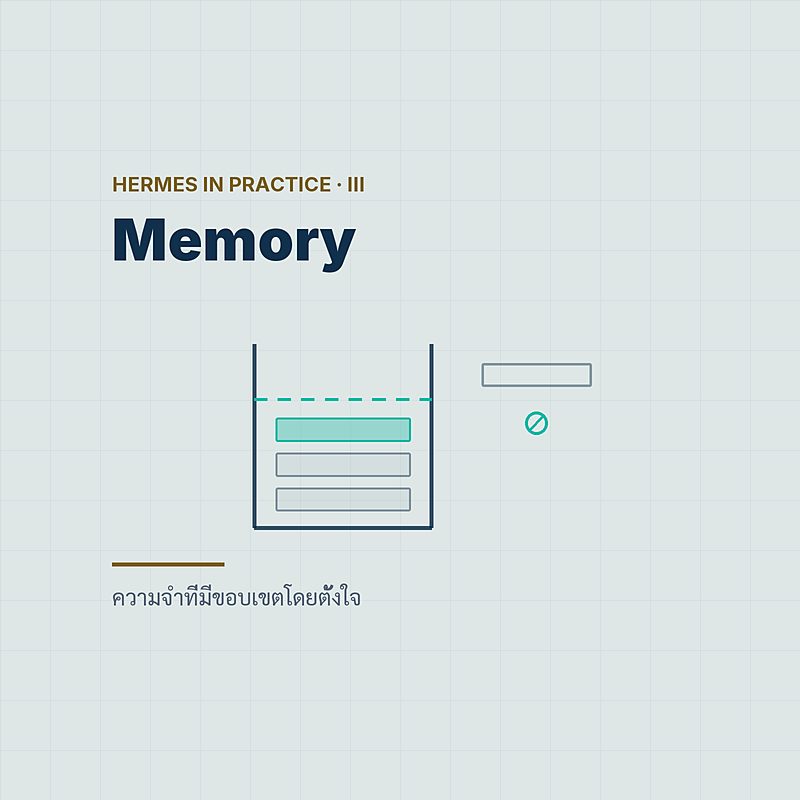
ตัวเลขก่อน: ความจำถาวร built-in ของ Hermes คือไฟล์ Markdown สองไฟล์ใน ~/.hermes/memories/ — MEMORY.md เพดาน 2,200 ตัวอักษร (ประมาณ 800 tokens) เป็น "โน้ตส่วนตัวของ agent" เก็บข้อเท็จจริงของ environment, convention, สิ่งที่เรียนรู้มา และ USER.md เพดาน 1,375 ตัวอักษร (ประมาณ 500 tokens) เป็นโปรไฟล์ผู้ใช้ — ความชอบ สไตล์การสื่อสาร ความคาดหวัง รวมกันไม่เกิน 3,600 ตัวอักษร หรือราว ๆ 1,300 tokens เท่านั้น
ฟังดูน้อยจนน่าตกใจใช่ไหมครับ ระบบ agent สมัยนี้แข่งกันโฆษณา vector database, embedding pipeline, ความจำ "ไม่จำกัด" — แล้ว Hermes กลับตีกรอบความจำถาวรไว้เล็กกว่าอีเมลหนึ่งฉบับ แต่พอไล่อ่านเอกสารจบ ผมคิดว่านี่ไม่ใช่ข้อจำกัดทางเทคนิค มันคือจุดยืนทางออกแบบ: อะไรก็ตามที่อยู่ในความจำถาวร จะถูกฉีดเข้า system prompt ของทุก session ทุก turn — ไม่ต้อง retrieve ไม่ต้องลุ้นว่า similarity search จะดึงถูกก้อนหรือเปล่า
💡 บทวิเคราะห์ของ glukhov.org สรุปปรัชญานี้ไว้คมมาก: "Memory isn't something the agent retrieves when needed. It's something the agent is at all times." — ความจำไม่ใช่ของที่หยิบมาใช้เป็นครั้งคราว แต่เป็นส่วนหนึ่งของตัวตน agent ตลอดเวลา และการมีขอบเขตนั่นแหละที่บังคับให้ต้องเลือก
แน่นอนว่า 3,600 ตัวอักษรจำทุกอย่างไม่ได้ Hermes จึงไม่ได้มีความจำชั้นเดียว แต่มีสามชั้นที่แบ่งงานกันชัดเจน:
| เลเยอร์ | ทำหน้าที่ | ที่เก็บ | ต้นทุนตอนใช้ |
|---|---|---|---|
| 1. Curated memory | ข้อเท็จจริงคัดแล้ว ใต้ 3,600 ตัวอักษร อยู่ใน system prompt เสมอ | ~/.hermes/memories/ | ศูนย์ — จ่ายรวมใน prompt ทุก turn อยู่แล้ว |
| 2. Session search | ค้น "ข้อความจริง" จากทุกบทสนทนาที่เคยมี | ~/.hermes/state.db (SQLite + FTS5) | ~20ms ต่อ query — ไม่เรียก LLM ในชั้นค้น |
| 3. Context compression | สรุปแบบ lossy เมื่อบริบทของ session ล้น | ใน session store พร้อม lineage แม่-ลูก | เรียก LLM เมื่อบีบอัด (auxiliary model ได้) |
สังเกตการแบ่งงาน: ชั้นแรกแพงที่สุดต่อ token (เพราะติดไปทุก turn) เลยถูกบีบให้เล็กที่สุด ชั้นสองถูกที่สุด (SQLite ล้วน ๆ) เลยเก็บทุกอย่างแบบไม่ตัดทอน ส่วนชั้นสามเป็นกันชนของ context window ภายใน session เดียว — สามชั้นนี้คือโครงของบทความทั้งบทครับ
2. MEMORY.md และ USER.md — เพดาน, ตัวคั่น §, และ snapshot ที่แช่แข็ง
เริ่มจากของจริงบนดิสก์:
# ความจำถาวรทั้งหมดของ Hermes อยู่ในสองไฟล์นี้
ls ~/.hermes/memories/
# MEMORY.md  — โน้ตส่วนตัวของ agent (เพดาน 2,200 ตัวอักษร ≈ 800 tokens)
# USER.md    — โปรไฟล์ผู้ใช้     (เพดาน 1,375 ตัวอักษร ≈ 500 tokens)
ข้างในไฟล์ แต่ละ entry คั่นด้วยเครื่องหมาย § (section sign) และตอนถูกฉีดเข้า system prompt จะมี header บอกปริมาณการใช้กำกับเสมอ ตัวอย่างจากเอกสารทางการ:
MEMORY (your personal notes) [67% — 1,474/2,200 chars]
§ โปรเจกต์ pm25-dashboard: deploy ผ่าน GitHub Actions ไป staging ก่อนเสมอ
§ เครื่องหลักเป็น macOS + zsh, จัดการ Python ด้วย uv
§ ผู้ใช้ต้องการ commit message ภาษาอังกฤษ สั้น และบอกเหตุผลของการแก้
ตัวเลขเปอร์เซ็นต์ตรง header ไม่ใช่ของประดับ — agent เห็นมันทุก turn จึง "รู้ตัว" ตลอดว่าความจำใกล้เต็มแค่ไหน และควรเริ่มรวบเมื่อไร (เดี๋ยวมาถึงเรื่องนี้ในหัวข้อถัดไป)
Snapshot ที่แช่แข็ง — และเหตุผลเรื่อง cache
รายละเอียดที่ผมชอบที่สุดของดีไซน์นี้: ทั้งสองไฟล์ถูกอ่านเข้า system prompt เป็น frozen snapshot ครั้งเดียวตอนเปิด session แล้วไม่ถูกแก้กลางคันเด็ดขาด — ถ้า agent เขียนความจำระหว่าง session ข้อมูลลงดิสก์ทันที แต่จะไปโผล่ใน prompt ก็ตอน session ถัดไป
ในสถาปัตยกรรมการประกอบ prompt (ตามบทวิเคราะห์สถาปัตยกรรมของ Arize) บล็อกความจำ, โปรไฟล์ผู้ใช้ และ timestamp ถูกจัดเป็นชั้น "volatile" ที่วางไว้หลังส่วนที่เสถียร (tool guidance และ context files) — ของที่เปลี่ยนบ่อยอยู่ท้าย prompt เพื่อให้ prefix ยาว ๆ ข้างหน้า cache ได้ต่อเนื่อง เป็นดีเทลเล็ก ๆ ที่บอกว่าคนออกแบบคิดเรื่องต้นทุนจริงจัง
Memory ไม่ใช่ Context Files
จุดที่คนมาจากสาย Claude Code / OpenClaw สับสนบ่อย: context files เป็นคนละระบบกับ memory — ไฟล์อย่าง AGENTS.md หรือ CLAUDE.md คือคำสั่งประจำโปรเจกต์ที่มนุษย์เขียน ส่วน memory คือสิ่งที่ agent สะสมเอง Hermes โหลด context file แบบ first-match-wins ตามลำดับนี้ (เอกสารฉบับเต็ม):
# context files — ระบบแยกจาก memory, โหลดตัวแรกที่เจอเท่านั้น
.hermes.md / HERMES.md   # ชนะทุกไฟล์
AGENTS.override.md
AGENTS.md
CLAUDE.md                # Hermes อ่านไฟล์ของ Claude Code ได้ตรง ๆ
.cursorrules

# SOUL.md โหลดเสมอจาก $HERMES_HOME/SOUL.md — identity slot #1
# เพดานสเกลตามโมเดล: floor 20,000 → ceiling 500,000 ตัวอักษร
# (คีย์ context_file_max_chars; AGENTS.md ใน subdirectory จำกัด 8,000)
ผลพลอยได้เชิงปฏิบัติ: CLAUDE.md และ AGENTS.md ที่องค์กรคุณลงทุนเขียนไว้แล้ว ใช้กับ Hermes ได้ตั้งแต่วันแรกโดยไม่ต้องแปลงอะไร — และเกณฑ์การจำอัตโนมัติของ Hermes ยังระบุชัดว่า "อะไรที่อยู่ใน context files แล้ว ไม่ต้องจำซ้ำ" ความจำ 3,600 ตัวอักษรเลยไม่ถูกผลาญไปกับของที่มีไฟล์ดูแลอยู่แล้ว
3. memory tool: add / replace / remove และวินัย error-on-overflow
agent แก้ความจำของตัวเองผ่าน tool ชื่อ memory ซึ่งมีสามแอ็กชันเท่านั้น — และที่จงใจไม่มีคือ read เพราะเนื้อหาอยู่ใน system prompt อยู่แล้ว จะอ่านซ้ำทำไม:
# รูปแบบเชิงแนวคิดของ memory tool — สามแอ็กชัน ไม่มี read
memory(action="add",
       content="CI ของทีมรันบน self-hosted runner — อย่าสั่ง job ที่ต้องใช้ GPU")

memory(action="replace",
       old_text="Postgres 15",          # จับคู่แบบ substring
       content="อัปเกรดเป็น Postgres 16 แล้ว (ส.ค. 2026)")

memory(action="remove", old_text="โปรเจกต์ legacy-api")
ต่อมามี operations array ให้ยื่นหลายคำสั่งเป็นชุดเดียว โดยระบบตรวจทุกรายการกับงบตัวอักษรสุดท้ายแบบ atomic — จะผ่านก็ผ่านทั้งชุด (ฟีเจอร์นี้เข้ามาในช่วง v0.16.0–v0.18.0 ราวมิถุนายน–กรกฎาคม 2026 — release notes ไม่ได้ปักเวอร์ชันชัด ผมจึงไม่ปักแทน):
# batch edit — ตรวจกับงบตัวอักษรสุดท้ายพร้อมกันทั้งชุด
memory(operations=[
  {"action": "remove",  "old_text": "รายละเอียด sprint ที่ปิดไปแล้ว"},
  {"action": "replace", "old_text": "staging บน DO", "content": "staging ย้ายไป Hetzner"},
  {"action": "add",     "content": "ทีมตกลงใช้ conventional commits ตั้งแต่ ก.ย. 2026"}
])
เต็มแล้วไม่ทิ้งเงียบ ๆ — คืน error
นี่คือหัวใจของ "ขอบเขตโดยตั้งใจ": เมื่อความจำเต็ม Hermes ไม่ silent-drop entry เก่าแบบ FIFO และไม่สรุปทับให้อัตโนมัติ — tool คืน error ตรง ๆ:
Memory at 2,100/2,200 chars. Adding this entry (250 chars)
would exceed the limit.

# → agent ต้อง consolidate หรือ remove ก่อน จึงจะ add ใหม่ได้
# แนวปฏิบัติในเอกสาร: เริ่มรวบความจำตั้งแต่ใช้เกิน 80%
ผมมองว่านี่คือการย้ายภาระ "ตัดสินใจว่าอะไรสำคัญ" กลับไปให้ตัว agent ในจังหวะที่มันมีบริบทครบที่สุด แทนที่จะให้กลไกอัตโนมัติเดาแทน — เหมือนบังคับให้จดสรุปลงสมุดเล่มเล็กแทนที่จะถ่ายเอกสารทั้งตู้ คนที่เคยเจอ MEMORY.md ของ OpenClaw บวมจนต้องมานั่งไล่ลบเองน่าจะเข้าใจว่าทำไมดีไซน์นี้ถึงน่าสนใจ
คีย์ config ฝั่งความจำทั้งหมด เปิดมาพร้อมค่า default ตามนี้:
# คีย์ config ของระบบความจำ — ค่า default ตามเอกสาร
memory_enabled: true          # เปิดระบบความจำ
user_profile_enabled: true    # เปิด USER.md
memory_char_limit: 2200       # เพดาน MEMORY.md
user_char_limit: 1375         # เพดาน USER.md
write_approval: false         # true = ทุกการเขียนต้องรออนุมัติ (หัวข้อ 7)

# แจ้งเตือนเมื่อมีการเขียนความจำ: off / on (default) / verbose
# on = ขึ้นบรรทัดสั้น ๆ "💾 Memory updated", verbose = แถม preview สิ่งที่เปลี่ยน
display.memory_notifications: on
4. อะไรถูกจำอัตโนมัติ — และอะไรตั้งใจไม่จำ
ผู้ใช้ไม่ต้องสั่ง "จำไว้นะ" ทุกครั้ง — README ของโปรเจกต์เรียกกลไกนี้ว่า "agent-curated memory with periodic nudges": ตัว agent จะสะกิดตัวเองเป็นระยะให้ทบทวนว่าบทสนทนาที่ผ่านมามีอะไรข้ามเส้น "ข้อเท็จจริงถาวร" หรือยัง เกณฑ์ในเอกสารชัดเจนพอจะทำเป็นตารางได้เลย:
| จำอัตโนมัติ ✅ | ตั้งใจไม่จำ ❌ |
|---|---|
| preferences ของผู้ใช้ | เรื่องจิ๊บจ๊อย (trivia) |
| ข้อเท็จจริงของ environment | สิ่งที่ค้นซ้ำได้ง่ายอยู่แล้ว |
| การแก้ไข/correction จากผู้ใช้ | raw data dump ก้อนโต |
| convention ของทีมหรือโปรเจกต์ | ephemera เฉพาะ session นั้น |
| งานที่ทำเสร็จแล้ว | สิ่งที่อยู่ใน context files แล้ว |
| คำขอ "จำไว้" ตรง ๆ | — |
คอลัมน์ขวาสำคัญกว่าคอลัมน์ซ้ายนะครับ — ระบบความจำส่วนใหญ่พังเพราะจำมากไป ไม่ใช่จำน้อยไป การประกาศชัดว่า "อะไรไม่คู่ควรกับ 3,600 ตัวอักษร" คือครึ่งหนึ่งของดีไซน์ทั้งหมด
งาน review เบื้องหลังนี้ยังส่งไปรันบนโมเดลรองที่ถูกกว่าได้ — เอกสารระบุว่าประหยัดต้นทุน token ราว 3–5 เท่าใน benchmark:
# ให้ background memory review รันบนโมเดลรองราคาประหยัด
auxiliary.background_review.provider: <provider>
auxiliary.background_review.model: <cheap-model>
# เอกสารระบุ: ลด token cost ราว 3–5 เท่าใน benchmark
ส่วนจังหวะการสะกิด — โค้ดวอล์กทรูของ MMNTM (บุคคลที่สาม, กรกฎาคม 2026) รายงานว่า nudge ทำงานราว ๆ ทุก 300 วินาที บวก background review หลังจบ turn ที่อ่านซ้ำบทสนทนาจาก prefix cache ที่ยังอุ่นอยู่ — ตัวเลข 300 วินาทีนี้ไม่มีในเอกสารทางการ ผมจึงขอวางไว้ในฐานะรายงานจากการอ่านโค้ด ไม่ใช่สเปก
5. เลเยอร์สอง: FTS5 session search ค้นบทสนทนาทั้งหมด
คำถามที่ค้างจากหัวข้อแรก: ถ้าความจำถาวรจุแค่ 3,600 ตัวอักษร แล้วเรื่องที่เหลือทั้งหมดหายไปไหน? คำตอบคือไม่หายไปไหนเลย — ทุก session ไม่ว่าจะคุยผ่าน CLI หรือ messaging channel ไหน ถูกเก็บครบทุกข้อความใน SQLite ไฟล์เดียว พร้อม full-text index:
# ทุก session (CLI + ทุก messaging channel) อยู่ใน SQLite เดียว
~/.hermes/state.db          # มี FTS5 full-text index ในตัว

# agent ค้นเองด้วย tool — ได้ "ข้อความจริง" กลับมา ไม่ใช่บทสรุป
session_search("docker compose postgres password rotation")
# ~20ms ต่อ query, ~1ms ต่อการ scroll
# แล้ว scroll เดินหน้า-ถอยหลังใน session ที่เจอได้ทันที
เอกสาร memory ย้ำว่า ชั้นค้นหานี้คืน "actual messages" — ไม่มี LLM summarization ไม่มี truncation ไม่มี embedding ไม่มี vector database ให้ดูแล แค่ FTS5 ของ SQLite ตรง ๆ ซึ่งเร็วพอ (~20ms) และที่สำคัญคือไม่มีค่า LLM ต่อการค้นหนึ่งครั้ง agent จึงค้นได้ถี่ ๆ โดยไม่ต้องเสียดายเงิน
มีจุดหนึ่งที่ต้องพูดให้ครบ: README ของโปรเจกต์โฆษณาฟีเจอร์นี้ว่า "FTS5 session search with LLM summarization for cross-session recall" ซึ่งฟังดูขัดกับ "no LLM summarization" ในเอกสาร memory — อ่านประกอบกับ release notes ที่ทำให้ session search เป็นงานหนึ่งของระบบ auxiliary model เคียงกับ compression และ vision ผมตีความว่าเป็นสองขั้นในเส้นทางเดียว: ตัวค้นเป็น FTS5 ล้วนคืนข้อความดิบ ส่วนการย่อยผลลัพธ์ให้กลายเป็นคำตอบ อาจผ่านโมเดลรองอีกชั้น — ทั้งสองประโยคจริงพร้อมกันได้ แต่ผมเลือกเล่าแบบแยกชั้นแทนที่จะฟันธงกลไกเดียว
💡 มุมคิดเชิงสถาปัตยกรรม: นี่คือการเทรด recall แบบ semantic (vector DB อาจเจอ "เรื่องคล้ายกัน" ที่ใช้คนละคำ) แลกกับความเร็ว ต้นทุนศูนย์ และความโปร่งใส — ผลค้นเป็นข้อความจริงที่ตรวจย้อนได้ ไม่ใช่ก้อน embedding ที่อธิบายไม่ได้ว่าทำไมถูกดึงมา สำหรับ agent ที่คุยกับเราเป็นภาษาเดิม ๆ ทุกวัน คำเดิม ๆ นั่นแหละคือ key ที่ดีอยู่แล้ว
6. เลเยอร์สาม: context compression และ session lineage
ชั้นที่สามไม่เกี่ยวกับ "ข้าม session" แต่แก้ปัญหาภายใน session เดียว: บริบทยาวเกิน window ตามการไล่โค้ดของ Arize เมื่อถึงเกณฑ์ agent/context_compressor.py จะสรุปบทสนทนาแบบ lossy แล้วเปิด session ลูกต่อ โดย session store (ผ่าน hermes_state.py และ SessionStore ของ gateway) เก็บ lineage แม่-ลูก ไว้ครบ — บีบกี่ทอดก็ไล่กลับไปอ่านต้นฉบับได้เสมอ พร้อม isolation แยกตาม platform และ atomic writes
เวอร์ชันหลัง ๆ ขัดเกลาชั้นนี้หนักมาก โดยเฉพาะ v0.20.0 (3 สิงหาคม 2026) ที่ยกเครื่องทั้งชุด:
- Proactive tool-result pruning — ตัดผลลัพธ์ tool เก่า ๆ ทิ้งก่อนที่บริบทจะตึง (สำคัญกับโมเดล window ใหญ่ที่ค่า input แพง)
- Per-turn micro-compaction — เก็บกวาดเล็ก ๆ ทุก turn แทนที่จะรอบีบใหญ่ทีเดียว
- Guaranteed N-user-message tail — การันตีว่าข้อความล่าสุดของผู้ใช้ N ข้อความจะรอดจากการบีบอัดเสมอ — ใครเคยเจอ agent "ลืมสิ่งที่เพิ่งสั่งไปเมื่อกี้" หลัง compaction จะรู้ว่าข้อนี้แก้ pain point ตรงจุดที่สุด
รุ่นก่อนหน้าก็ทยอยเพิ่มคำเตือน degradation, การกันงบ token ให้ส่วนท้ายบทสนทนา และคำสั่งบีบอัดแบบชี้เป้า:
# บีบอัดแบบชี้เป้า — บอกได้ว่าอยากให้บทสรุปถนอมประเด็นไหน
/compress <focus>
Cron agents เลิกเป็นปลาทอง
ช่องโหว่สุดท้ายของภาพนี้เพิ่งถูกปิดเดือนที่แล้ว: งาน cron ที่รันซ้ำ ๆ เคยเริ่มจากศูนย์ทุกรอบ v0.20.5 (tag 19 สิงหาคม 2026) ให้ cron jobs มีความจำถาวร และ v0.21.0 (31 สิงหาคม 2026) ปิดจ็อบด้วยประโยคใน release notes ที่ผมขอยกมาทั้งดุ้น: "Cron jobs stopped being goldfish. Cron agents now load and update persistent memory like every other agent." — บวกออปชัน continuity=true ที่ส่งผลลัพธ์ของรอบก่อนเข้ารอบถัดไป ให้ monitor agent รู้ว่าอะไรรายงานไปแล้ว ไม่แจ้งเตือนซ้ำ
7. Guardrails: injection scanning, write approval, /journey
คิดตามนี้นะครับ: ความจำของ Hermes ลงเอยใน system prompt — ตำแหน่งที่มีอำนาจสูงสุดของทั้งบทสนทนา ถ้าผู้ไม่หวังดีหลอกให้ agent "จำ" ประโยคที่จริง ๆ เป็นคำสั่งฝัง ได้เท่ากับเขียน system prompt ของทุก session ในอนาคต ดังนั้นทุกการเขียนความจำถูกสแกนก่อนรับ: แพตเทิร์น prompt injection, การพยายามขโมย credential, แพตเทิร์น SSH backdoor และตัวอักษร Unicode ล่องหนถูกบล็อกทั้งหมด
_scan_memory_content (ใน tools/memory_tool.py) ซึ่งก็คือตัวสแกนความจำเองกลายเป็นช่องทางโจมตีเสียเอง กระทบรุ่น 2026.4.0–2026.4.30 ระดับ Medium (CVSS 6.3) และมี exploit เผยแพร่สาธารณะแล้ว (SentinelOne จัดประเภทแรงกว่านั้นเป็น RCE) บทเรียนเชิงหลักการชัดเจน: โค้ดที่ตรวจ input ที่ไม่น่าเชื่อถือ ตัวมันเองคือ attack surface ชั้นดี เราจะกลับมาเรื่องนี้แบบเต็ม ๆ ในตอน #4 Security
สำหรับ deployment ที่มีผู้ใช้หลายคนหรือรับข้อความจากภายนอก ผมแนะนำให้เปิดชั้นอนุมัติ: ตั้ง write_approval: true แล้วการเขียนความจำจาก session เบื้องหน้าใน CLI จะถามทันที ส่วนการเขียนจากช่องทางอื่นถูกพักไว้รอตรวจ:
/memory pending             # ดูรายการเขียนที่ค้างอนุมัติ
/memory approve <id>        # อนุมัติรายการ
/memory reject <id>         # ปัดตก
และตั้งแต่ v0.18.0 (1 กรกฎาคม 2026) มนุษย์มีหน้าต่างมองเข้าไปในหัว agent ตรง ๆ: คำสั่ง /journey เปิดไทม์ไลน์เล่นย้อนได้ของทุกอย่างที่ Hermes เรียนรู้ (ฝั่ง desktop มี memory graph แบบ radial ให้ดูด้วย) — ดู แก้ หรือลบความจำเป็นราย chunk ได้:
/journey                                   # ไทม์ไลน์ทุกสิ่งที่ agent เรียนรู้
hermes journey delete memory:<source>:<index>   # ลบ chunk ตาม node id
hermes journey edit memory:<source>:<index>     # เปิด $EDITOR แก้ตรง ๆ
ปิดท้ายด้วย isolation: แต่ละ profile ของ Hermes ได้ HERMES_HOME, config, memory, sessions และ gateway ของตัวเองแยกขาดกัน — ความจำของ profile งานทดลองไม่มีทางรั่วเข้า profile งานจริง ซึ่งเข้าคู่กับแนวทางแยก agent ต่อบริบทที่ผมเชียร์ไว้ในซีรีส์ OpenClaw พอดี
8. External memory providers — เลเยอร์เสริมที่เสียบได้แปดตัว
ถ้า 3,600 ตัวอักษร + FTS5 ยังไม่พอกับงานของคุณ — เช่น อยากได้ user modeling เชิงลึก หรือ semantic recall จริง ๆ — Hermes มีชั้นปลั๊กอิน: memory provider ภายนอก 8 ตัว ได้แก่ Honcho, OpenViking, Mem0, Hindsight, Holographic, RetainDB, ByteRover และ Supermemory (เอกสารยังมีปลั๊กอิน Memori แยกอีกตัว) กติกาสำคัญสองข้อ: เปิดได้ทีละหนึ่งตัวเท่านั้น และเป็น additive เสมอ — built-in memory ไม่เคยถูกปิดแทนที่
เมื่อ provider ทำงาน Hermes จะฉีดบริบทจาก provider เข้า system prompt, prefetch ความจำที่เกี่ยวข้องก่อนแต่ละ turn (แบบ non-blocking), sync บทสนทนาหลังแต่ละคำตอบ, สกัดความจำตอนจบ session, mirror การเขียน built-in memory ไปที่ provider และเพิ่ม tool เฉพาะของ provider นั้นให้ agent:
# เปิด external provider — active ได้ทีละหนึ่งตัวเท่านั้น
hermes memory setup         # wizard เลือก provider + ใส่ credential
hermes memory status        # ตรวจว่าตัวไหน active อยู่
hermes memory off           # ปิด (built-in memory ยังทำงานเสมอ)

# หรือกำหนดตรง ๆ ใน config
memory.provider: <provider>
สองตัวที่เอกสารให้รายละเอียดมากพอจะเล่า:
- Holographic — โลคัลล้วน: fact store บน SQLite (default
$HERMES_HOME/memory_store.db) มี FTS5, trust scoring (ค่าเริ่มต้น 0.5) และเทคนิค holographic reduced representations ฟรี ไม่มี dependency ภายนอก มาพร้อม toolfact_store(add, search, probe, related, reason, contradict, update, remove, list) และfact_feedback— เหมาะเป็นตัวแรกสำหรับลองชั้นนี้โดยไม่ต้องส่งข้อมูลออกเครื่อง - Honcho — "AI-native cross-session user modeling with dialectic reasoning": จำลองโมเดลของผู้ใช้ข้าม session ผ่านการ reasoning ปรับแต่งได้ละเอียด (เช่น
dialecticMaxChars 600,recallMode hybrid,writeFrequency async,sessionStrategy per-directory) พร้อม tool 5 ตัวตระกูลhoncho_*
ค่าใช้จ่ายทั้งกลุ่มไล่ตั้งแต่ฟรี/โลคัล (Holographic) ไปจนถึงราว $20 ต่อเดือนแบบ cloud (RetainDB) และมีข้อกำหนดจุกจิกบ้าง เช่น Hindsight ต้องการ hindsight-client >= 0.4.22 — ใครอยากเขียน provider เอง interface ก็เปิดอยู่ (โมดูลหลัก: agent/memory_manager.py, agent/memory_provider.py, plugins/memory/):
# plugin interface ของ memory provider — hook ทั้งหมดเป็น optional
prefetch(query, session_id)       # ก่อน API call แต่ละครั้ง
queue_prefetch()                  # หลังจบแต่ละ turn
sync_turn(user, assistant, ...)   # หลังแต่ละ turn — ต้อง non-blocking
on_session_end(messages)          # สกัดความจำตอนปิด session
on_pre_compress(messages)         # ก่อน context compression
on_memory_write(action, target, content)  # mirror การเขียน built-in
system_prompt_block()             # บล็อกที่ถูกฉีดเข้า prompt
shutdown() # ปิดตัวอย่างสะอาด9. ย้ายความจำจาก OpenClaw: daily logs รวมเป็นไฟล์เดียวที่มีขอบเขต
มาถึงหัวข้อที่คนอ่านซีรีส์ OpenClaw ของผมรออยู่ วางสองโมเดลเทียบกันก่อน:
| OpenClaw | Hermes | |
|---|---|---|
| ไฟล์หลัก | workspace/MEMORY.md + USER.md | ~/.hermes/memories/MEMORY.md + USER.md |
| Daily logs | workspace/memory/*.md — โตไม่จำกัด | ไม่มี — ใช้ FTS5 ค้น transcript เต็มแทน |
| ขนาด | ไม่มีเพดาน | 2,200 + 1,375 ตัวอักษร (hard cap) |
| เมื่อเต็ม | ไม่มีแนวคิด "เต็ม" | tool คืน error → บังคับ consolidate |
| การเขียน | agent เขียนอิสระ | ผ่าน security scan ทุกครั้ง + write approval (ออปชัน) |
| ค้นย้อนหลัง | ไล่เปิดไฟล์ log อ่าน | session_search บน SQLite FTS5 (~20ms) |
ข่าวดีคือแนวคิดสองไฟล์ MEMORY.md/USER.md ตรงกันเป๊ะ (ไม่บังเอิญ — คู่มือย้ายฝั่งกลับของ OpenClaw เองก็ append ไฟล์คู่นี้เข้าหากันตรง ๆ) การย้ายจึงเป็นคำสั่งเดียวตามคู่มือ migration อย่างเป็นทางการ และจุดที่น่าทึ่งที่สุดคือวิธีจัดการ daily log:
hermes claw migrate
# workspace/SOUL.md       → ~/.hermes/SOUL.md
# workspace/AGENTS.md     → AGENTS.md (workspace ปลายทาง)
# workspace/MEMORY.md     → ~/.hermes/memories/MEMORY.md
# workspace/USER.md       → ~/.hermes/memories/USER.md
# workspace/memory/*.md   → รวบเข้า MEMORY.md ไฟล์เดียว
#                           (parse → merge → dedupe ด้วยตัวคั่น §)
# ความจำที่มีอยู่แล้วฝั่ง Hermes จะถูกข้าม ไม่เขียนทับ

hermes claw cleanup
# เก็บโฟลเดอร์ OpenClaw ที่เหลือเข้า .pre-migration/ (เปลี่ยนชื่อ ไม่ลบ)
อ่านบรรทัดที่สี่จากท้ายอีกครั้งครับ: daily log ทั้งโฟลเดอร์ — สำหรับบางเครื่องคือหลายเดือนของการจดรายวัน — ถูกรวบเข้าไฟล์เดียวที่มีเพดาน 2,200 ตัวอักษร นี่ไม่ใช่แค่ขั้นตอนทางเทคนิค แต่เป็นการบังคับกลั่นครั้งใหญ่: ปรัชญาทั้งบทความนี้ถูกอัดอยู่ในคำสั่ง migrate คำสั่งเดียว ใครสนใจว่าฝั่ง OpenClaw ประกอบภาพความจำนี้อย่างไรในเชิงลึก ผมเคยแกะไว้ใน OpenClaw Memory Architecture
ขั้นตอนที่ผมแนะนำสำหรับคนย้ายจริง:
- ก่อน migrate — เปิด
workspace/memory/ไล่ลบ log ที่รู้ว่าหมดอายุแล้วด้วยตัวเอง เพื่อให้ตัว consolidate ทำงานกับของที่ยังมีค่า - รัน
hermes claw migrateแล้วเปิด~/.hermes/memories/MEMORY.mdอ่านผลด้วยตาตัวเองหนึ่งรอบ — การกลั่นแบบนี้ lossy โดยธรรมชาติ อะไรที่หายแต่สำคัญ เพิ่มกลับเองได้ - จำไว้ว่า import มีผลเฉพาะ session ใหม่ — session เดิมที่ค้างอยู่ยังเห็น snapshot เก่า (พฤติกรรมแช่แข็งจากหัวข้อ 2 ทำงานตรงนี้ด้วย)
- ปิดท้ายด้วย
/journeyเพื่อดูว่าความจำที่ตกทอดมาหน้าตาเป็นระเบียบไหม แล้วค่อยรันhermes claw cleanup
ผมยังไม่ประกาศว่าโมเดลไหน "ชนะ" ระหว่างจำแบบไม่จำกัดของ OpenClaw กับจำแบบมีขอบเขตของ Hermes — แต่หลังจากใช้เวลากับเอกสารทั้งสองฝั่ง ผมยอมรับว่าคำถามที่ Hermes บังคับให้ตอบทุกครั้งที่ความจำใกล้เต็ม — "อันไหนสำคัญพอจะเก็บ?" — เป็นคำถามที่ระบบความจำแบบโตไม่จำกัดไม่เคยบังคับให้ใครตอบเลย และนั่นอาจเป็นเหตุผลที่มันมักจบลงเป็นกองเอกสารที่ไม่มีใครอ่าน
🎯 สิ่งสำคัญที่ต้องจำ
- Bounded memory = MEMORY.md 2,200 + USER.md 1,375 ตัวอักษร (รวมใต้ 3,600) — เพดานที่ตั้งใจ เพื่อบังคับให้เลือกจำ
- Frozen snapshot = ความจำถูกอ่านครั้งเดียวตอนเปิด session เพื่อถนอม prefix cache (1 ชม. ข้าม session สำหรับ Claude) — เขียนกลางคันมีผล session ถัดไป
- Error-on-overflow = เต็มแล้ว tool คืน error ไม่ silent-drop — agent ต้อง consolidate เอง (เริ่มที่ 80%)
- FTS5 session search = ทุกบทสนทนาอยู่ใน ~/.hermes/state.db ค้นได้ ~20ms ต่อครั้ง ได้ข้อความจริง ไม่มีค่า LLM ในชั้นค้น
- Context compression = ชั้นสามภายใน session — v0.20.0 เพิ่ม tool-result pruning, micro-compaction และการันตี tail ข้อความผู้ใช้
- Guardrails = ทุกการเขียนถูกสแกน injection/exfiltration + write approval (ออปชัน) + ตรวจสอบย้อนด้วย /journey
- Memory providers = ปลั๊กอิน 8 ตัว เปิดได้ทีละหนึ่ง เป็นส่วนเสริมเสมอ — เริ่มจาก Holographic (ฟรี/โลคัล) ถ้าจะลอง
- hermes claw migrate = รวบ daily logs ทั้งหมดของ OpenClaw เป็น MEMORY.md เดียวที่มีขอบเขต — ปรัชญาทั้งระบบในคำสั่งเดียว
Have you ever opened an OpenClaw workspace/memory/ folder and found dozens — sometimes hundreds — of daily log files that nobody, not even the agent itself, ever reads end-to-end again?
Readers of my OpenClaw for Organizations series will remember the Memory post: OpenClaw pairs a two-file MEMORY.md + USER.md core with append-forever daily logs, so memory can grow without limit — powerful, but it takes discipline (and periodic pruning) to keep it from becoming an archive nobody consults. Hermes Agent from Nous Research — the MIT-licensed project that launched publicly in late February 2026 and now sits near 240,000 GitHub stars — makes the opposite bet on the whole board: all persistent memory is capped under 3,600 characters, and everything else is recovered by search that runs in milliseconds.
This is post #3 of the Hermes Agent in Practice series. We will walk the philosophy behind that number, the two-file mechanism and its frozen snapshot, the FTS5 search layer, the compression layer, the guardrails that keep memory from becoming an injection vector, the eight pluggable external providers — and close with the single command that consolidates an entire OpenClaw daily-log folder into one bounded file. As someone who runs his own OpenClaw deployment, I read this design with two feelings at once: admiration, and the urge to argue.
1. The philosophy: 3,600 characters of always-on memory
Numbers first. Hermes's built-in persistent memory is two Markdown files in ~/.hermes/memories/: MEMORY.md, capped at 2,200 characters (roughly 800 tokens) — the agent's personal notes: environment facts, conventions, things learned — and USER.md, capped at 1,375 characters (roughly 500 tokens) — the user profile: preferences, communication style, expectations. Under 3,600 characters total, around 1,300 tokens.
That sounds alarmingly small. The agent ecosystem competes on vector databases, embedding pipelines, "unlimited" recall — and Hermes fences its permanent memory into less text than one email. But read the docs to the end and this is clearly not a technical limitation; it is a design position. Whatever lives in persistent memory is injected into the system prompt of every session, every turn — no retrieval step, no gambling on whether similarity search surfaces the right chunk.
💡 The glukhov.org analysis puts the philosophy in one sharp line: "Memory isn't something the agent retrieves when needed. It's something the agent is at all times." The bound is what forces selection.
Of course, 3,600 characters cannot hold everything — which is why Hermes doesn't have one memory layer but three, with a clean division of labor:
| Layer | Job | Storage | Cost at use |
|---|---|---|---|
| 1. Curated memory | Distilled facts, under 3,600 chars, always in the system prompt | ~/.hermes/memories/ | Zero — already paid in every turn's prompt |
| 2. Session search | Full-text search over every conversation ever held | ~/.hermes/state.db (SQLite + FTS5) | ~20ms per query — no LLM call in the search layer |
| 3. Context compression | Lossy summarization when a session's context overflows | In the session store, with parent/child lineage | LLM call at compression time (auxiliary model allowed) |
Notice the economics: the first layer is the most expensive per token (it rides along on every turn), so it is squeezed smallest. The second is the cheapest (pure SQLite), so it keeps everything untruncated. The third is the pressure valve for a single session's context window. Those three layers are the skeleton of this whole post.
2. MEMORY.md and USER.md — caps, § delimiters, the frozen snapshot
Start with what is actually on disk:
# All of Hermes's persistent memory lives in these two files
ls ~/.hermes/memories/
# MEMORY.md  — the agent's personal notes (cap 2,200 chars ≈ 800 tokens)
# USER.md    — the user profile          (cap 1,375 chars ≈ 500 tokens)
Inside, entries are delimited by the § section sign, and when injected into the system prompt the block carries a usage header. An example in the shape the official docs show:
MEMORY (your personal notes) [67% — 1,474/2,200 chars]
§ pm25-dashboard deploys via GitHub Actions — staging before production, always
§ Primary machine is macOS + zsh; Python managed with uv
§ User wants commit messages in English, short, stating the why
That percentage header is not decoration. The agent sees it every turn, so it always knows how close memory is to full — and when it is time to start consolidating (next section).
The frozen snapshot — and the caching reason behind it
My favorite detail of the design: both files are read into the system prompt as a frozen snapshot, captured once at session start and never mutated mid-session. If the agent writes memory during a session, the write hits disk immediately — but appears in the prompt only from the next session onward.
In prompt assembly (per Arize's architecture deep-dive), the memory, user-profile, and timestamp blocks form the "volatile" tier, placed after the stable parts — tool guidance and context files. Frequently-changing content sits at the tail so the long prefix ahead of it stays cacheable. It is a small detail that tells you the designers were thinking about real bills.
Memory is not context files
A common confusion for people arriving from Claude Code or OpenClaw: context files are a separate system from memory. Files like AGENTS.md or CLAUDE.md are project instructions written by humans; memory is what the agent accumulates on its own. Hermes loads a project context file first-match-wins, in this order (see the context-files doc):
# Context files — a separate system from memory; only the first match loads
.hermes.md / HERMES.md   # beats everything
AGENTS.override.md
AGENTS.md
CLAUDE.md                # Hermes reads Claude Code's file natively
.cursorrules

# SOUL.md always loads from $HERMES_HOME/SOUL.md — identity slot #1
# The size cap scales with the model: floor 20,000 → ceiling 500,000 chars
# (config key context_file_max_chars; subdirectory AGENTS.md capped at 8,000)
The practical payoff: the CLAUDE.md and AGENTS.md your organization already invested in work with Hermes on day one, unconverted. And the auto-save criteria explicitly skip "anything already in context files" — so the 3,600 characters never get burned on facts a file already covers.
3. The memory tool: add / replace / remove, and error-on-overflow
The agent edits its own memory through a tool called memory, which has exactly three actions — and deliberately no read, because the content is already sitting in the system prompt:
# The memory tool's conceptual shape — three actions, no read
memory(action="add",
       content="Team CI runs on a self-hosted runner — never schedule GPU jobs")

memory(action="replace",
       old_text="Postgres 15",          # substring matching
       content="Upgraded to Postgres 16 (Aug 2026)")

memory(action="remove", old_text="legacy-api project")
A later addition is the operations array: a batch of edits validated atomically against the final character budget — the whole batch passes or none of it does. (Release-note summaries place it somewhere in the v0.16.0–v0.18.0 window, June–July 2026; the exact release is unpinned, so I won't pin it either.)
# Batch edit — validated against the final budget as one unit
memory(operations=[
  {"action": "remove",  "old_text": "details of the closed sprint"},
  {"action": "replace", "old_text": "staging on DO", "content": "staging moved to Hetzner"},
  {"action": "add",     "content": "Team adopted conventional commits from Sep 2026"}
])
Full means an error, not a silent drop
Here is the heart of "bounded by design." When memory is full, Hermes does not silently evict the oldest entry, and does not auto-summarize over your notes. The tool returns a plain error:
Memory at 2,100/2,200 chars. Adding this entry (250 chars)
would exceed the limit.

# → the agent must consolidate or remove before it can add
# documented best practice: start consolidating above 80% capacity
I read this as moving the "what actually matters?" decision back to the agent at the moment it has the most context — instead of letting an automatic policy guess. It is the difference between forcing a summary into a small notebook and photocopying the whole filing cabinet. Anyone who has watched an OpenClaw MEMORY.md bloat until a human had to prune it by hand will understand the appeal.
The full set of memory config keys, with their documented defaults:
# Memory config keys — documented defaults
memory_enabled: true          # the memory system itself
user_profile_enabled: true    # USER.md
memory_char_limit: 2200       # MEMORY.md cap
user_char_limit: 1375         # USER.md cap
write_approval: false         # true = every write awaits approval (section 7)

# Write notifications: off / on (default) / verbose
# on = a generic "💾 Memory updated" line; verbose adds a compact diff preview
display.memory_notifications: on
4. What gets remembered automatically — and what deliberately doesn't
You don't have to say "remember this" every time. The project README calls the mechanism "agent-curated memory with periodic nudges": the agent nudges itself, at intervals, to review whether anything in the recent conversation crossed the durable-fact threshold. The documented criteria are crisp enough to tabulate:
| Saved automatically ✅ | Deliberately skipped ❌ |
|---|---|
| User preferences | Trivia |
| Environment facts | Easily re-discovered facts |
| Corrections from the user | Raw data dumps |
| Team or project conventions | Session-specific ephemera |
| Completed work | Anything already in context files |
| Explicit "remember this" requests | — |
The right column matters more than the left. Memory systems mostly fail by remembering too much, not too little; declaring what is unworthy of the 3,600 characters is half the design.
The background review can also be routed to a cheaper auxiliary model — the docs report roughly a 3–5x reduction in token cost in benchmarks:
# Run the background memory review on a cheaper auxiliary model
auxiliary.background_review.provider: <provider>
auxiliary.background_review.model: <cheap-model>
# documented: ~3–5x lower token cost in benchmarks
As for the cadence: MMNTM's third-party code walkthrough (July 2026) reports a nudge roughly every 300 seconds, plus a post-turn background review that re-reads the conversation off the still-warm prefix cache. That 300-second figure appears in no primary doc, so treat it as a code-reading report, not a spec.
5. Recall layer two: FTS5 session search over full transcripts
The question left hanging since section one: if permanent memory holds 3,600 characters, where does everything else go? The answer is: nowhere. Every session — CLI or any messaging channel — is stored, complete, in a single SQLite database with a full-text index:
# Every session (CLI + every messaging channel) lives in one SQLite DB
~/.hermes/state.db          # with a built-in FTS5 full-text index

# The agent searches it with a tool — and gets ACTUAL messages back
session_search("docker compose postgres password rotation")
# ~20ms per query, ~1ms per scroll
# then scroll forward/backward inside any session it finds
The memory doc is emphatic that this layer returns "actual messages" — no LLM summarization, no truncation, no embeddings, no vector database to operate. Just SQLite's FTS5, fast enough (~20ms) and, crucially, free of LLM cost per query — so the agent can search liberally without burning budget.
One tension worth naming honestly: the README markets this feature as "FTS5 session search with LLM summarization for cross-session recall," which reads as contradicting the memory doc's "no LLM summarization." Read alongside release notes that made session search one of the per-task auxiliary-model overrides, next to compression and vision, I interpret it as two stages of one path: the search is pure FTS5 returning raw messages, while digesting the results into an answer may pass through an auxiliary model. Both sentences can be true at once; I'm describing the layers rather than ruling on a single mechanism.
💡 The architectural trade here: you give up semantic recall (a vector DB might find "the same topic in different words") and get speed, zero marginal cost, and transparency — search results are real, auditable messages, not embedding neighbors you can't explain. For an agent you talk to in the same vocabulary every day, that vocabulary already is a good key.
6. Recall layer three: context compression and session lineage
The third layer is not about crossing sessions — it solves overflow within one. Per Arize's read of the codebase, when context exceeds its thresholds, agent/context_compressor.py summarizes the conversation lossily and continues in a child session, while the session store (via hermes_state.py and the gateway's SessionStore) keeps full parent/child lineage — however many compressions deep, the original transcript remains reachable — with per-platform isolation and atomic writes.
Recent releases have polished this layer hard, above all v0.20.0 (August 3, 2026), which overhauled it end to end:
- Proactive tool-result pruning — old tool outputs are dropped before context gets tight (it matters most on large-window models where input tokens are expensive)
- Per-turn micro-compaction — small cleanups every turn instead of one big squeeze at the cliff edge
- A guaranteed N-user-message tail — the user's most recent N messages always survive compression. If you have ever watched an agent forget the instruction you gave two minutes ago because compaction ate it, this is the fix aimed straight at that wound
Earlier releases had already added degradation warnings, token-budget tail protection, and targeted compression:
# Guided compression — tell the summary which thread to preserve
/compress <focus>
Cron agents stop being goldfish
The last gap in this picture closed only weeks ago. Recurring cron jobs used to start from zero every run. v0.20.5 (tagged August 19, 2026) gave cron jobs persistent memory, and v0.21.0 (August 31, 2026) finished the job with a release-notes line I'll quote whole: "Cron jobs stopped being goldfish. Cron agents now load and update persistent memory like every other agent." Plus continuity=true, which carries each run's output into the next — so a monitoring agent knows what it already reported and doesn't alert twice.
7. Guardrails: injection scanning, write approval, /journey
Follow the logic: Hermes memory ends up in the system prompt — the most authoritative position in the entire conversation. If an attacker tricks the agent into "remembering" a sentence that is really an embedded instruction, they have effectively written the system prompt of every future session. So every memory write is security-scanned before acceptance: prompt-injection patterns, credential-exfiltration attempts, SSH-backdoor patterns, and invisible Unicode characters are all blocked.
_scan_memory_content (tools/memory_tool.py), i.e. the memory scanner itself becoming the attack vector. It affects versions 2026.4.0–2026.4.30, is rated Medium (CVSS 6.3), and a public exploit exists (SentinelOne classifies it more severely, as RCE). The principle is already clear: code that inspects untrusted input is itself prime attack surface. We return to this properly in post #4, Security.
For deployments with multiple users, or agents receiving messages from the outside world, I recommend the approval layer: set write_approval: true and foreground CLI writes prompt inline, while writes from every other channel are staged for review:
/memory pending             # list writes awaiting approval
/memory approve <id>        # accept one
/memory reject <id>         # decline one
And since v0.18.0 (July 1, 2026), humans get a direct window into the agent's head: /journey opens a playable timeline of everything Hermes has learned (the desktop app adds a radial memory graph), where memories can be viewed, edited, or deleted chunk by chunk:
/journey                                        # timeline of everything learned
hermes journey delete memory:<source>:<index>   # remove a chunk by node id
hermes journey edit memory:<source>:<index>     # open it in $EDITOR
Finally, isolation: every Hermes profile gets its own HERMES_HOME, config, memory, sessions, and gateway process, fully separated — an experiment profile's memories cannot leak into your production profile. It pairs neatly with the one-agent-per-context discipline I argued for in the OpenClaw series.
8. External memory providers — the pluggable layer of eight
If 3,600 characters plus FTS5 still isn't enough — say you want deep user modeling, or genuinely semantic recall — Hermes has a plugin layer: eight external memory providers: Honcho, OpenViking, Mem0, Hindsight, Holographic, RetainDB, ByteRover, and Supermemory (the docs describe a separate Memori plugin as well). Two rules govern it: only one provider can be active at a time, and it is always additive — built-in memory never gets replaced or turned off.
With a provider active, Hermes injects provider context into the system prompt, prefetches relevant memories before each turn (non-blocking), syncs turns after each response, extracts memories at session end, mirrors built-in memory writes to the provider, and exposes the provider's own tools to the agent:
# Activate an external provider — one at a time, ever
hermes memory setup         # wizard: pick a provider + credentials
hermes memory status        # which one is active
hermes memory off           # deactivate (built-in memory keeps running)

# or set it directly in config
memory.provider: <provider>
Two providers the docs describe in enough detail to summarize:
- Holographic — fully local: a SQLite fact store (default
$HERMES_HOME/memory_store.db) with FTS5, trust scoring (default 0.5), and holographic reduced representations. Free, no external dependencies, with afact_storetool (add, search, probe, related, reason, contradict, update, remove, list) andfact_feedback. The natural first pick for trying this layer without data leaving the machine. - Honcho — "AI-native cross-session user modeling with dialectic reasoning": builds a model of the user across sessions, with fine-grained config (
dialecticMaxChars 600,recallMode hybrid,writeFrequency async,sessionStrategy per-directory) and fivehoncho_*tools.
Costs across the group run from free/local (Holographic) to around $20/month for cloud (RetainDB), with the occasional dependency pin — Hindsight requires hindsight-client >= 0.4.22. And if you want to write your own, the interface is open (core modules: agent/memory_manager.py, agent/memory_provider.py, plugins/memory/):
# The memory-provider plugin interface — every hook optional
prefetch(query, session_id)       # before each API call
queue_prefetch()                  # after each turn
sync_turn(user, assistant, ...)   # after each turn — MUST be non-blocking
on_session_end(messages)          # extract memories at session close
on_pre_compress(messages)         # before context compression
on_memory_write(action, target, content)  # mirror of built-in writes
system_prompt_block()             # the block injected into the prompt
shutdown() # clean shutdown9. Migrating from OpenClaw: daily logs become one bounded file
Now the section my OpenClaw readers have been waiting for. Put the two models side by side first:
| OpenClaw | Hermes | |
|---|---|---|
| Core files | workspace/MEMORY.md + USER.md | ~/.hermes/memories/MEMORY.md + USER.md |
| Daily logs | workspace/memory/*.md — unbounded growth | None — FTS5 search over full transcripts instead |
| Size | No ceiling | 2,200 + 1,375 chars (hard caps) |
| When full | No concept of "full" | Tool returns an error → forced consolidation |
| Writes | Agent writes freely | Security-scanned every time + optional write approval |
| Looking back | Open and read log files | session_search on SQLite FTS5 (~20ms) |
The good news: the two-file MEMORY.md/USER.md concept matches exactly (not by accident — OpenClaw's own reverse-migration guide appends these same file pairs into each other). So the move is one command, per the official migration guide — and the most interesting part is what happens to the daily logs:
hermes claw migrate
# workspace/SOUL.md       → ~/.hermes/SOUL.md
# workspace/AGENTS.md     → AGENTS.md (in the target workspace)
# workspace/MEMORY.md     → ~/.hermes/memories/MEMORY.md
# workspace/USER.md       → ~/.hermes/memories/USER.md
# workspace/memory/*.md   → CONSOLIDATED into the single MEMORY.md
#                           (parsed → merged → deduped on the § delimiter)
# existing Hermes memories are skipped, never overwritten

hermes claw cleanup
# renames leftover OpenClaw dirs into .pre-migration/ (rename, not delete)
Read that fourth-from-last comment again: an entire daily-log folder — on some machines, months of daily notes — is consolidated into one file with a 2,200-character ceiling. That is not merely a technical step; it is a forced distillation, the whole philosophy of this post compressed into one migrate command. If you want the deep view of how OpenClaw assembles its side of this picture, I took it apart in OpenClaw Memory Architecture.
My recommended sequence for a real migration:
- Before migrating, open
workspace/memory/and hand-delete the logs you know are expired — let the consolidator work on material that still has value. - Run
hermes claw migrate, then open~/.hermes/memories/MEMORY.mdand read the result with your own eyes. Distillation this aggressive is lossy by nature; anything important that got dropped, add back yourself. - Remember that imports take effect only in new sessions — anything still running sees the old snapshot (the freezing behavior from section 2 applies here too).
- Finish with
/journeyto sanity-check the inherited memories, then runhermes claw cleanup.
I am not declaring a winner between OpenClaw's unbounded memory and Hermes's bounded one — but after enough time in both sets of docs, I will concede this: the question Hermes forces every time memory approaches full — "which of these is actually worth keeping?" — is a question unbounded memory systems never force anyone to answer. Which may be exactly why they so often end up as archives nobody reads.
🎯 Key Takeaways
- Bounded memory = MEMORY.md 2,200 + USER.md 1,375 chars (under 3,600 total) — a deliberate cap that forces selection
- Frozen snapshot = memory is read once at session start to protect the prefix cache (1-hour, cross-session, for Claude); mid-session writes land next session
- Error-on-overflow = a full memory returns an error, never a silent drop — the agent must consolidate (start above 80%)
- FTS5 session search = every conversation lives in ~/.hermes/state.db, searchable in ~20ms, returning real messages with no LLM cost in the search layer
- Context compression = the third layer, within a session — v0.20.0 added tool-result pruning, micro-compaction, and a guaranteed user-message tail
- Guardrails = every write is scanned for injection/exfiltration + optional write approval + human audit via /journey
- Memory providers = eight plugins, one active at a time, always additive — start with Holographic (free, local) if you want to try the layer
- hermes claw migrate = consolidates all OpenClaw daily logs into one bounded MEMORY.md — the whole philosophy in a single command