ในบทความนี้
- The Gateway — daemon เดียวสำหรับ messaging, cron และเสียง
- จากห้าสู่ 27+ — พื้นที่แพลตฟอร์มจริง
- Per-Channel Control — allowlists, pairing และ channel_overrides
- ลงมือจริง — Telegram, WhatsApp, Email, WeCom
- MCP สองทิศทาง — OAuth 2.1 และ hermes mcp serve
- Browser Automation — Browser Use เป็น driver หลัก
- เสียง ปฏิทิน และ Nous Portal Tool Gateway
- Beyond Chat — A2A, Webhooks, ACP และ API
In this post
- The gateway — one daemon for messaging, cron, and voice
- From five to twenty-seven-plus — the real platform surface
- Per-channel control — allowlists, pairing, and channel_overrides
- Concrete setups — Telegram, WhatsApp, Email, WeCom
- MCP both ways — OAuth 2.1 and hermes mcp serve
- Browser automation — Browser Use as the default driver
- Voice, calendars, and the Nous Portal Tool Gateway
- Beyond chat — A2A, webhooks, ACP editors, and the API
🤔 หลังจากผมเขียนซีรีส์ OpenClaw for Organizations ครบทั้งเจ็ดตอน คำถามที่ได้รับกลับมาบ่อยที่สุดไม่ใช่เรื่อง model ไม่ใช่เรื่อง memory แต่เป็นคำถามพื้น ๆ ที่ตอบยากที่สุด — "จะเอา agent ไปอยู่ในช่องทางที่คนในองค์กรใช้จริงได้อย่างไร" เพราะ agent ที่ฉลาดแค่ไหนก็ตาม ถ้าคุยกับมันได้เฉพาะใน terminal ของคนติดตั้ง มันก็เป็นแค่ของเล่นของ engineer หนึ่งคน ยังไม่ใช่เครื่องมือขององค์กร
ฝั่ง OpenClaw ผมตอบคำถามนี้ไว้แล้วใน OpenClaw Integrations ปีนี้ผมกำลังพิจารณา Hermes Agent ของ Nous Research อย่างจริงจัง และบทที่ 5 ของซีรีส์นี้ต้องตอบคำถามเดียวกันในฝั่ง Hermes: มันเชื่อมกับโลกภายนอกอย่างไร ต่างจากสิ่งที่เราคุ้นเคยตรงไหน และจุดไหนที่ต้องระวังก่อนเปิดใช้จริง
คำตอบแบบย่อที่บทความนี้จะค่อย ๆ ขยาย: ทุกช่องทางวิ่งผ่าน gateway process ตัวเดียว หน้า README ชูห้าแพลตฟอร์มหลักบวก CLI แต่เอกสาร integrations จริงรองรับมากกว่า 27 แพลตฟอร์ม ฝั่งเครื่องมือมี MCP ที่ทำงานได้ทั้งสองทิศทาง มี browser automation ที่ยก Browser Use เป็น driver หลัก และมี Nous Portal ที่รวบเครื่องมือหลายตัวไว้หลัง OAuth ครั้งเดียว
The Gateway — daemon เดียวสำหรับ messaging, cron และเสียง
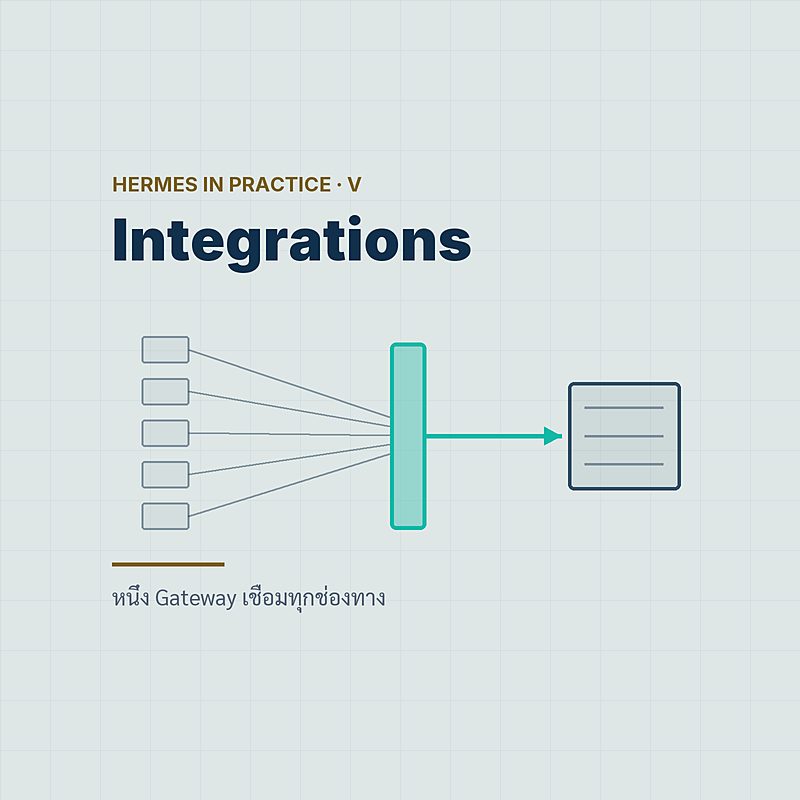
สถาปัตยกรรม integration ของ Hermes เริ่มจากแนวคิดเดียว: gateway คือ background process หนึ่งตัวที่ถือ connection ของทุกช่องทางไว้ด้วยกัน และตามเอกสาร messaging อย่างเป็นทางการ gateway ตัวนี้ไม่ได้ทำแค่ messaging — มันรัน cron scheduler ที่ตรวจงานทุก 60 วินาที และดูแลการส่งเสียง (voice delivery) ด้วย พูดให้ตรงคือ ถ้า gateway หยุด ทุกช่องทางเงียบพร้อมกัน ถ้า gateway อยู่ ทุกอย่างอยู่ — เป็นทั้งจุดแข็งเชิงการดูแลระบบ และ single point of failure ในตัวเดียวกัน
ก่อนจะมี gateway ต้องมีตัว Hermes เองก่อน — การติดตั้งเป็น one-liner บน Linux, macOS, WSL2 หรือแม้แต่ Termux บนมือถือ Android:
# ติดตั้ง Hermes Agent (Linux / macOS / WSL2 / Termux)
curl -fsSL https://hermes-agent.nousresearch.com/install.sh | bash

# ฝั่ง Windows
iex (irm https://hermes-agent.nousresearch.com/install.ps1)
# วงจรชีวิตของ gateway — จากเอกสาร messaging อย่างเป็นทางการ
hermes gateway setup # wizard เลือกช่องทางและกรอก token
hermes gateway install # ติดตั้งเป็น background service
hermes gateway start # หรือสตาร์ทด้วยมือ
hermes gateway status # เช็คสถานะ adapter ทุกตัว
hermes gateway stopคนที่ตามมาจากซีรีส์ OpenClaw จะรู้สึกคุ้น เพราะ OpenClaw ก็รวมทุกช่องทางไว้ใน gateway process เดียวเหมือนกัน — แนวคิดนี้ Hermes ไม่ได้คิดใหม่ แต่รับช่วงต่อแล้วขัดเกลารายละเอียด และสำหรับองค์กรที่มี OpenClaw รันอยู่แล้ว เอกสารของ Hermes ระบุว่าคำสั่งย้ายระบบ hermes claw migrate พก messaging tokens เดิมข้ามมาด้วย ไม่ต้องไล่สมัคร bot ใหม่ทุกแพลตฟอร์ม
เมื่อ gateway ทำงานแล้ว การควบคุมรายวันเกือบทั้งหมดทำจากในแชตโดยตรง ด้วยชุดคำสั่งเดียวกันบนทุกแพลตฟอร์ม:
/model             # สลับ model สด ๆ กลางบทสนทนา — ใช้ได้ทุกแพลตฟอร์มตั้งแต่ v0.8.0
/voice             # โหมดเสียง
/bg                # ส่งงานยาวไปทำเบื้องหลัง
/platform pause    # หยุดรับข้อความชั่วคราวเป็นรายแพลตฟอร์ม
/platform resume
/reload-mcp        # โหลด MCP servers ใหม่โดยไม่ต้อง restart gateway
/new /reset /sessions /personality /update
💡 จุดที่ผมชอบที่สุดในฐานะคนดูแลระบบ: cron กับ messaging อยู่ใน process เดียวกัน งานตั้งเวลาอย่างสรุปข่าวตอนเช้าหรือรายงานประจำสัปดาห์จึงส่งผลลัพธ์กลับเข้าห้องแชตได้เอง โดยไม่ต้องเขียน glue code เพิ่มแม้แต่บรรทัดเดียว
จากห้าสู่ 27+ — พื้นที่แพลตฟอร์มจริง
หน้า README ของ Hermes ชูประโยคที่ท่องง่าย: Telegram, Discord, Slack, WhatsApp, Signal และ CLI — "all from a single gateway process" นั่นคือห้าแพลตฟอร์ม messaging บวกหนึ่ง terminal แต่พอเปิดหน้า integrations index ของเอกสารจริง ตัวเลขเป็นคนละเรื่อง: แพลตฟอร์มที่รองรับมี มากกว่า 27 ช่องทาง และหน้าเอกสาร messaging ไล่รายชื่อ adapter ได้ราว ๆ 28 ตัว ครอบคลุมตั้งแต่ protocol เปิดไปจนถึง ecosystem แชตของจีนครบชุด
| กลุ่ม | แพลตฟอร์ม | หมายเหตุ |
|---|---|---|
| Mainstream | Telegram, Discord, Slack, WhatsApp, Signal, Email, SMS (Twilio), Microsoft Teams, Google Chat, LINE | ครอบคลุมช่องทางที่องค์กรไทยและสากลใช้จริง รวมถึง LINE |
| Open protocol | Matrix, Mattermost, IRC, SimpleX, ntfy | Matrix ได้สถานะ "Tier 1" ตั้งแต่ v0.8.0 — reactions, read receipts, rich formatting |
| Ecosystem จีน | DingTalk, Feishu/Lark, WeCom, Weixin, QQ, Yuanbao | ครบทั้งสายองค์กรและสายผู้บริโภค |
| ผ่าน bridge | iMessage (BlueBubbles หรือ Photon), WhatsApp (Baileys หรือ Meta Cloud API) | iMessage ไม่มีทางตรง — ต้องผ่านสะพานหนึ่งในสองตัวเสมอ |
| Surface อื่น | Home Assistant, Buzz (Nostr), Open WebUI, Webhooks / API server / A2A | Home Assistant เป็นทั้งช่องแชตและ home automation ในตัวเดียว |
สองแถวในตารางนี้ควรอ่านซ้ำอีกรอบ ข้อแรก WhatsApp มีสองเส้นทาง: เส้นไม่เป็นทางการผ่าน Baileys bridge ซึ่งเอกสารเตือนเรื่องความเสี่ยงโดนแบนไว้ตรง ๆ กับเส้นทางการผ่าน Meta Cloud API ที่ต้องมี Business account ข้อสอง iMessage ต้องผ่าน bridge เท่านั้น — ใครที่หวังว่าจะเสียบ agent เข้า iMessage ตรง ๆ แบบไม่มีเครื่อง Mac คั่นกลาง เอกสารไม่ได้สัญญาแบบนั้นให้
ผมมองตัวเลข "ห้า vs 27+" นี้เป็นบทเรียนการอ่านเอกสารมากกว่าเรื่องการตลาด: README เลือกโชว์ช่องทางที่เสถียรที่สุด ส่วนหน้า integrations คือ surface จริงที่กว้างกว่ามาก เวลาประเมินเครื่องมือ ให้เชื่อหน้า docs ไม่ใช่หน้าแรกของ repo
Per-Channel Control — allowlists, pairing และ channel_overrides
Surface กว้างขนาดนี้ คำถามแรกของฝ่าย IT ต้องเป็น "แล้วใครคุยกับ agent ได้บ้าง" Hermes ตอบด้วยกลไกเป็นชั้น ๆ ชั้นแรกคือ allowlist ราย platform ผ่าน environment variables ตระกูล *_ALLOWED_USERS — ค่าเริ่มต้นคือปฏิเสธคนนอกรายชื่อ:
# ~/.hermes/.env — คุมรายแพลตฟอร์มว่าใครคุยได้
TELEGRAM_ALLOWED_USERS=123456789,987654321
DISCORD_ALLOWED_USERS=haruki#1234
[email protected]

# สวิตช์เปิดรับทุกคน — มีไว้ แต่คิดให้หนักก่อนใช้
# GATEWAY_ALLOW_ALL_USERS=true
ชั้นที่สองสำหรับกรณีที่ไม่อยากไล่จด user ID ล่วงหน้า: DM pairing — ผู้ใช้ใหม่ทักเข้ามา ระบบตอบกลับด้วยรหัส แล้วผู้ดูแลอนุมัติจากฝั่ง CLI:
hermes pairing approve telegram 483920   # อนุมัติรหัสที่ผู้ใช้ได้รับ
hermes pairing list                      # ดูว่าใครจับคู่ไว้แล้วบ้าง
hermes pairing revoke telegram <id>      # ถอนสิทธิ์ภายหลังได้
ถ้าติดตามข่าวฝั่ง OpenClaw มาตลอดปี จะรู้ว่าแผลใหญ่ช่วงต้นปีคือ gateway ที่ถูกเปิดทิ้งไว้บนอินเทอร์เน็ตโดยไม่มีรั้วกั้น Hermes เปิดตัวหลังเหตุการณ์เหล่านั้นและออกแบบสวนทางอย่างจงใจ — ทุกช่องทางเป็น default-deny ตั้งแต่แรก และผู้ใช้หน้าใหม่เข้าได้ทางเดียวคือรหัส pairing ที่มีคนอนุมัติจากฝั่ง CLI
ชั้นที่สามคือของที่ผมยังไม่เคยได้ง่าย ๆ ขนาดนี้จากเครื่องมือตระกูลเดียวกัน: channel_overrides ใน ~/.hermes/gateway-config.yaml กำหนด model และ system prompt คนละชุดต่อ channel ID ได้เลย — ห้อง DevOps ใช้ model แพงและ prompt เข้มงวด ห้องถามตอบทั่วไปใช้ model ประหยัด โครงคร่าว ๆ เป็นแบบนี้ (schema เต็มดูในเอกสาร messaging):
# ~/.hermes/gateway-config.yaml — บุคลิกและ model ต่อห้อง
channel_overrides:
  "telegram:-1001234567890":     # ห้องทีม DevOps
    model: กำหนด model เฉพาะห้องนี้
    system_prompt: prompt เข้มงวดสำหรับงาน infra
  "discord:555555555":           # ห้องถามตอบรวม
    model: ตัวประหยัดสำหรับคำถามทั่วไป
มุมมองของผม: สามชั้นนี้คือรูปธรรมของ default-deny ที่ผมวิเคราะห์ไว้ในบทที่ 4 Hermes Security — ช่องทางเยอะไม่น่ากลัวเท่าช่องทางที่เปิดโดยไม่มีรั้ว และ Hermes ให้รั้วมาเป็นค่าเริ่มต้น
ลงมือจริง — Telegram, WhatsApp, Email, WeCom
ทฤษฎีพอแล้ว มาดูการต่อช่องทางจริงสี่แบบที่ผมคิดว่าครอบคลุมองค์กรไทยส่วนใหญ่ — ตัวแรกง่ายที่สุด ตัวหลัง ๆ มีเงื่อนไขที่ต้องรู้ก่อนกด enter
Telegram — จุดเริ่มที่เจ็บตัวน้อยที่สุด
สร้าง bot ผ่าน BotFather ให้ได้ token มาก่อน แล้วรัน hermes gateway setup เลือก Telegram วาง token ตาม wizard จากนั้นใส่ TELEGRAM_ALLOWED_USERS ใน .env ให้เรียบร้อยก่อนสตาร์ท gateway — เท่านี้ agent ก็อยู่ใน Telegram แล้ว ฟีเจอร์ฝั่งนี้ค่อนข้างครบ: ตั้งแต่ v0.8.0 มีปุ่มกดอนุมัติ (approval buttons) ใน Telegram และ Slack ให้ผู้ใช้กดยืนยันงานเสี่ยงจากในแชตได้เลย
สูตรที่ชุมชนใช้แพร่หลายที่สุดคือคู่นี้บน VPS ราคาถูก — คู่มือของ heyuan110.com (เมษายน 2026 ยุค v0.9.0 ซึ่งเป็นแหล่ง third-party) ไล่ขั้นตอนไว้ครบ: ติดตั้งด้วยสคริปต์ทางการหรือรันผ่าน Docker ด้วย image nousresearch/hermes-agent:latest โดยเมานต์ ~/.hermes เป็น volume (config, session และ token ทั้งหมดอยู่ในโฟลเดอร์นั้น) บนเครื่อง VPS ระดับ $4-5 ต่อเดือนจาก Hetzner, DigitalOcean หรือ Vultr ก็เพียงพอ และแนะนำ OpenRouter เป็น provider ตั้งต้นสำหรับคนที่ยังไม่มี API key เจ้าไหนเลย
WhatsApp — สองเส้นทาง ความเสี่ยงคนละระดับ
เส้นทางแรกคือ wizard ในตัว: รัน hermes whatsapp แล้วสแกน QR จากมือถือ (Settings → Linked Devices) — วิธีนี้ใช้ bridge ไม่เป็นทางการสาย Baileys
# ~/.hermes/.env — WhatsApp ผ่านเส้นทาง Baileys
WHATSAPP_ENABLED=true
WHATSAPP_MODE=bot              # หรือ self-chat
WHATSAPP_ALLOWED_USERS=66812345678   # เบอร์พร้อมรหัสประเทศ ไม่ใส่เครื่องหมาย +

# session ถูกเก็บไว้ที่ ~/.hermes/platforms/whatsapp/sessionEmail — เก่าแต่เก๋า และต้องมีวินัย
ช่อง Email ไม่มีเวทมนตร์อะไร — IMAP/SMTP ตรง ๆ ผ่าน env vars ระบบ poll กล่อง UNSEEN ทุก 15 วินาทีโดยค่าเริ่มต้น และตอบกลับแบบต่อ thread ด้วย header In-Reply-To/References ให้เอง:
# ~/.hermes/.env — email ผ่าน IMAP/SMTP ธรรมดา
[email protected]
EMAIL_PASSWORD=app-password-here     # ใช้ app password เสมอ
EMAIL_IMAP_HOST=imap.company.co.th   # port 993
EMAIL_SMTP_HOST=smtp.company.co.th   # port 587
EMAIL_POLL_INTERVAL=15               # วินาที — ค่าเริ่มต้น
[email protected]
[email protected] # ปลายทางของงานอัตโนมัติ.env เป็น plain text และ agent เห็นทั้ง inbox อย่าเอาอีเมลส่วนตัวหรืออีเมลงานหลักมาเสียบ สร้างบัญชีใหม่เฉพาะกิจให้ agent ใช้WeCom — ตัวอย่างจากฝั่ง Enterprise WeChat
สำหรับองค์กรที่ทำงานกับพาร์ตเนอร์จีน คู่มือ techpedia ของ Tencent Cloud (เมษายน 2026) อธิบายขั้นตอนฝั่ง WeCom ไว้ชัดเจน:
# ตามคู่มือ Tencent Cloud techpedia (เมษายน 2026)
# 1) สร้าง bot ใน Enterprise WeChat แล้วจดค่า Bot ID กับ Secret
# 2) เติมค่าทั้งสองลง ~/.hermes/.env
# 3) ติดตั้ง gateway เป็น service
hermes gateway install
คู่มือเดียวกันชี้ว่าแพลตฟอร์มอื่น ๆ ตั้งค่าผ่าน wizard hermes setup ได้หมด และ Tencent ถึงขั้นออก template ติดตั้ง Hermes แบบคลิกเดียวบน Lighthouse ตั้งแต่กลางเดือนเมษายน 2026 — สัญญาณว่าตลาดจีนรับเครื่องมือตัวนี้เร็วมาก
MCP สองทิศทาง — OAuth 2.1 และ hermes mcp serve
ช่องทางแชตคือขาเข้า ส่วนขาออกสู่เครื่องมือภายนอก Hermes เดิมพันกับ MCP (Model Context Protocol) เต็มตัว การลงทะเบียน server ทำใน ~/.hermes/config.yaml ใต้ key mcp_servers รองรับทั้ง transport แบบ stdio และ HTTP/SSE และจุดที่เหนือกว่าที่ผมเคยใช้ในยุค OpenClaw คือ OAuth 2.1 แบบครบวงจร — ตั้ง auth: oauth แล้วระบบจัดการ PKCE กับ Dynamic Client Registration ให้อัตโนมัติ (ความสามารถชุดนี้เข้ามาตั้งแต่ v0.8.0 เมื่อ 8 เมษายน 2026):
# ~/.hermes/config.yaml — โครงโดยสังเขป (schema เต็มอยู่ในเอกสาร MCP)
mcp_servers:
  internal-kb:
    transport: stdio           # รันเป็น subprocess ในเครื่อง
  issue-tracker:
    transport: sse             # ต่อ HTTP/SSE ไปหา server ภายนอก
    auth: oauth                # OAuth 2.1 — PKCE + Dynamic Client Registration อัตโนมัติ
    include:
      - "issue_*"              # กรองให้เหลือเฉพาะ tool ที่ต้องการ ด้วย glob
    exclude:
      - "*_delete"             # ตัด tool อันตรายออกทั้งกลุ่ม
รายละเอียดที่เอกสาร MCP ระบุแล้วผมจดไว้เป็นพิเศษ:
- ชื่อ tool ถูกลงทะเบียนเป็น
mcp_<server>_<tool>— ไล่ audit ได้ว่า tool ไหนมาจาก server ไหน - MCP sampling เปิดโดยค่าเริ่มต้นที่ 10 requests/นาที และ elicitation มี timeout 300 วินาที
- กันการ inject: อักขระ Unicode tag ช่วง U+E0000–U+E007F ถูกถอดออกจากผลลัพธ์ของ tool — ช่องซ่อนคำสั่งแบบล่องหนที่โจมตีกันจริงในปีนี้
- OSV malware scanning ตรวจแพ็กเกจ MCP ก่อนติดตั้ง (มาตั้งแต่ v0.8.0) และงานที่ต้องการ mutual TLS ก็ตั้ง
client_cert/client_keyได้
ฝั่งการจัดการมี CLI ครบชุด และบรรทัดสุดท้ายคือของที่กลับทิศทางทั้งบทความนี้:
hermes mcp                    # catalog picker แบบ interactive
hermes mcp install <name>     # ติดตั้งจาก catalog (โฟลเดอร์ optional-mcps/)
hermes mcp login <name>       # จัดการ OAuth login รายตัว
/reload-mcp                   # โหลดใหม่กลางวง ไม่ต้อง restart gateway

hermes mcp serve              # กลับทิศ: เปิด Hermes เป็น MCP server เสียเอง
💡 hermes mcp serve เปิด Hermes ออกมาเป็น MCP server 10 tools (stdio เท่านั้น) ให้ Claude Code, Cursor หรือ Codex ต่อเข้ามาใช้ — แปลว่า agent ในเครื่องมือเขียนโค้ดของคุณสั่งงาน Hermes ได้ ทิศทางนี้เองที่ทำให้ผมเรียกหัวข้อนี้ว่า "MCP สองทิศทาง"
Catalog ที่คัดมาให้ก็โตเร็ว — release v0.20.6 (27 สิงหาคม 2026) รวบรวม MCP server ของ vendor ไว้มากกว่า 50 ตัว และ v0.21.0 (31 สิงหาคม 2026) เพิ่ม MCP command center บน desktop: หน้ารวม server กับ catalog, health check เบื้องหลัง, overlay ต้นทุนย้อนหลัง 30 วัน และ deep link แบบ hermes:// ที่มีหน้ายืนยันก่อนทำงานเสมอ
Browser Automation — Browser Use เป็น driver หลัก
เรื่องนี้มีไทม์ไลน์ที่ควรเล่าให้ถูก จุดเปลี่ยนแรกคือ v0.8.0 (8 เมษายน 2026) ที่ release notes เขียนตรง ๆ ว่า "Switch managed browser provider from Browserbase to Browser Use" (PR #5750 จาก contributor ในชุมชน) พร้อมเพิ่ม Firecrawl เป็น cloud browser อีกตัวในรีลีสเดียวกัน ส่วน ณ กันยายน 2026 เอกสาร browser ไปไกลกว่านั้น: Browser Use เป็น driver หลักโดยค่าเริ่มต้น — เมื่อไม่ได้ตั้ง browser.backend และเครื่องมี browser-use CLI พร้อมใช้ agent จะได้ tool เดียวชื่อ browser_exec ครอบทุกอย่าง (เอกสารอ้างอิง Browser Use CLI 3.0 — ส่วนรีลีสไหนที่เปลี่ยนสถานะเป็น default นั้นเอกสารไม่ได้ระบุ ผมจึงไม่ฟันธง)
# ~/.hermes/config.yaml
browser:
  backend: "browser-use"       # ระบุชัด หรือปล่อยว่างให้ auto-detect
  # use_real_profile: true     # v0.20.6+ — ใช้ snapshot โปรไฟล์จริง มี consent gate

# ~/.hermes/.env
BROWSER_USE_API_KEY=bu_xxx     # สำหรับ Browser Use Cloud
ความยืดหยุ่นอยู่ตรงที่ driver ตัวเดียวประกอบร่างกับ backend ได้หลายแบบ:
| Backend | ลักษณะ | เหมาะกับ |
|---|---|---|
| Browser Use Cloud | Cloud — stealth, residential proxies, แก้ CAPTCHA | งาน scraping/automation ที่เว็บปลายทางกันบอทหนัก |
| Browserbase | Cloud browser เจ้าเดิมก่อนการสลับใน v0.8.0 | ทีมที่มีบัญชีและ workflow เดิมอยู่แล้ว |
| Firecrawl | Cloud — เข้ามาพร้อม v0.8.0 | งานสาย extraction ที่ใช้ Firecrawl search อยู่แล้ว |
| Camofox / Lightpanda | Browser ทางเลือกน้ำหนักเบา | งานที่ต้องการ footprint เล็ก |
| Local Chromium (CDP) | ต่อ Chrome ในเครื่องผ่าน /browser connect |
debug และงานที่ต้องเห็นหน้าจอจริง |
| Nous Portal | Cloud browser ผ่านบัญชี Portal | คนที่ไม่อยากถือ API key แยกอีกใบ |
/browser connect     # ต่อ Chromium ในเครื่องผ่าน CDP จากในแชต
# ข้อจำกัด: Chrome 136 ขึ้นไปต้องแยก user-data-dir เฉพาะ
# ห้ามชี้ไปที่โปรไฟล์หลักที่ล็อกอินค้างไว้
ของแถมสองชิ้นท้ายไทม์ไลน์: v0.20.6 เพิ่ม real-profile browsing — snapshot โปรไฟล์เบราว์เซอร์จริงพร้อม cookies และ session ล็อกอิน ภายใต้ consent gate ที่ต้องยืนยันเอง และ v0.21.0 ให้ agent ควบคุม browser ในแอป desktop ได้โดยตรง สำหรับผม real-profile คือฟีเจอร์ที่ทรงพลังและน่ากลัวที่สุดในบทนี้ — cookies คือกุญแจบ้านทุกดอกของคุณ เปิดใช้เมื่อเข้าใจราคาของมันแล้วเท่านั้น
เสียง ปฏิทิน และ Nous Portal Tool Gateway
เสียงกลายเป็นพระเอกของ v0.20.0 "The Herald Release" (3 สิงหาคม 2026): TTS แบบสตรีมทีละ clause ระหว่างที่คำตอบกำลัง generate, barge-in พูดแทรกเพื่อขัดจังหวะได้ และ wake word แบบ on-device ("hey Hermes") ที่ไม่ต้องส่งเสียงขึ้น cloud ตลอดเวลา ฝั่ง provider เลือกได้หลายเจ้า:
| ด้าน | Providers |
|---|---|
| TTS | Edge TTS (ค่าเริ่มต้น ฟรี), ElevenLabs, OpenAI, MiniMax (speech-2.8 — เข้ามาตั้งแต่ v0.8.0), xAI, NeuTTS |
| STT | 8 เจ้า เช่น faster-whisper, Groq, OpenAI, Mistral, xAI, ElevenLabs Scribe, DeepInfra |
| Voice notes | ราว 11 แพลตฟอร์มแชต เช่น Telegram, Discord, Slack, Matrix, WeCom — ฝั่ง WhatsApp ระบบถอดเสียงข้อความเสียงให้อัตโนมัติ |
ด้านปฏิทินและอีเมลเชิง productivity ตัวหลักคือ skill ทางการ Google Workspace — Gmail, Calendar, Drive, Contacts, Sheets, Docs ผ่าน OAuth2 ที่ refresh token ให้เอง จุดที่น่าสนใจคือขั้นตอน setup เป็นแบบ agent-driven: Hermes พาคุณสร้าง Google Cloud project เปิด API และสร้าง credentials ทีละขั้นในบทสนทนา (เบื้องหลัง skill นี้เลือกใช้ gws CLI เมื่อมีในเครื่อง และถอยไปใช้ Google Python client libraries เมื่อไม่มี) ส่วนคนที่ไม่ได้อยู่ในจักรวาล Google ก็มี plugin ฝั่งชุมชนสาย CalDAV (Yandex, Nextcloud) ใน directory ชุมชน awesome-hermes-agent — ย้ำว่าเป็นของชุมชน ไม่ใช่ของ Nous
แล้วก็มาถึงชิ้นที่ออกแบบมาเก็บทุกอย่างในกล่องเดียว: Nous Portal Tool Gateway — OAuth ครั้งเดียวได้ทั้ง model และชุดเครื่องมือ: web search/extraction (พาร์ตเนอร์กับ Firecrawl), image generation ผ่าน FAL 9 models (รวม FLUX 2 Klein, FLUX 2 Pro, Z-Image Turbo), OpenAI TTS, cloud browser ของ Browser Use และ terminal sandbox บน Modal เป็นตัวเลือก กลไก auth คือ refresh token ที่ ~/.hermes/auth.json คอยออก JWT อายุสั้นให้:
hermes setup --portal    # OAuth ครั้งเดียว ได้ทั้ง model และ tools
hermes model             # หรือเลือก provider/model จากเมนู
hermes tools             # เปิด-ปิดเครื่องมือเป็นรายตัว
อีกความเคลื่อนไหวที่ควรรู้คือ MiniMax: ราวต้นเดือนเมษายน 2026 Nous โพสต์บน X ว่ากำลัง "partnering across product and models" กับ MiniMax พร้อมชวนผู้ใช้ลอง MiniMax M2.7 ผ่าน Nous Portal (รายละเอียดเชิงพาณิชย์ไม่มีการเปิดเผย — ผมจึงเล่าได้เท่าที่โพสต์บอก) รูปธรรมที่จับต้องได้คือเอกสารทางการของ MiniMax มีหน้า Hermes Agent โดยเฉพาะ ผูกแผน subscription แบบ Token Plan เข้ากับ Hermes ด้วย Subscription Key ซึ่งเป็นคนละใบกับ API key แบบจ่ายตามใช้ และใน v0.21.0 ก็มี "MiniMax M3 free" โผล่ใน model catalog ด้วย:
npx -y mmx-cli@latest agent setup
# หรือ: hermes model → เลือก "MiniMax (global endpoint)" แล้ววาง Subscription Key
Beyond Chat — A2A, Webhooks, ACP และ API
ส่วนนี้ตั้งใจให้สั้น — cron, webhooks ขาเข้าและขาออก, blueprints และ API server มีตอนของตัวเองแล้วใน #8 Automation ตรงนี้ขอวางแค่แผนที่ว่าอะไรอยู่ตรงไหน
ชั้นสุดท้ายของ surface นี้ไม่ใช่มนุษย์แล้ว แต่เป็น ระบบอื่นและ agent ตัวอื่น v0.20.0 ใส่ A2A v1.0 (protocol คุยข้าม agent) พร้อม outbound webhooks ที่มีลายเซ็นกำกับ และ v0.21.0 เพิ่ม hermes peer ให้ bot สอง instance ทัก DM หากันตรง ๆ ส่วนห้องแชตกลุ่มแบบหลาย agent ก็มี Bot Mode ที่ถูกรวมเข้าแอป desktop ภายใน v0.21.0 พร้อมการเรียกบอตรายตัวด้วย @-mention — เส้นทางทั้งหมดนี้ต่อยอดเรื่อง multi-agent ที่ผมเขียนไว้ในบทที่ 2 ของซีรีส์นี้
สำหรับนักพัฒนา จุดเชื่อมมีสองแบบ ตัวแรกคือ ACP (Agent Client Protocol) ที่พา Hermes เข้าไปอยู่ใน VS Code, Zed และ JetBrains — เห็นบทสนทนา, tool activity, diff ของไฟล์ และคำสั่ง terminal จากใน editor ตัวที่สองคือ OpenAI-compatible HTTP API server สำหรับยิงโปรแกรมตรง: ระบบเดิมที่คุยกับ API รูปแบบนี้ได้อยู่แล้ว ชี้ endpoint มาที่ Hermes ได้โดยแทบไม่แก้โค้ด
รายละเอียดเล็กที่ลดต้นทุนการย้ายค่ายได้จริง: Hermes อ่านไฟล์ context ของค่ายอื่นได้เอง — CLAUDE.md, AGENTS.md และ .cursorrules ตามลำดับความสำคัญแบบเจอไฟล์แรกใช้ไฟล์นั้น ทีมที่ลงแรงเขียน context ให้ OpenClaw หรือ Claude Code ไว้แล้ว จึงใช้ของเดิมต่อได้ตั้งแต่วันแรก
แม้แต่ชิ้นเล็ก ๆ ก็เป็น pluggable หมด: web search มีให้เลือก 8 เจ้า (Firecrawl เป็นค่าเริ่มต้น ร่วมด้วย SearXNG, Brave, DuckDuckGo, Exa, Parallel, xAI) และฝั่ง memory provider ก็เสียบสลับได้ 8 เจ้าเช่นกัน — เรื่องหลังผมลงลึกไว้แล้วในบทที่ 3 Hermes Memory
ปิดท้ายด้วยสองชื่อที่บอกทิศทางของโครงการได้ดี: Home Assistant เป็นทั้งช่องแชตและประตูสู่ home automation ในตัวเดียว และ Buzz — workspace แบบ collaboration บน Nostr — ถูกนับเป็นแพลตฟอร์ม gateway ชั้นหนึ่งเทียบเท่า Slack ไม่ใช่ของทดลองข้างกระดาน ทีมนี้มอง "ช่องทาง" กว้างกว่าคำว่าแอปแชตไปแล้ว
ทิปปิดท้ายสำหรับสาย automation: เอกสารของ Hermes เผยแพร่ index แบบ machine-readable ให้ agent อ่านตรง ๆ ที่ /docs/llms.txt (ฉบับย่อ ราว 17 KB) และ /docs/llms-full.txt (ฉบับเต็ม ราว 1.8 MB) — เวลาอยากให้ผู้ช่วย AI ของคุณตอบคำถามเรื่อง Hermes จากเอกสารจริงแทนการเดา ชี้ไปที่สองไฟล์นี้
🎯 สิ่งสำคัญที่ต้องจำ
- Gateway = daemon เดียวถือทุกช่องทาง + cron (tick ทุก 60 วินาที) + voice — จุดแข็งด้านการดูแล และ single point of failure ในตัวเดียวกัน
- Platform surface = README ชูห้าแพลตฟอร์มบวก CLI แต่เอกสาร integrations รองรับ 27+ ช่องทาง รวม ecosystem จีนครบชุด
- Allowlist + Pairing = default-deny รายแพลตฟอร์มผ่าน
*_ALLOWED_USERSหรือรหัส pairing ที่ต้อง approve จากฝั่ง CLI - channel_overrides = model และ system prompt คนละชุดต่อ channel ID ใน gateway-config.yaml — agent คนละบุคลิกในแต่ละห้อง
- MCP สองทิศทาง = เป็น client (OAuth 2.1 + PKCE, glob filtering, OSV scanning) และเป็น server ผ่าน
hermes mcp serveให้ Claude Code/Cursor ต่อเข้ามา - Browser Use = driver หลักของ browser automation (สลับจาก Browserbase ใน v0.8.0) ประกอบกับ backend ได้หลายแบบ รวม Chromium ในเครื่องผ่าน CDP
- Nous Portal = OAuth ครั้งเดียวได้ search, image generation, TTS, cloud browser และ Modal terminal
- Beyond chat = A2A v1.0, signed webhooks,
hermes peer, ACP ใน editor และ OpenAI-compatible API
After I finished the seven-part OpenClaw for Organizations series, the question readers sent back most often was not about models or memory. It was the plainest question and the hardest one: how do I put the agent where my organization actually talks? An agent that can only be reached from its installer's terminal is one engineer's toy, not an organizational tool.
I answered that question for OpenClaw in OpenClaw Integrations. This year I am examining Nous Research's Hermes Agent seriously, and post #5 of this series has to answer the same question on the Hermes side: how it connects to the outside world, where it differs from what we know, and which parts deserve caution before you switch them on.
The short version, which the rest of this post unpacks: everything flows through a single gateway process; the README headlines five platforms plus the CLI while the real documented surface is 27+ platforms; the tool side bets on MCP in both directions; browser automation now treats Browser Use as the default driver; and the Nous Portal bundles a stack of tools behind one OAuth.
The gateway — one daemon for messaging, cron, and voice
Hermes's integration architecture starts from a single idea: the gateway is one background process that holds every channel's connection at once. And per the official messaging docs it does more than messaging — the same daemon runs the cron scheduler (ticking every 60 seconds) and handles voice delivery. Put bluntly: if the gateway dies, every channel goes silent together; if it is up, everything is up. That is an operational strength and a single point of failure in the same breath.
Before there is a gateway there has to be a Hermes — and installation is a one-liner on Linux, macOS, WSL2, or even Termux on an Android phone:
# Install Hermes Agent (Linux / macOS / WSL2 / Termux)
curl -fsSL https://hermes-agent.nousresearch.com/install.sh | bash

# On Windows
iex (irm https://hermes-agent.nousresearch.com/install.ps1)
# Gateway lifecycle — from the official messaging docs
hermes gateway setup # wizard: pick channels, paste tokens
hermes gateway install # install as a background service
hermes gateway start # or start it by hand
hermes gateway status # check every adapter
hermes gateway stopReaders coming from the OpenClaw series will find this familiar — OpenClaw also funnels every channel through one gateway process. Hermes did not invent the pattern; it inherited and refined it. And for organizations already running OpenClaw, the docs note that the migration command hermes claw migrate carries your existing messaging tokens across, so you are not re-registering a bot on every platform.
Once the gateway is running, most day-to-day control happens inside the chat itself, with the same command set on every platform:
/model             # live model switching mid-conversation — every platform, since v0.8.0
/voice             # voice mode
/bg                # push long work to the background
/platform pause    # pause a single platform's intake
/platform resume
/reload-mcp        # reload MCP servers without restarting the gateway
/new /reset /sessions /personality /update
💡 My favorite operational detail: cron and messaging live in the same process, so a scheduled job — a morning news digest, a weekly report — delivers its output straight back into a chat channel with zero glue code.
From five to twenty-seven-plus — the real platform surface
The Hermes README leads with a memorable sentence: Telegram, Discord, Slack, WhatsApp, Signal, and CLI — "all from a single gateway process." That is five messaging platforms plus one terminal. Open the docs' integrations index, though, and the number is a different story: more than 27 supported platforms, with the messaging guide enumerating roughly 28 adapters, from open protocols to the complete Chinese chat ecosystem.
| Group | Platforms | Notes |
|---|---|---|
| Mainstream | Telegram, Discord, Slack, WhatsApp, Signal, Email, SMS (Twilio), Microsoft Teams, Google Chat, LINE | Covers what most Western and Thai organizations actually use, LINE included |
| Open protocol | Matrix, Mattermost, IRC, SimpleX, ntfy | Matrix earned "Tier 1" status back in v0.8.0 — reactions, read receipts, rich formatting |
| Chinese ecosystem | DingTalk, Feishu/Lark, WeCom, Weixin, QQ, Yuanbao | Both the enterprise and the consumer stacks, complete |
| Via bridges | iMessage (BlueBubbles or Photon), WhatsApp (Baileys or Meta Cloud API) | There is no bridge-free iMessage path — one of the two bridges always sits in between |
| Other surfaces | Home Assistant, Buzz (Nostr), Open WebUI, Webhooks / API server / A2A | Home Assistant is both a chat surface and home automation in one adapter |
Two rows deserve a second read. First, WhatsApp appears twice: an unofficial route through the Baileys bridge, whose docs warn about account-ban risk in plain words, and the official route through Meta's Cloud API, which needs a Business account. Second, iMessage is bridge-only — if you were hoping to plug an agent into iMessage directly with no Mac-shaped machinery in between, the documentation makes no such promise.
I read the "five vs. 27+" gap less as marketing and more as a lesson in document literacy: the README showcases the most stable channels, while the integrations index is the actual, much wider surface. When evaluating a tool, trust the docs page over the repo's front door.
Per-channel control — allowlists, pairing, and channel_overrides
With a surface this wide, the first IT question has to be "who gets to talk to it?" Hermes answers in layers. Layer one is a per-platform allowlist through the *_ALLOWED_USERS family of environment variables — anyone off the list is denied by default:
# ~/.hermes/.env — who may talk, per platform
TELEGRAM_ALLOWED_USERS=123456789,987654321
DISCORD_ALLOWED_USERS=haruki#1234
[email protected]

# The open-to-everyone switch exists — think hard before using it
# GATEWAY_ALLOW_ALL_USERS=true
Layer two, for when you do not want to collect user IDs up front: DM pairing. A new user messages the bot, receives a code, and an administrator approves it from the CLI:
hermes pairing approve telegram 483920   # approve the code the user received
hermes pairing list                      # who is already paired
hermes pairing revoke telegram <id>      # revoke later at will
If you followed the OpenClaw news cycle this year, you know the big early wound was gateways left open on the internet with no fence at all. Hermes launched after those incidents and was deliberately designed against them — every channel is default-deny from the start, and a new user's only way in is a pairing code that a human approves from the CLI.
Layer three is something I have not had this cheaply from comparable tools: channel_overrides in ~/.hermes/gateway-config.yaml, which assigns a different model and system prompt per channel ID. The DevOps room gets the expensive model and a strict prompt; the general Q&A room gets the economical one. The rough shape looks like this (the full schema is in the messaging docs):
# ~/.hermes/gateway-config.yaml — a personality and model per room
channel_overrides:
  "telegram:-1001234567890":     # the DevOps team room
    model: a specific model for this room only
    system_prompt: a strict prompt for infra work
  "discord:555555555":           # the general Q&A room
    model: an economical pick for everyday questions
My reading: these three layers are the concrete face of the default-deny posture I analyzed in post #4, Hermes Security. Many channels are not the scary part — unfenced channels are, and Hermes ships the fences as defaults.
Concrete setups — Telegram, WhatsApp, Email, WeCom
Enough theory. Here are four real channel hookups that, between them, cover most organizations I meet — the first is the gentlest, the later ones carry conditions you want to know before pressing enter.
Telegram — the lowest-pain starting point
Create a bot with BotFather to obtain a token, then run hermes gateway setup, choose Telegram, and paste the token into the wizard. Set TELEGRAM_ALLOWED_USERS in .env before starting the gateway, and the agent is live in Telegram. The feature depth here is solid: since v0.8.0, Telegram and Slack render approval buttons, so users confirm risky actions with a tap instead of typing.
The most popular community recipe is exactly this pair on a cheap VPS. The heyuan110.com guide (April 2026, v0.9.0-era — a third-party source) walks the whole path: install with the official script or run the nousresearch/hermes-agent:latest Docker image with ~/.hermes mounted as a volume (config, sessions, and tokens all live in that folder), on a $4-5/month VPS from Hetzner, DigitalOcean, or Vultr, with OpenRouter recommended as the entry provider for anyone who holds no API keys yet.
WhatsApp — two routes, two very different risk levels
The first route is the built-in wizard: run hermes whatsapp and scan the QR code from your phone (Settings → Linked Devices). This path rides the unofficial Baileys-style bridge.
# ~/.hermes/.env — WhatsApp via the Baileys route
WHATSAPP_ENABLED=true
WHATSAPP_MODE=bot              # or self-chat
WHATSAPP_ALLOWED_USERS=66812345678   # number with country code, no plus sign

# the session lives at ~/.hermes/platforms/whatsapp/sessionEmail — old-fashioned, effective, and demanding of discipline
The email channel has no magic in it — plain IMAP/SMTP through env vars. It polls the UNSEEN mailbox every 15 seconds by default and threads its replies properly with In-Reply-To/References headers:
# ~/.hermes/.env — email over plain IMAP/SMTP
[email protected]
EMAIL_PASSWORD=app-password-here     # always an app password
EMAIL_IMAP_HOST=imap.company.co.th   # port 993
EMAIL_SMTP_HOST=smtp.company.co.th   # port 587
EMAIL_POLL_INTERVAL=15               # seconds — the default
[email protected]
[email protected] # where automated jobs deliver.env as plain text and the agent sees the entire inbox. Do not connect your personal or primary work mailbox. Create a fresh account that exists only for the agent.WeCom — a worked example from Enterprise WeChat
For organizations working with Chinese partners, Tencent Cloud's techpedia guide (April 2026) documents the WeCom side clearly:
# Per Tencent Cloud's techpedia guide (April 2026)
# 1) create a bot in Enterprise WeChat; note the Bot ID and Secret
# 2) put both values into ~/.hermes/.env
# 3) install the gateway as a service
hermes gateway install
The same guide notes that other platforms configure through the hermes setup wizard, and Tencent went as far as launching a one-click Hermes template on Lighthouse in mid-April 2026 — a signal of how quickly the Chinese market adopted this tool.
MCP both ways — OAuth 2.1 and hermes mcp serve
Chat channels are the inbound side. For the outbound side — external tools — Hermes bets fully on MCP (Model Context Protocol). Servers register under mcp_servers in ~/.hermes/config.yaml, over stdio or HTTP/SSE transports, and the part that outclasses what I had in the OpenClaw era is end-to-end OAuth 2.1: set auth: oauth and the system handles PKCE and Dynamic Client Registration automatically (this landed in v0.8.0 on April 8, 2026):
# ~/.hermes/config.yaml — rough shape (full schema in the MCP docs)
mcp_servers:
  internal-kb:
    transport: stdio           # run as a local subprocess
  issue-tracker:
    transport: sse             # connect over HTTP/SSE
    auth: oauth                # OAuth 2.1 — PKCE + Dynamic Client Registration, automatic
    include:
      - "issue_*"              # keep only the tools you want, by glob
    exclude:
      - "*_delete"             # cut whole classes of dangerous tools
Details from the MCP docs that I noted down specifically:
- Tool names register as
mcp_<server>_<tool>— every tool is auditable back to its server - MCP sampling is on by default at 10 requests/minute, and elicitation carries a 300-second timeout
- Injection defense: Unicode tag characters U+E0000–U+E007F are stripped from tool results — the invisible-instruction trick that has been exploited in the wild this year
- OSV malware scanning checks MCP packages before install (since v0.8.0), and mutual-TLS setups get
client_cert/client_key
Management gets a complete CLI, and the last line below is the one that flips this whole post's direction:
hermes mcp                    # interactive catalog picker
hermes mcp install <name>     # install from the catalog (the optional-mcps/ folder)
hermes mcp login <name>       # per-server OAuth login
/reload-mcp                   # hot-reload mid-session, no gateway restart

hermes mcp serve              # reverse the flow: expose Hermes AS an MCP server
💡 hermes mcp serve turns Hermes itself into an MCP server with 10 tools (stdio only) for Claude Code, Cursor, or Codex to connect to — meaning the agent inside your code editor can drive Hermes. That direction is why I titled this section "MCP both ways."
The curated side is growing fast too: release v0.20.6 (August 27, 2026) catalogued more than 50 vendor MCP servers, and v0.21.0 (August 31, 2026) added a desktop MCP command center — a merged servers-and-catalog page with background health checks, a 30-day cost overlay, and hermes:// deep links that always confirm before acting.
Browser automation — Browser Use as the default driver
This one deserves an accurate timeline. The first turning point was v0.8.0 (April 8, 2026), whose release notes say it outright: "Switch managed browser provider from Browserbase to Browser Use" (PR #5750, a community contribution), with Firecrawl added as another cloud browser in the same release. By September 2026 the browser docs go further: Browser Use is the default driver — when browser.backend is unset and the browser-use CLI is runnable, the agent gets a single tool named browser_exec that covers everything (the docs reference Browser Use CLI 3.0; which release flipped the default is not pinned in the docs, so I will not claim one).
# ~/.hermes/config.yaml
browser:
  backend: "browser-use"       # explicit, or leave unset for auto-detect
  # use_real_profile: true     # v0.20.6+ — consent-gated snapshot of your real profile

# ~/.hermes/.env
BROWSER_USE_API_KEY=bu_xxx     # for Browser Use Cloud
The flexibility comes from one driver composing with many backends:
| Backend | Nature | Best for |
|---|---|---|
| Browser Use Cloud | Cloud — stealth, residential proxies, CAPTCHA solving | Scraping/automation against heavily bot-defended sites |
| Browserbase | The previous managed provider, pre-v0.8.0 | Teams with existing accounts and workflows |
| Firecrawl | Cloud — arrived alongside v0.8.0 | Extraction-heavy work already using Firecrawl search |
| Camofox / Lightpanda | Lightweight alternative browsers | Jobs that want a small footprint |
| Local Chromium (CDP) | Attach to local Chrome via /browser connect |
Debugging, and work you want to watch on a real screen |
| Nous Portal | Cloud browser through your Portal account | Anyone who does not want to hold yet another API key |
/browser connect     # attach to local Chromium over CDP, from inside the chat
# caveat: Chrome 136+ requires a dedicated user-data-dir
# never point it at your main logged-in profile
Two late additions close the timeline: v0.20.6 brought real-profile browsing — a snapshot of your actual browser profile, cookies and logged-in sessions included, behind an explicit consent gate — and v0.21.0 let the agent drive the desktop app's in-app browser directly. To me, real-profile is both the most powerful and the most dangerous feature in this post: cookies are the keys to every house you own. Enable it only once you understand its price.
Voice, calendars, and the Nous Portal Tool Gateway
Voice was the headliner of v0.20.0, "The Herald Release" (August 3, 2026): clause-by-clause streaming TTS while the answer is still generating, barge-in — interrupt it by simply speaking — and on-device wake words ("hey Hermes") that do not stream your room's audio to a cloud. The provider roster is broad:
| Side | Providers |
|---|---|
| TTS | Edge TTS (default, free), ElevenLabs, OpenAI, MiniMax (speech-2.8, since v0.8.0), xAI, NeuTTS |
| STT | 8 providers, including faster-whisper, Groq, OpenAI, Mistral, xAI, ElevenLabs Scribe, DeepInfra |
| Voice notes | Around 11 chat platforms, including Telegram, Discord, Slack, Matrix, and WeCom — WhatsApp voice messages are transcribed automatically |
For calendars and productivity email, the centerpiece is the first-party Google Workspace skill — Gmail, Calendar, Drive, Contacts, Sheets, Docs over OAuth2 with automatic token refresh. The interesting part is that setup is agent-driven: Hermes walks you through creating the Google Cloud project, enabling APIs, and creating credentials, step by step, inside the conversation (under the hood the skill prefers the gws CLI when available and falls back to Google's Python client libraries). Outside the Google universe there are community CalDAV plugins (Yandex, Nextcloud) in the community-run awesome-hermes-agent directory — community-built, not Nous's.
Then comes the piece designed to put everything in one box: the Nous Portal Tool Gateway. One OAuth grants a model plus a tool bundle: web search and extraction (a Firecrawl partnership), image generation through FAL with 9 models (including FLUX 2 Klein, FLUX 2 Pro, and Z-Image Turbo), OpenAI TTS, Browser Use's cloud browser, and an optional Modal cloud terminal. Auth is a refresh token at ~/.hermes/auth.json that mints short-lived JWTs:
hermes setup --portal    # one OAuth: model + tools together
hermes model             # or pick provider/model from the menu
hermes tools             # toggle tools individually
One more development worth knowing: MiniMax. Around early April 2026, Nous posted on X that it is "partnering across product and models" with MiniMax, inviting users to try MiniMax M2.7 through the Nous Portal (no commercial terms were disclosed, so I can only relay what the post says). The tangible artifacts: MiniMax's own official platform docs carry a dedicated Hermes Agent page wiring its subscription-style Token Plan into Hermes with a Subscription Key — explicitly distinct from pay-as-you-go API keys — and "MiniMax M3 free" showed up in the v0.21.0 model catalogs:
npx -y mmx-cli@latest agent setup
# or: hermes model → choose "MiniMax (global endpoint)" and paste the Subscription Key
Beyond chat — A2A, webhooks, ACP editors, and the API
This section is deliberately brief — cron, inbound and outbound webhooks, blueprints and the API server now have their own post, #8 Automation; here I only map where each surface sits.
The last layer of this surface is not human at all — it is other systems and other agents. v0.20.0 shipped A2A v1.0, a wire protocol for agent-to-agent conversation, alongside outbound signed webhooks; v0.21.0 added hermes peer for direct bot-to-bot DMs between two instances, and multi-agent group rooms come via Bot Mode, bundled into the desktop app by v0.21.0 with per-bot @-mentions. All of this continues the multi-agent story from post #2 of this series.
For developers there are two attachment points. The first is ACP (Agent Client Protocol), which brings Hermes inside VS Code, Zed, and JetBrains — chat, tool activity, file diffs, and terminal commands rendered in the editor itself. The second is an OpenAI-compatible HTTP API server for programmatic access: anything that already speaks that API shape can point its endpoint at Hermes with barely a code change.
One small detail that genuinely lowers switching costs: Hermes reads other ecosystems' context files natively — CLAUDE.md, AGENTS.md, and .cursorrules, on a first-match priority chain. A team that already invested in context files for OpenClaw or Claude Code keeps using them from day one.
Even the small parts are pluggable: web search offers 8 backends (Firecrawl by default, with SearXNG, Brave, DuckDuckGo, Exa, Parallel, and xAI among them), and memory providers swap the same way, 8 of them — a topic I covered in depth in post #3, Hermes Memory.
I will close with two names that say a lot about where this project is heading: Home Assistant is simultaneously a chat surface and a door into home automation, and Buzz — a Nostr-based collaboration workspace — is treated as a first-class gateway platform on par with Slack, not a sideboard experiment. This team already defines "channel" more broadly than "chat app."
A closing tip for the automation-minded: the Hermes docs publish machine-readable indexes at /docs/llms.txt (a compact ~17 KB) and /docs/llms-full.txt (the full ~1.8 MB) — when you want your own AI assistant answering Hermes questions from the real documentation instead of guessing, point it at those two files.
🎯 Key Takeaways
- Gateway = one daemon holding every channel + cron (60-second tick) + voice — an operational strength and a single point of failure in the same process
- Platform surface = the README headlines five platforms plus CLI, but the integrations docs support 27+ channels, the full Chinese ecosystem included
- Allowlist + pairing = per-platform default-deny via
*_ALLOWED_USERS, or pairing codes approved from the CLI - channel_overrides = a different model and system prompt per channel ID in gateway-config.yaml — a different personality per room
- MCP both ways = a client (OAuth 2.1 + PKCE, glob filtering, OSV scanning) and a server via
hermes mcp servefor Claude Code/Cursor to attach to - Browser Use = the default browser-automation driver (swapped in from Browserbase in v0.8.0), composing with many backends including local Chromium over CDP
- Nous Portal = one OAuth granting search, image generation, TTS, a cloud browser, and a Modal terminal
- Beyond chat = A2A v1.0, signed webhooks,
hermes peer, ACP in your editor, and an OpenAI-compatible API