จากโพสต์ที่แล้วเราพูดถึง Docker ว่ามันช่วยให้เรา pack environment ให้เหมือนกันทุกที่
แต่เวลาเราเปิดแอปขึ้นมาแล้วกดปุ่มอะไรสักอย่าง... เคยสงสัยมั้ยว่ามันเกิดอะไรขึ้นระหว่าง "กดปุ่ม" กับ "ได้ข้อมูลมา"? 🤔
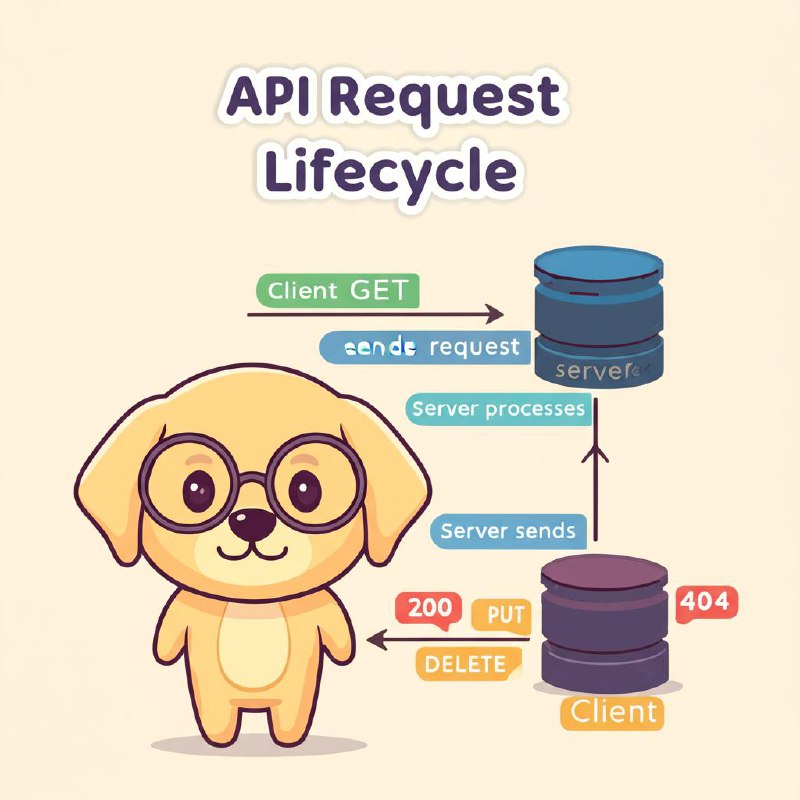
นั่นแหละครับ — นั่นคือ API Request Lifecycle กระบวนการที่ Client (เช่น เว็บ, แอป) คุยกับ Server ผ่าน API
API คืออะไร?
API (Application Programming Interface) คือ "ช่องทางสื่อสาร" ระหว่าง software สองตัว เหมือนบริกรในร้านอาหาร — คุณ (Client) สั่งอาหาร ผ่านบริกร (API) ไปยังครัว (Server) แล้วบริกรก็เอาอาหารกลับมาให้คุณ
💡 จำง่ายๆ: API = บริกร | Client = ลูกค้า | Server = ครัว
API Request Lifecycle ทำงานยังไง?
เมื่อ Client ต้องการข้อมูลจาก Server จะเกิดขั้นตอน 5 ขั้น — ตั้งแต่ Client ส่ง request ไปจนถึงแสดงผลให้ user เห็น ทั้งหมดเกิดขึ้นในเวลาไม่กี่มิลลิวินาที! เข้าใจ lifecycle นี้จะช่วยให้ debug API issues ได้เร็วขึ้น — "ปัญหาเกิดที่ขั้นตอนไหน?":
Step 1: Client ส่ง Request
Client (เว็บ, แอปมือถือ, Postman) จะส่ง HTTP Request ไปยัง Server โดยระบุ:
- URL — ปลายทางที่ต้องการ เช่น
https://api.example.com/users - HTTP Method — บอกว่าจะทำอะไร (GET, POST, PUT, DELETE)
- Headers — ข้อมูลเพิ่มเติม เช่น Authorization token
- Body — ข้อมูลที่แนบไป (สำหรับ POST, PUT)
GET /api/users/42 HTTP/1.1
Host: api.example.com
Authorization: Bearer eyJhbGciOiJIUzI1NiIs...
Accept: application/json
Step 2: Server รับ Request
Server ได้รับ request แล้วไม่ได้ทำงานทันที — จะผ่านหลาย "ชั้น" ก่อน เหมือนด่านตรวจ: Middleware (ตรวจ auth, logging, rate limiting), Router (หาว่า URL นี้ไปที่ handler ไหน), Validation (ตรวจว่าข้อมูลถูกต้องไหม) ถ้าผ่านหมดจึงไปถึง handler function:
- DNS Resolution — แปลง domain name เป็น IP address
- Load Balancer — กระจาย request ไปยัง server ที่ว่าง
- Middleware — ตรวจ authentication, logging, rate limiting
- Router — จับคู่ URL + Method ไปยัง handler ที่ถูกต้อง
Step 3: Server ประมวลผล
Handler function ทำงานจริงตามที่ request บอก — อาจง่ายแค่ดึงข้อมูลจาก database หรือซับซ้อนมาก เช่น คำนวณราคา, เรียก external APIs, ส่ง email, จัดคิว background jobs ขั้นตอนนี้คือที่ "business logic" อยู่:
- Query ข้อมูลจาก Database
- คำนวณ business logic
- เรียก external API อื่นต่อ (microservices)
- Validate ข้อมูล
// Express.js example
app.get('/api/users/:id', async (req, res) => {
  const user = await db.users.findById(req.params.id);
  if (!user) {
    return res.status(404).json({ error: 'User not found' });
  }
  res.status(200).json(user);
});
Step 4: Server ส่ง Response กลับ
เมื่อประมวลผลเสร็จ Server สร้าง HTTP Response กลับไปหา Client — ประกอบด้วย Status Code (สำเร็จ/ผิดพลาด), Headers (content type, cache, cookies), และ Body (ข้อมูลจริง มักเป็น JSON):
- Status Code — บอกผลลัพธ์ (200, 404, 500 ฯลฯ)
- Headers — เช่น Content-Type, Cache-Control
- Body — ข้อมูลที่ส่งกลับ (มักเป็น JSON)
HTTP/1.1 200 OK
Content-Type: application/json

{
  "id": 42,
  "name": "สมชาย",
  "email": "[email protected]",
  "role": "developer"
}
Step 5: Client แสดงผล
Client รับ response มาแล้ว parse ข้อมูล แล้วแสดงผลให้ user เห็น — ไม่ว่าจะเป็นหน้าเว็บ, แอปมือถือ, หรือ terminal
HTTP Methods — ทำอะไรได้บ้าง?
HTTP มี methods หลายตัว แต่ที่ใช้บ่อยมี 5 ตัว — ตาม CRUD operations: GET (อ่าน), POST (สร้าง), PUT (แก้ทั้งหมด), PATCH (แก้บางส่วน), DELETE (ลบ) การเลือกใช้ method ถูกต้องเป็น RESTful best practice — ไม่ใช่แค่ใช้ POST ทุกอย่าง!
| Method | ใช้ทำอะไร | ตัวอย่าง |
|---|---|---|
| GET | ดึงข้อมูล (อ่านอย่างเดียว) | GET /api/users |
| POST | สร้างข้อมูลใหม่ | POST /api/users |
| PUT | แก้ไขข้อมูลทั้งหมด | PUT /api/users/42 |
| PATCH | แก้ไขบางฟิลด์ | PATCH /api/users/42 |
| DELETE | ลบข้อมูล | DELETE /api/users/42 |
💡 CRUD Mapping: Create = POST, Read = GET, Update = PUT/PATCH, Delete = DELETE
HTTP Status Codes — Server ตอบกลับอะไร?
Status codes เป็นตัวเลข 3 หลักที่บอก "ผลลัพธ์" ของ request — แบ่งเป็น 5 กลุ่มตามหลักร้อย: 1xx (informational), 2xx (success), 3xx (redirect), 4xx (client error — ผิดที่ client), 5xx (server error — ผิดที่ server) DevOps ต้องรู้ codes สำคัญเพื่อ debug API issues:
2xx — สำเร็จ ✅
- 200 OK — ทำสำเร็จแล้ว
- 201 Created — สร้างข้อมูลใหม่สำเร็จ
- 204 No Content — สำเร็จแต่ไม่มีข้อมูลส่งกลับ
3xx — Redirect 🔄
- 301 Moved Permanently — ย้ายถาวร
- 304 Not Modified — ใช้ cache ได้เลย
4xx — Client Error ⚠️
- 400 Bad Request — request ผิดรูปแบบ
- 401 Unauthorized — ยังไม่ login
- 403 Forbidden — ไม่มีสิทธิ์
- 404 Not Found — หาไม่เจอ
- 429 Too Many Requests — ส่งบ่อยเกินไป (rate limited)
5xx — Server Error 🔥
- 500 Internal Server Error — server พัง
- 502 Bad Gateway — proxy/server ตัวกลางมีปัญหา
- 503 Service Unavailable — server โหลดเกินหรือกำลังซ่อม
💡 จำง่ายๆ: 2xx = สำเร็จ | 4xx = ผิดที่ client | 5xx = ผิดที่ server
ตัวอย่างจริง — สร้าง User ด้วย POST
มาดู lifecycle ทั้งหมดในตัวอย่างจริง — Client ส่ง POST request สร้าง user ใหม่ Server validate ข้อมูล, hash password, บันทึกลง database, แล้วส่ง response กลับพร้อม user ID ที่สร้างได้:
Request:
POST /api/users HTTP/1.1
Host: api.example.com
Content-Type: application/json
Authorization: Bearer eyJhbGci...

{
  "name": "สมหญิง",
  "email": "[email protected]",
  "role": "student"
}
Response (สำเร็จ):
HTTP/1.1 201 Created
Content-Type: application/json
Location: /api/users/99

{
  "id": 99,
  "name": "สมหญิง",
  "email": "[email protected]",
  "role": "student",
  "createdAt": "2026-03-07T08:00:00Z"
}
Response (ผิดพลาด):
HTTP/1.1 400 Bad Request
Content-Type: application/json

{
  "error": "Validation failed",
  "details": [
    { "field": "email", "message": "Invalid email format" }
  ]
}
ลองเล่นด้วย cURL
cURL เป็น command-line tool สำหรับส่ง HTTP requests — DevOps ใช้ตลอดเวลาสำหรับ debug APIs, health checks, automation scripts ทางเลือกอื่นที่ใช้ง่ายกว่า: Postman (GUI), HTTPie (CLI ที่ syntax สวยกว่า cURL) ลองเล่นกับ APIs สาธารณะได้เลย:
# GET — ดึงข้อมูล
curl -X GET https://jsonplaceholder.typicode.com/users/1

# POST — สร้างข้อมูลใหม่
curl -X POST https://jsonplaceholder.typicode.com/posts \
  -H "Content-Type: application/json" \
  -d '{"title": "Hello API", "body": "ทดสอบ!", "userId": 1}'

# DELETE — ลบข้อมูล
curl -X DELETE https://jsonplaceholder.typicode.com/posts/1
🐕 Tip: ลองใช้ HTTPie หรือ Postman สำหรับการทดสอบ API ที่สะดวกกว่า cURL
สรุป
API Request Lifecycle เป็นพื้นฐานที่ทุก developer ต้องเข้าใจ — ไม่ว่าจะเป็น frontend, backend, หรือ DevOps ทุก web app, mobile app, microservice สื่อสารกันผ่าน APIs ทั้งนั้น เข้าใจ lifecycle ดี = debug เร็ว + ออกแบบ API ดี:
- API = ช่องทางสื่อสารระหว่าง Client กับ Server
- Request Lifecycle = Client Request → Server Receives → Processes → Responds → Client Renders
- HTTP Methods = GET (อ่าน), POST (สร้าง), PUT/PATCH (แก้ไข), DELETE (ลบ)
- Status Codes = 2xx สำเร็จ, 4xx ผิดที่ client, 5xx ผิดที่ server
- REST API คือรูปแบบที่นิยมที่สุดในการออกแบบ API ปัจจุบัน