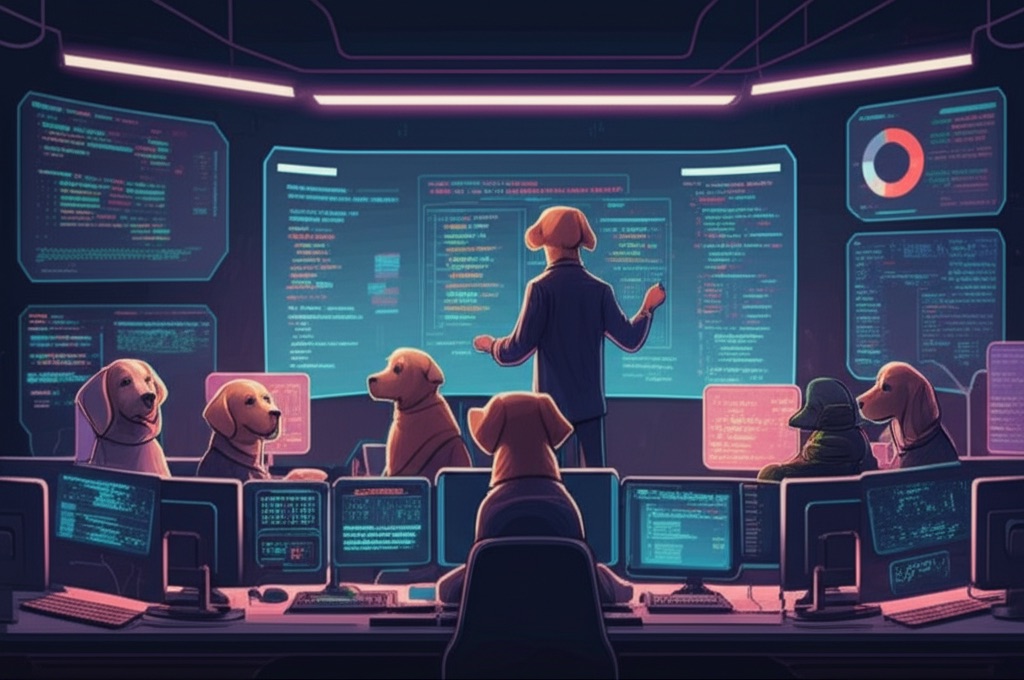
1. ทำไม Agent ตัวเดียวไม่พอ?
หลังจากที่เราได้รู้จัก OpenClaw ในโพสต์แรกแล้ว คุณอาจจะเริ่มใช้ single agent และรู้สึกว่า "โอเค มันดีแล้ว แต่..." คือมันยังมีปัญหาอยู่ ใช่ไหม?
ปัญหาของ Generalist AI: Agent ตัวเดียวที่ต้องทำทุกอย่างเหมือนคนที่ต้องเป็นทั้ง programmer, researcher, writer, designer และ project manager ในคนเดียว มันเก่งหลายอย่าง แต่ไม่ได้เซี่ยวชาญในอะไรเป็นพิเศษ
ลองนึกดู:
- Task Switching Overhead: เปลี่ยนจาก coding mode ไป research mode แล้วไป writing mode มันต้อง context switch ทุกครั้ง
- Quality Inconsistency: บางครั้งเขียนโค้ดได้ดี บางครั้งเขียน research paper ได้ดี แต่ไม่ได้คงที่
- Memory Conflicts: Context ที่เกี่ยวกับ coding project อาจจะรบกวนการทำ research ใน domain ต่างกัน
- Prompt Engineering Complexity: ยิ่งให้ทำหลายอย่าง instruction ก็ยิ่งซับซ้อน บางครั้ง confusing
นี่คือเหตุผลที่บริษัทจริงไม่มีพนักงานคนเดียวทำทุกอย่าง — พวกเขามี teams of specialists แทน
🎯 Specialist vs Generalist
การวิจัยใน cognitive science บอกว่าการมี specialized agents ที่มี focused context และ clear responsibilities จะให้ output quality ที่ดีกว่าการมี general-purpose agent ที่ต้องสลับ context บ่อยๆ
2. Multi-Agent Architecture — แนวคิดการแบ่งงาน
Multi-Agent Architecture ไม่ใช่แค่การมี AI หลายตัว แต่เป็นการออกแบบ system of intelligent agents ที่แต่ละตัวมี specialization และ collaborate กันเพื่อทำงานที่ซับซ้อน
Core Concepts:
🎭 Agent Specialization: แต่ละ agent มี domain expertise และ personality ที่เหมาะกับงานนั้นๆ เช่น research agent ที่เก่งในการหาข้อมูลและ synthesis หรือ code-review agent ที่เข้าใจ coding standards อย่างลึกซึ้ง
🎯 Orchestrator Pattern: มี main agent หรือ orchestrator ที่ทำหน้าที่ project manager รับงานจาก user แล้วแบ่งเป็น subtasks และ delegate ให้ specialized agents แต่ละตัว
📡 Communication Protocol: Agents สื่อสารกันผ่าน structured messages, file sharing ใน workspace และ memory sharing ทำให้ knowledge ที่ได้จากงานหนึ่งสามารถนำไปใช้ในงานอื่นได้
🧠 Collective Intelligence: ผลลัพธ์รวมของทีม agents มักจะดีกว่าผลลัพธ์จาก agent เดียว เพราะ diverse perspectives และ specialized knowledge
เปรียบเทียบกับทีมคนจริง:
| Aspect | Human Team | Agent Team | Advantages |
|---|---|---|---|
| Specialization | Years of training & experience | Model + prompt engineering + memory | Instant expertise, no learning curve |
| Communication | Meetings, Slack, email | sessions_send, workspace files | Zero latency, perfect information transfer |
| Memory | Individual notes, documents | Shared memory system, vector search | Perfect recall, searchable knowledge |
| Availability | 8 hours/day, sick days | 24/7, no downtime | Always available, no human limitations |
| Scalability | Linear cost per person | API costs, parallel execution | Can spawn multiple instances instantly |
| Quality Control | Code review, peer feedback | Cross-agent validation, automated QA | Consistent standards, no emotional bias |
3. สถาปัตยกรรม Agent Team
🏗️ Multi-Agent Flow Architecture
"Build a feature"
Receives & analyzes
Plans & delegates
Execute subtasks
Combine results
OpenClaw Multi-Agent Implementation:
📊 sessions_spawn: Main function สำหรับสร้าง sub-agents ระบุ label, model, instructions และ mode (run vs session)
🔄 Workflow Orchestration: Main agent รับ complex request → แบ่งเป็น subtasks → spawn appropriate specialists → monitor progress → combine results → deliver final output
💾 Memory Sharing: Agents share workspace files และ memory system ผลงานของ research agent สามารถ access ได้โดย writing agent
⚡ Parallel Execution: Multiple agents ทำงาน parallel ลดเวลา total execution time อย่างมาก
4. ออกแบบทีม — ตัวอย่างจริง
จากประสบการณ์การใช้งาน OpenClaw ในองค์กรต่างๆ เราได้ identify ทีม patterns ที่ effective และใช้ได้จริง นี่คือ 5 ทีมหลักที่พิสูจน์ตัวเองแล้ว:
✍️ Writing Team (8 agents)
- editor-chief - content strategy & oversight Opus
- research-writer - factual content creation Sonnet
- copywriter - marketing & persuasive copy Sonnet
- technical-writer - documentation & guides Sonnet
- translator - multi-language content Sonnet
- proofreader - grammar & style checks Sonnet
- seo-optimizer - search optimization Sonnet
- fact-checker - verification & citations Opus
🔬 Academic Team (10 agents)
- research-lead - project coordination Opus
- literature-reviewer - paper analysis Opus
- methodology-expert - experimental design Opus
- data-analyst - statistical analysis Sonnet
- paper-writer - manuscript drafting Sonnet
- citation-manager - references & bibliography Sonnet
- peer-reviewer - quality assurance Opus
- visual-designer - figures & charts Sonnet
- submission-manager - journal formatting Sonnet
- grant-writer - funding proposals Opus
💻 Coding Team (8 agents)
- tech-lead - architecture & planning Opus
- code-reviewer - quality & standards Opus
- backend-dev - API & server logic Sonnet
- frontend-dev - UI & client-side Sonnet
- db-specialist - database design & queries Sonnet
- test-engineer - automated testing Sonnet
- devops-engineer - deployment & CI/CD Sonnet
- docs-writer - technical documentation Sonnet
🎓 Course Team (10 agents)
- curriculum-designer - learning objectives Opus
- content-creator - lesson materials Sonnet
- slide-builder - presentation design Sonnet
- exercise-writer - practice problems Sonnet
- quiz-generator - assessments Sonnet
- video-scripter - lecture scripts Sonnet
- handout-writer - study guides Sonnet
- accessibility-expert - inclusive design Sonnet
- learning-analyst - pedagogy optimization Opus
- quality-reviewer - content validation Opus
🌐 Translation Team (8 agents)
- translation-lead - project coordination Opus
- english-translator - EN translation Sonnet
- thai-translator - TH translation Sonnet
- chinese-translator - ZH translation Sonnet
- cultural-adapter - localization Sonnet
- quality-checker - accuracy review Opus
- style-harmonizer - consistency Sonnet
- technical-validator - domain accuracy Sonnet
🎨 Team Design Principles
Clear Roles: แต่ละ agent มี specific responsibility ไม่ overlap
Model Matching: ใช้ Opus สำหรับ complex reasoning, Sonnet สำหรับ execution
Quality Gates: มี reviewer agents เพื่อ quality control
Scalability: สามารถเพิ่ม/ลด agents ตาม workload
5. Model Routing & Cost Optimization
หนึ่งในประเด็นสำคัญของ multi-agent architecture คือการเลือกใช้ AI model ให้เหมาะสมกับงาน เพื่อให้ได้ quality ที่ดีแต่ cost ที่ reasonable
Model Selection Strategy:
🧠 Claude Opus (Complex Reasoning):
- Orchestrator agents ที่ต้องวางแผนและแบ่งงาน
- Code review และ architecture decisions
- Research coordination และ methodology design
- Quality assurance และ final review
- Complex problem solving และ creative tasks
⚡ Claude Sonnet (Execution & Routine):
- Content writing และ documentation
- Code implementation และ testing
- Data processing และ analysis
- Translation และ formatting
- Repetitive tasks และ standard procedures
| Use Case | Model Choice | Cost per 1K tokens | Reasoning |
|---|---|---|---|
| Project Planning | Claude Opus | $0.015 / $0.075 | Needs strategic thinking |
| Code Writing | Claude Sonnet | $0.003 / $0.015 | Clear specifications, execution-focused |
| Code Review | Claude Opus | $0.015 / $0.075 | Critical analysis, pattern recognition |
| Documentation | Claude Sonnet | $0.003 / $0.015 | Structured, predictable output |
| Research Synthesis | Claude Opus | $0.015 / $0.075 | Complex reasoning, connections |
| Content Translation | Claude Sonnet | $0.003 / $0.015 | Pattern-based, well-defined task |
Cost Analysis Example (Monthly):
Cost Optimization Strategies:
- Smart Caching: เก็บ common responses และ reuse เมื่อเจอ similar queries
- Batch Processing: รวม similar tasks ให้ agent ทำพร้อมกัน
- Progressive Enhancement: เริ่มด้วย Sonnet แล้วค่อยใช้ Opus ถ้าจำเป็น
- Context Optimization: ลด unnecessary context ใน prompts
- Task Complexity Assessment: วิเคราะห์งานก่อนเลือก model
6. sessions_spawn ในทางปฏิบัติ
การ spawn sub-agents เป็น core feature ที่ทำให้ OpenClaw มี multi-agent capabilities นี่คือ patterns และ best practices ที่ได้จากการใช้งานจริง:
Basic Spawning Patterns:
Orchestrator Delegation Example:
Advanced Patterns:
Monitoring & Control:
⚡ Performance Tips
Timeouts: ตั้ง reasonable timeout เพื่อป้องกัน stuck agents
Labels: ใช้ meaningful labels เพื่อ tracking ง่าย
Resource Limits: จำกัดจำนวน concurrent agents ตาม server capacity
Progress Monitoring: Check status เป็นระยะ แทน busy-wait polling
7. Communication Patterns
Agent-to-agent communication เป็นหัวใจสำคัญของ multi-agent system การ design communication patterns ที่ดีจะทำให้ทีม agents ทำงานร่วมกันได้อย่างมีประสิทธิภาพ
🔄 Message Passing Patterns:
📁 File-based Communication:
Agents share artifacts ผ่าน workspace files ซึ่งเป็นวิธีที่ reliable และ persistent:
🧠 Shared Memory Patterns:
Memory sharing ช่วยให้ agents สามารถเรียนรู้จากการทำงานของกันและกัน และ maintain context ระหว่าง sessions:
⚙️ Workflow Coordination:
🔗 Communication Best Practices
Structured Messages: ใช้ JSON หรือ YAML สำหรับ complex data
File Conventions: ตั้งชื่อไฟล์และ directory structure ให้ชัดเจน
Status Updates: ส่ง progress reports เป็นระยะ
Error Handling: มี fallback mechanism เมื่อ communication ล้มเหลว
8. ตัวอย่างจริง: Coding Team Pipeline
มาดูตัวอย่างการทำงานของ Coding Team ตั้งแต่เริ่มต้นจนเสร็จสิ้น เพื่อให้เห็นภาพรวมของ multi-agent workflow:
📋 Initial Request:
User: "สร้าง API สำหรับ sentiment analysis ของ customer feedback พร้อม dashboard แสดงผล"
🎯 Step 1: Tech Lead Planning
⚡ Step 2: Parallel Delegation
🔄 Step 3: Parallel Development (30 minutes)
🔍 Step 4: Code Review & Integration
🧪 Step 5: Testing & Quality Assurance
✅ Step 6: Final Integration & Delivery
🚀 Pipeline Benefits
Speed: 8x faster than sequential development
Quality: Built-in code review and testing from start
Consistency: Standardized patterns across all components
Documentation: Generated automatically, always up-to-date
Knowledge Transfer: Complete project context preserved in memory
9. ข้อจำกัดและ Lessons Learned
หลังจากใช้งาน multi-agent systems ในโปรเจ็กต์จริงมาหลายเดือน เราได้เรียนรู้ข้อจำกัดและ challenges ที่ควรรู้ก่อนลงมือทำ:
🔒 Sandbox Limitations
Isolation Problems: Sub-agents ทำงานใน sandbox environments ที่แยกจากกัน ทำให้การ share state และ coordinate ซับซ้อน
- File sharing ผ่าน workspace เท่านั้น — ไม่มี shared memory โดยตรง
- Network access จำกัด — ไม่สามารถ connect กับ external services ได้ทั้งหมด
- Process isolation — agents ไม่สามารถ monitor หรือ control กันโดยตรง
💾 Memory Isolation Issues
Context Loss: แต่ละ agent มี memory context ของตัวเอง ทำให้ transfer knowledge ระหว่าง agents ไม่ seamless
- Agent A เรียนรู้ pattern ใหม่ แต่ Agent B ไม่ได้รับ knowledge นี้
- Conversation history ไม่ carry over ระหว่าง different agents
- Global project context ต้อง manually maintain
💰 Cost Control Challenges
Exponential Cost Growth: Multi-agent systems สามารถกิน API costs เป็น exponential ถ้าไม่ระวัง
- Agent spawning ที่ไม่มี upper bounds
- Recursive delegation ที่ไม่มี termination conditions
- Over-communication between agents
- Inefficient prompt engineering ที่ใช้ token มากเกินไป
🤖 When NOT to Use Multi-Agent
Multi-agent architecture ไม่ใช่ silver bullet บางครั้งการใช้ single agent หรือ traditional approach ดีกว่า:
❌ Over-engineering Scenarios:
- Simple tasks: การแปล 1 ประโยค ไม่ต้องการ translation team
- Linear workflows: งานที่ต้องทำทีละขั้นตอน sequential
- Single-domain tasks: งานที่ไม่ต้องการ cross-functional expertise
- Time-sensitive: การ setup agents อาจช้ากว่าทำเองโดยตรง
- Low-stakes outputs: draft emails, quick notes ใช้ simple agent พอ
🔧 Technical Complexity
Debugging Nightmares: เมื่อมี 8 agents ทำงานพร้อมกัน การ debug ปัญหาซับซ้อนมาก
- ไม่รู้ว่าปัญหามาจาก agent ไหน
- Logs กระจัดกระจายใน multiple sessions
- Timing issues และ race conditions
- Dependency hell ระหว่าง agents
🎯 Best Practices from Experience
Start Small: เริ่มด้วย 2-3 agents ก่อนขยาย
Clear Boundaries: กำหนด responsibilities อย่างชัดเจน
Monitoring: implement comprehensive logging และ status tracking
Fallback Plans: มี single-agent backup สำหรับ critical tasks
Regular Reviews: ประเมิน team performance และปรับปรุงเป็นระยะ