ในบทความนี้
In this post
🧠 ทำไม AI ทั่วไปยังไม่ใช่ "ผู้ช่วยส่วนตัว" จริง ๆ
คนส่วนใหญ่ใช้ AI เหมือน search engine รุ่นใหม่ — ถามแล้วรับคำตอบ ปิดหน้าต่าง จบ เปิดใหม่ก็เริ่มจากศูนย์ทุกครั้ง ไม่มี context ไม่จำได้ว่าเมื่อวานเราถามอะไร ไม่รู้ด้วยซ้ำว่าเราทำอะไรเป็นหลัก
ความต่างระหว่าง AI ทั่วไป กับ AI ที่เข้าถึงคลังความรู้ของเรา มันไม่ใช่แค่ "ฉลาดขึ้น" แต่มันเป็นคนละเรื่องกันเลย
❌ AI ทั่วไป (Chatbot)
- 🔄 เริ่มใหม่ทุกครั้ง ไม่จำอะไรเลย
- 🌐 ดึงคำตอบจากอินเทอร์เน็ตเป็นหลัก
- 📝 ตอบแบบกว้าง ๆ ไม่รู้จักเรา
- ⏸️ ทำงานเฉพาะตอนเราเปิดใช้
- 🔒 ข้อมูลเราอยู่บน cloud ของคนอื่น
✅ AI + Personal Knowledge Base
- 🧠 จำ context ย้อนหลัง สะสมความรู้
- 📂 ดึงจากโน้ต งานวิจัย ไอเดียของเรา
- 🎯 ตอบตรงกับสิ่งที่เราสนใจจริง ๆ
- ⚡ ทำงานเชิงรุก ตรวจงานเอง
- 🏠 ข้อมูลอยู่ในเครื่องเราทั้งหมด
แนวคิดนี้เริ่มจากของสองอย่างที่ดูธรรมดา แต่พอมาประกบกันกลับแรงมาก: Obsidian กับ Claude Code
Obsidian — ไม่ใช่แค่แอปจดโน้ต
ในแก่นจริง ๆ Obsidian คือแอปจดโน้ต แต่ความสำคัญไม่ได้อยู่ที่การจด — มันอยู่ที่ ข้อมูลทั้งหมดเป็นไฟล์ markdown แบบ plain text ในเครื่องเราเอง นั่นแปลว่าโน้ตทุกชิ้นไม่ได้ถูกขังอยู่ในระบบปิด อ่านได้ ย้ายได้ จัดโครงสร้างได้ และที่สำคัญคือ AI สามารถเข้าถึงไฟล์พวกนี้ได้ง่ายมาก
ถ้ามองแบบง่าย ๆ Obsidian ไม่ใช่แค่สมุดจด แต่มันคือ ฐานข้อมูลความคิดส่วนตัว ของเรา
Claude Code — AI ที่ทำงานใน Environment ของเรา
Claude Code ต่างจากการใช้ Claude บนหน้าเว็บตรงที่มันทำงานใน environment ของเราเอง — อ่านไฟล์ แก้ไฟล์ เขียนโค้ด และทำงานกับโฟลเดอร์จริงได้ พอเอามันไปชี้กับ Obsidian vault เมื่อไร AI ก็จะไม่ได้ตอบแบบลอย ๆ อีกต่อไป แต่มันจะเริ่มตอบจากโน้ต ความคิด งานวิจัย และประวัติการทำงานของเราที่สะสมไว้ทั้งหมด
💡 Core Insight
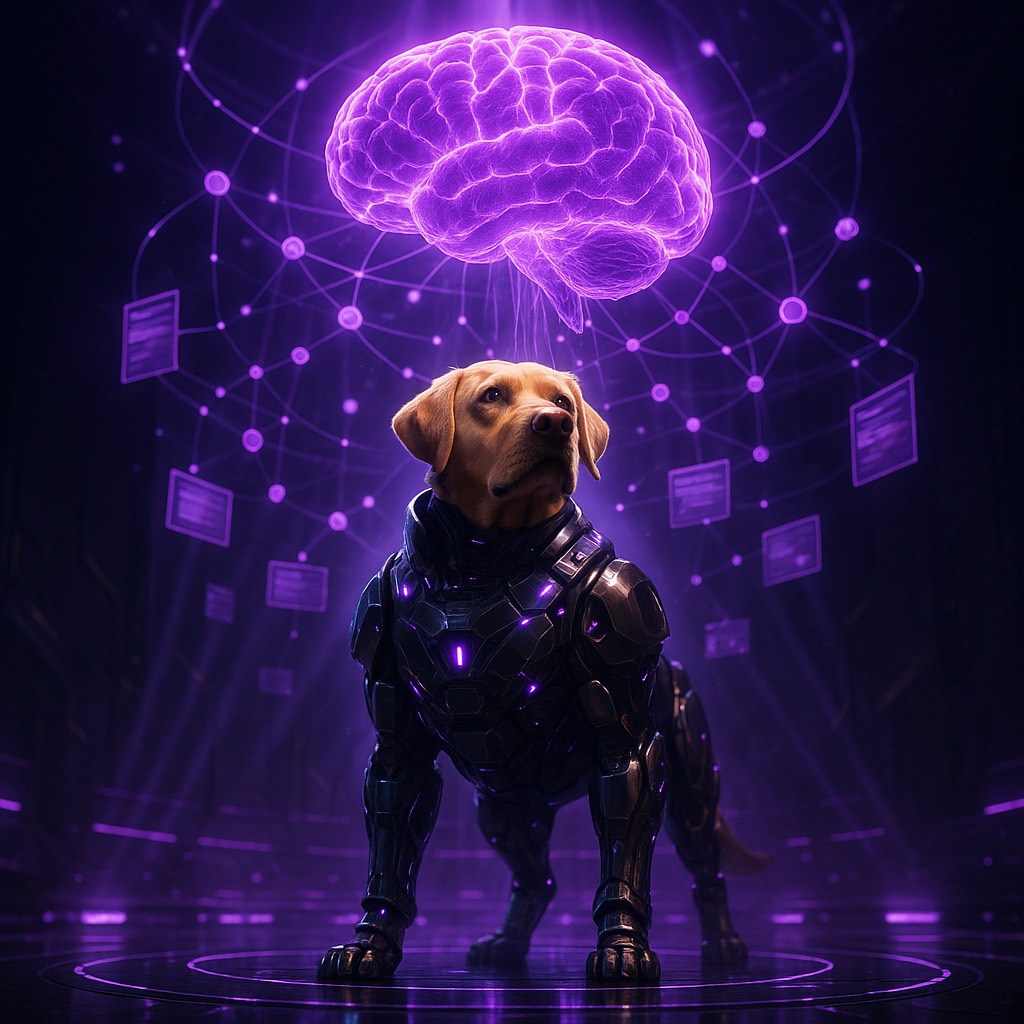
AI จะเก่งกับเราจริงได้ก็ต่อเมื่อมันได้เข้าถึงความรู้ของเรา — ไม่ใช่ความรู้ทั่วไปจากอินเทอร์เน็ต แต่เป็น framework, มุมมอง, และคลังข้อมูลที่เราสั่งสมไว้เอง
🚀 ก้าวถัดไป — จาก "AI อ่าน Vault" สู่ "AI ที่มีชีวิต"
บทความส่วนใหญ่ที่พูดเรื่อง Obsidian + AI จะหยุดอยู่ที่ "ให้ AI อ่าน vault แล้วตอบคำถาม" ซึ่งก็ดี แต่มันแค่ชั้นแรก ถ้าจะไปสู่ระดับ JARVIS จริง ๆ ต้องไปอีก 3 ชั้น:
🏗️ สถาปัตยกรรม 5 ชั้นของ Personal AI
ชั้นที่ 1-2: Vault + AI (ที่ทุกคนรู้)
ชั้นนี้คือสิ่งที่หลายคนทำอยู่แล้ว — เอา Claude Code ชี้ไปที่ Obsidian vault แล้วถาม ให้สรุป ให้เชื่อมโน้ต ให้หา pattern ก็ใช้งานได้ดีมาก
ชั้นที่ 3: Memory System — AI ที่จำได้
นี่คือจุดที่เปลี่ยนจาก "เครื่องมือ" เป็น "ผู้ช่วย" จริง ๆ แทนที่ AI จะเริ่มจากศูนย์ทุกครั้ง ลองนึกภาพว่ามันมี memory แบบนี้:
- Daily Notes — บันทึกสิ่งที่เกิดขึ้นแต่ละวัน (AI เขียนเอง ไม่ใช่แค่อ่าน)
- Long-term Memory — ความรู้ที่ curate แล้ว เช่น preferences, decisions, lessons learned
- Identity Files — AI รู้ว่าตัวเองเป็นใคร ช่วยใคร และช่วยแบบไหน
# ตัวอย่างโครงสร้าง Memory System จริง
workspace/
├── MEMORY.md           # Long-term memory (curated)
├── SOUL.md             # AI personality & guidelines
├── USER.md             # ข้อมูลเกี่ยวกับเจ้าของ
├── memory/
│   ├── 2026-03-24.md   # Daily notes (auto-generated)
│   ├── 2026-03-23.md
│   └── heartbeat-state.json
└── obsidian-vault/     # Obsidian vault (knowledge base)
    ├── Research/
    ├── KnowledgeGraph/
    └── Daily/
ทุกครั้งที่ AI ตื่นขึ้นมา มันจะอ่าน SOUL.md (รู้ว่าตัวเองเป็นใคร) USER.md (รู้ว่าช่วยใคร) และ daily notes ล่าสุด (รู้ว่าเมื่อวานเกิดอะไร) — เหมือนคนที่ตื่นนอนแล้วทบทวนสิ่งที่เกิดขึ้นก่อนเริ่มทำงาน
ชั้นที่ 4: Proactive Behavior — AI ที่ทำงานเอง ไม่ต้องรอถาม
นี่คือจุดที่เริ่มรู้สึกว่า "มันมีชีวิต" จริง ๆ — AI ไม่ได้นั่งรอให้เราสั่ง แต่มันตรวจงานเอง:
- Idle Improver — ตอนไม่มีใครคุย มันสแกน disk, memory, git status, syntax errors
- Vault Insight — วิเคราะห์ vault หา themes, gaps, และ connections ที่เราอาจพลาด
- Heartbeat System — ทุก 30 นาที ตรวจ email, calendar, notifications
- Memory Maintenance — ทุกสัปดาห์ ทบทวน daily notes แล้ว curate เป็น long-term memory
🔑 ความต่างสำคัญ
AI ทั่วไป: เราถาม → มันตอบ → จบ
AI ที่ proactive: มันตรวจงานเอง → เจอปัญหา → แจ้งเรา → แก้ได้เองก็แก้
ชั้นที่ 5: Always-On — AI ที่คุยด้วยได้ตลอด
Claude Code ต้องเปิด terminal ทุกครั้ง ซึ่งก็โอเคถ้าใช้เป็นเครื่องมือ แต่ถ้าต้องการ JARVIS จริง ๆ มันต้อง always-on — พร้อมตอบตลอดเวลาผ่าน messaging ที่เราใช้ในชีวิตจริง ไม่ว่าจะ Telegram, Discord, LINE หรือ WhatsApp
ตรงนี้คือจุดที่ต้องมี agent layer ที่เชื่อมทุกอย่างเข้าด้วยกัน — vault, memory system, proactive behavior, และ messaging channels — ให้ทำงานเป็นระบบเดียวที่ไม่ต้องเปิดปิด
📋 Case Study: OpenClaw — ระบบที่รันจริงอยู่ตอนนี้
ทุกสิ่งที่พูดมาไม่ใช่ทฤษฎี — นี่คือ setup จริงที่ผมรันอยู่ทุกวัน ใช้ OpenClaw เป็น agent framework ที่เชื่อม Claude เข้ากับ Obsidian vault, memory system, และ Telegram
📊 ตัวเลขจริงจาก Production Setup
Vault: 862 ไฟล์ markdown, 136,875 คำ, 846 internal links, 83 unique tags
Memory: Daily notes อัตโนมัติทุกวัน + MEMORY.md curate ทุกสัปดาห์
Cron Jobs: Idle scanner ทุก 30 นาที + Vault insight ทุกสัปดาห์
Channel: Telegram direct message — ส่งข้อความถึง AI ได้ตลอด 24/7
Tools: Web search, file management, code execution, Google Workspace, vault intelligence
ตัวอย่างที่ 1: Vault Intelligence
แทนที่จะเปิด Obsidian กด search เอง ผมแค่พิมพ์ใน Telegram:
# ค้นหาด้วยภาษาธรรมชาติ
"หาโน้ตที่เกี่ยวกับ machine learning ใน vault"

# ผลลัพธ์จริง:
🔍 Search: "machine learning" — 5 results

  [44] KnowledgeGraph/People/Machine-Learning.md (212 words)
  [42] KnowledgeGraph/Topics/machine learning.md (82 words)
  [25] KnowledgeGraph/People/Session-Learnings.md (745 words)
  ...
# วิเคราะห์ vault หา patterns
"วิเคราะห์ vault ให้หน่อย ว่ามี theme อะไรบ้าง"
# ผลลัพธ์จริง:
🎨 Theme Clusters:
Cluster 1: #database, #reference, #sales, #vpipe (strength: 11)
Cluster 2: #coding, #complete, #project, #rag (strength: 10)
Cluster 3: #course, #guide, #team (strength: 5)
⚠️ Gaps:
- Missing notes: 273 (referenced but don't exist)
- Stub notes: 355 (<50 words)
- Dead-end notes: 163 (no outlinks)ตัวอย่างที่ 2: Proactive System Monitoring
ทุก 30 นาที ระบบ scan ตัวเองอัตโนมัติ ถ้าเจอปัญหาจะแจ้งเอง:
# Idle Scan ทำงานอัตโนมัติ (ไม่ต้องสั่ง):
Idle scan: 4 issues (🔴0 🟡0 🔵4)
- 🔵 stale_tmp: 51 stale files in tmp/
- 🔵 git: workspace: 9 uncommitted changes
- 🔵 git: obsidian-vault: 1 uncommitted changes

# ถ้าเจอ 🔴 HIGH severity → แจ้งเตือนทันทีผ่าน Telegram
# ถ้าเจอแค่ 🔵 LOW → บันทึกเงียบ ๆ ใน memory
ตัวอย่างที่ 3: Memory ที่สะสมจริง
# MEMORY.md — ตัวอย่างจากระบบจริง (ย่อ)

## About Anirach
- Collaboration style: direct, practical, fast execution
- Preferred tone: calm, strategic, precise, informative

## Durable Workflow Preferences
- Prefers momentum: continue retries until tasks complete
- Blog editing rule: confirm new vs replacement before changing
- For heavy HTML work (>500 lines), generate via Python script

## Technical Lessons
- RAG performance improves by loading models once per batch
- LibreOffice headless PDF conversion works without Java
- Keep embeddings-only Gemini usage unless explicitly requested
AI รู้ว่าผมชอบทำงานแบบไหน เคยมีปัญหาอะไร และเรียนรู้อะไรจากประสบการณ์ที่ผ่านมา ทุกครั้งที่มันช่วยงาน มันไม่ได้เริ่มจากศูนย์ แต่เริ่มจากสิ่งที่สะสมไว้
ตัวอย่างที่ 4: Blog Post Generation จาก Vault
บทความที่คุณอ่านอยู่ตอนนี้ก็ถูกสร้างด้วยวิธีนี้ — ผมส่งไอเดียเข้าไปใน Telegram, AI ดึงข้อมูลจาก vault, ใช้ memory เรื่อง blog conventions, แล้วสร้าง HTML ที่ตรงกับสไตล์ของเว็บไซต์ทั้งหมดภายในรอบเดียว
🔒 Privacy & Security — ทำไม Local-First ถึงสำคัญ
ข้อมูลใน Obsidian vault คือชีวิตทั้งชีวิตของเรา — ความคิด งานวิจัย ไอเดียธุรกิจ personal notes บางทีมีข้อมูลคนอื่นด้วย การเอาไปวางบน cloud service ที่ไม่รู้ว่าใครเข้าถึงได้บ้างมันเสี่ยงเกินไป
ทำไม Local-First ถึงดีกว่า
- ข้อมูลไม่ออกจากเครื่อง — Obsidian vault อยู่ใน disk เรา AI ประมวลผลที่เราเอง
- ไม่ต้องพึ่ง cloud sync — ไม่กลัว data breach จาก third-party service
- ควบคุมได้ทั้งหมด — จะลบ จะย้าย จะ encrypt ก็ทำได้เอง
- Offline capable — vault ยังใช้งานได้แม้ไม่มีอินเทอร์เน็ต
⚠️ สิ่งที่ต้องระวัง
แม้จะ local-first แต่ตัว AI model ยังต้องส่ง prompt ไปประมวลผลที่ cloud (Anthropic API) ดังนั้นต้องระวังว่าข้อมูลที่ส่งไปใน prompt ไม่มี sensitive data ที่ไม่ควรออกจากเครื่อง ถ้าต้องการ privacy สมบูรณ์ 100% ต้องใช้ local model (เช่น Ollama + Llama) แทน
Security Best Practices
- แยก vault ส่วนตัว vs vault ที่ AI เข้าถึง — ไม่ต้องให้ AI เห็นทุกอย่าง
- ใช้
.gitignoreexclude ไฟล์ sensitive ออกจาก version control - ตรวจ skills/plugins ก่อนติดตั้ง — ระวัง supply chain attacks
- ใช้ sandbox isolation ป้องกัน AI execute commands อันตราย
- Review memory files เป็นระยะ — ดูว่า AI บันทึกอะไรไว้
🛠️ วิธีเริ่มต้น — จากศูนย์สู่ Personal AI
ไม่ต้องทำทุกอย่างพร้อมกัน เริ่มทีละชั้น แล้วค่อยขยับขึ้นเมื่อพร้อม:
Phase 1: สร้างฐาน (สัปดาห์ที่ 1-2)
ติดตั้ง Obsidian + สร้างนิสัยจดโน้ต
เริ่มจากง่าย ๆ — จดทุกอย่างที่เจอระหว่างวัน: ไอเดีย, บทความที่อ่าน, decisions ที่ตัดสิน, สิ่งที่เรียนรู้ ไม่ต้องสวย ไม่ต้อง organize เยอะ แค่เก็บเข้า vault ให้เป็นนิสัย
จัดโครงสร้างเบื้องต้น
สร้างโฟลเดอร์หลัก เช่น Daily/ Research/ Projects/ Ideas/ ใช้ tags กำกับ theme ของแต่ละโน้ต ใช้ [[wiki links]] เชื่อมโน้ตที่เกี่ยวกัน
Phase 2: ต่อ AI เข้ามา (สัปดาห์ที่ 3-4)
ติดตั้ง Claude Code + ชี้ไปที่ vault
ติดตั้ง Claude Code ผ่าน terminal จากนั้น cd ไปที่โฟลเดอร์ vault แล้วเริ่มถามคำถาม เช่น "สรุปสิ่งที่ฉันเขียนเรื่อง X ตลอดเดือนนี้" หรือ "หาโน้ตที่เกี่ยวกับ Y แต่ยังไม่ได้เชื่อมกัน"
# ติดตั้ง Claude Code
npm install -g @anthropic-ai/claude-code

# เปิดใช้งาน ชี้ไปที่ vault
cd ~/obsidian-vault
claude

# เริ่มถาม
> สรุป themes หลัก ๆ ที่ฉันเขียนในเดือนนี้
> หาโน้ตที่เกี่ยวกับ RAG แต่ยังไม่ได้ link กัน
> draft บทความจากโน้ตทั้งหมดเรื่อง machine learningสร้าง Vault Intelligence Tools
เขียน scripts ง่าย ๆ เช่น vault search, vault stats, vault insight — เพื่อให้ AI มีเครื่องมือวิเคราะห์ vault ได้ลึกขึ้น ไม่ต้องอ่านทุกไฟล์ทุกครั้ง
Phase 3: ยกระดับเป็น JARVIS (เดือนที่ 2+)
เพิ่ม Memory System
สร้างไฟล์ MEMORY.md SOUL.md USER.md ให้ AI มีตัวตนและจำ context ได้ ตั้ง cron/heartbeat ให้ AI curate memory อัตโนมัติ
ต่อ Agent Layer + Messaging
ใช้ agent framework (เช่น OpenClaw) เชื่อม AI เข้ากับ Telegram/Discord ให้คุยได้ตลอด ตั้ง proactive behaviors เช่น idle scanning, email checking, calendar alerts
ขยายขีดความสามารถ
ต่อ Google Workspace, GitHub, web search, code execution เข้ามา ให้ AI ทำงานได้จริง — ไม่ใช่แค่ตอบคำถาม แต่ draft email, สร้าง blog post, commit code, จัดการ calendar
🎯 ใครได้ประโยชน์จากสิ่งนี้
นักวิจัย / อาจารย์
เก็บ paper notes, research ideas, methodology decisions ใน vault แล้วให้ AI ช่วยหา gaps ในงานวิจัย, สร้าง literature review จากโน้ตที่สะสม, หรือ draft paper sections จากข้อมูลที่มี
Content Creator / นักเขียน
เก็บทุกไอเดีย ทุกโพสต์ ทุกโครงร่างไว้ใน vault แล้วให้ AI ช่วยหาว่าเคยเล่ามุมไหนไปแล้ว มุมไหนยังไม่แตะ เรื่องไหนต่อยอดได้ โทนจะใกล้ตัวเรามากกว่าใช้ AI เริ่มจากศูนย์ เพราะต้นทางคือข้อมูลของเราเอง
สาย Crypto / Finance
แต่ละวันรับข้อมูลเยอะมาก — research, ข่าว, มุมมอง, ไอเดีย ถ้าเก็บลง vault แล้วให้ AI ช่วยอ่านซ้ำ ช่วยเชื่อม ช่วยสรุป จะเริ่มเห็น pattern: narrative ที่เก็บซ้ำ ๆ ช่องว่างที่ยังไม่ได้เขียน มุมที่ถนัดแต่ยังใช้ไม่เต็มที่
Developer / Engineer
เก็บ architecture decisions, debug notes, code snippets, project retrospectives ใน vault ทุกครั้งที่เจอปัญหาคล้าย ๆ เดิม AI จะดึง context จากครั้งก่อนมาช่วยทันที ไม่ต้อง google ใหม่
🎯 สรุป — Key Takeaways
- Obsidian คือฐาน, AI คือเครื่องยนต์ — vault เก็บความรู้เราทั้งหมดเป็น plain text ที่ AI อ่านได้ทันที
- AI ทั่วไปแค่ "ฉลาด" แต่ AI + vault "ตรงกับเรา" — มันดึงจาก framework และมุมมองที่เราสะสมไว้เอง ไม่ใช่คำตอบ generic จากอินเทอร์เน็ต
- ชั้นที่ 3-5 คือจุดเปลี่ยน — Memory system, proactive behavior, always-on messaging ทำให้เปลี่ยนจาก "เครื่องมือ" เป็น "ผู้ช่วยที่มีชีวิต"
- Privacy ต้องมาก่อน — Local-first, แยก vault, review memory เป็นระยะ
- เริ่มจากนิสัยจดโน้ต — เทคโนโลยีมาทีหลัง สิ่งสำคัญที่สุดคือเริ่มเก็บข้อมูลให้เป็นระบบก่อน
- มันไม่ใช่ productivity hack — มันคือการค่อย ๆ สร้างสมองที่สอง แล้วเอา AI มาเป็นตัวเร่งให้สมองก้อนนั้นใช้งานได้จริงในทุกวัน
ถ้าพูดง่าย ๆ — Obsidian คือฐาน, AI คือเครื่องยนต์
พอประกบกันดี ๆ มันไม่ได้แค่ช่วยทำงานเร็วขึ้น
แต่มันช่วยให้เรา "คิดจากสิ่งที่เราสั่งสมมา" ได้ดีขึ้นด้วย
🧠 Why ordinary AI still is not a real "personal assistant"
Most people use AI like a newer kind of search engine — ask, take the answer, close the window, done. Open it again and you start from zero every time. No context, no memory of what you asked yesterday, not even a sense of what you actually work on.
The difference between ordinary AI and AI with access to your own knowledge base is not merely "smarter". It is a different thing altogether.
❌ Ordinary AI (Chatbot)
- 🔄 Starts over every time, remembers nothing
- 🌐 Draws its answers mainly from the internet
- 📝 Answers broadly, does not know you
- ⏸️ Works only while you have it open
- 🔒 Your data lives on someone else's cloud
✅ AI + Personal Knowledge Base
- 🧠 Remembers past context, accumulates knowledge
- 📂 Draws from your notes, research and ideas
- 🎯 Answers what you actually care about
- ⚡ Works proactively, checks its own work
- 🏠 All the data stays on your machine
The idea starts from two rather ordinary things that turn out to be remarkably powerful once you put them together: Obsidian and Claude Code
Obsidian — not just a note-taking app
At heart Obsidian is a note-taking app, but what matters is not the note-taking — it is that everything is a plain-text markdown file on your own machine. That means no note is locked inside a closed system. You can read it, move it, restructure it, and — crucially — AI can reach these files very easily.
Put simply, Obsidian is not just a notebook. It is a database of your own thinking.
Claude Code — AI that works inside your environment
Claude Code differs from using Claude in a browser in that it runs inside your own environment — reading files, editing files, writing code, working with real folders. Point it at an Obsidian vault and the AI stops answering in the abstract. It starts answering from the notes, thoughts, research and working history you have accumulated.
💡 Core Insight
AI only gets genuinely good at helping you once it can reach your knowledge — not general knowledge from the internet, but the frameworks, perspectives and archive you built yourself.
🚀 The next step — from "AI reads the vault" to "AI that is alive"
Most articles about Obsidian + AI stop at "let the AI read the vault and answer questions". That is fine, but it is only the first layer. To reach genuine JARVIS territory you need three more:
🏗️ The five-layer architecture of a personal AI
Layers 1-2: Vault + AI (the part everyone knows)
This layer is what many people already do — point Claude Code at the Obsidian vault, then ask it things, have it summarize, connect notes, find patterns. It works very well.
Layer 3: Memory System — AI that remembers
This is the point where a "tool" becomes an actual "assistant". Instead of the AI starting from zero every time, picture it holding memory like this:
- Daily Notes — a record of what happened each day (written by the AI, not merely read by it)
- Long-term Memory — curated knowledge: preferences, decisions, lessons learned
- Identity Files — the AI knows who it is, who it helps, and how it helps
# A real Memory System layout
workspace/
├── MEMORY.md           # Long-term memory (curated)
├── SOUL.md             # AI personality & guidelines
├── USER.md             # Information about the owner
├── memory/
│   ├── 2026-03-24.md   # Daily notes (auto-generated)
│   ├── 2026-03-23.md
│   └── heartbeat-state.json
└── obsidian-vault/     # Obsidian vault (knowledge base)
    ├── Research/
    ├── KnowledgeGraph/
    └── Daily/
Every time the AI wakes up it reads SOUL.md (who it is), USER.md (who it helps) and the latest daily notes (what happened yesterday) — like a person who wakes up and reviews what has been going on before starting work.
Layer 4: Proactive Behavior — AI that works without being asked
This is where it genuinely starts to feel "alive" — the AI is not sitting there waiting for orders, it checks its own work:
- Idle Improver — when nobody is talking to it, it scans disk, memory, git status, syntax errors
- Vault Insight — analyzes the vault for themes, gaps and connections you may have missed
- Heartbeat System — every 30 minutes, checks email, calendar, notifications
- Memory Maintenance — weekly, reviews the daily notes and curates them into long-term memory
🔑 The difference that matters
Ordinary AI: you ask → it answers → done
Proactive AI: it checks its own work → finds a problem → tells you → and fixes it where it can
Layer 5: Always-On — AI you can talk to at any hour
Claude Code needs a terminal open every time, which is fine if you treat it as a tool. But a real JARVIS has to be always-on — reachable at any moment through the messaging you actually use in daily life, whether that is Telegram, Discord, LINE or WhatsApp.
This is where you need an agent layer that ties everything together — vault, memory system, proactive behavior and messaging channels — into one system that never has to be switched on or off.
📋 Case Study: OpenClaw — the system running right now
None of the above is theory — this is the real setup I run every day, using OpenClaw as the agent framework that connects Claude to an Obsidian vault, a memory system, and Telegram.
📊 Real numbers from the production setup
Vault: 862 markdown files, 136,875 words, 846 internal links, 83 unique tags
Memory: daily notes generated automatically every day + MEMORY.md curated weekly
Cron Jobs: idle scanner every 30 minutes + vault insight weekly
Channel: Telegram direct message — reach the AI 24/7
Tools: Web search, file management, code execution, Google Workspace, vault intelligence
Example 1: Vault Intelligence
Instead of opening Obsidian and running the search myself, I just type into Telegram:
# Search in natural language
"find notes about machine learning in the vault"

# Actual result:
🔍 Search: "machine learning" — 5 results

  [44] KnowledgeGraph/People/Machine-Learning.md (212 words)
  [42] KnowledgeGraph/Topics/machine learning.md (82 words)
  [25] KnowledgeGraph/People/Session-Learnings.md (745 words)
  ...
# Analyze the vault for patterns
"analyze the vault for me — what themes are in there?"
# Actual result:
🎨 Theme Clusters:
Cluster 1: #database, #reference, #sales, #vpipe (strength: 11)
Cluster 2: #coding, #complete, #project, #rag (strength: 10)
Cluster 3: #course, #guide, #team (strength: 5)
⚠️ Gaps:
- Missing notes: 273 (referenced but don't exist)
- Stub notes: 355 (<50 words)
- Dead-end notes: 163 (no outlinks)Example 2: Proactive System Monitoring
Every 30 minutes the system scans itself automatically, and speaks up if it finds something:
# Idle Scan runs automatically (nobody asked it to):
Idle scan: 4 issues (🔴0 🟡0 🔵4)
- 🔵 stale_tmp: 51 stale files in tmp/
- 🔵 git: workspace: 9 uncommitted changes
- 🔵 git: obsidian-vault: 1 uncommitted changes

# If it finds 🔴 HIGH severity → alert immediately via Telegram
# If it is only 🔵 LOW → record it quietly in memory
Example 3: Memory that genuinely accumulates
# MEMORY.md — an excerpt from the real system

## About Anirach
- Collaboration style: direct, practical, fast execution
- Preferred tone: calm, strategic, precise, informative

## Durable Workflow Preferences
- Prefers momentum: continue retries until tasks complete
- Blog editing rule: confirm new vs replacement before changing
- For heavy HTML work (>500 lines), generate via Python script

## Technical Lessons
- RAG performance improves by loading models once per batch
- LibreOffice headless PDF conversion works without Java
- Keep embeddings-only Gemini usage unless explicitly requested
The AI knows how I like to work, what has gone wrong before, and what was learned from it. Every time it helps, it does not start from zero — it starts from everything that has been accumulated.
Example 4: Generating a blog post from the vault
The article you are reading was produced this way — I sent the idea into Telegram, the AI pulled material from the vault, applied its memory of the blog's conventions, and generated HTML matching the site's style, all in a single pass.
🔒 Privacy & Security — why local-first matters
What sits in an Obsidian vault is your whole life — thoughts, research, business ideas, personal notes, sometimes other people's information too. Putting that on a cloud service where you have no idea who can reach it is too big a risk.
Why local-first is better
- The data never leaves the machine — the Obsidian vault sits on your disk and the AI processes it right there
- No dependence on cloud sync — no fear of a data breach at a third-party service
- Total control — delete it, move it, encrypt it, all on your own terms
- Offline capable — the vault still works with no internet at all
⚠️ What to watch out for
Local-first or not, the AI model still sends its prompt to the cloud for processing (the Anthropic API), so be careful that what goes into the prompt carries no sensitive data that should never leave the machine. For 100% complete privacy you need a local model instead (Ollama + Llama, for example).
Security Best Practices
- Separate your private vault from the vault the AI can reach — it does not need to see everything
- Use
.gitignoreto keep sensitive files out of version control - Inspect skills and plugins before installing — watch for supply chain attacks
- Use sandbox isolation to stop the AI executing dangerous commands
- Review the memory files periodically — see what the AI has been recording
🛠️ How to start — from zero to a personal AI
You do not have to do all of it at once. Start one layer at a time and move up when you are ready:
Phase 1: Build the foundation (weeks 1-2)
Install Obsidian and build the note-taking habit
Start simple — write down everything you run into during the day: ideas, articles you read, decisions you made, things you learned. It does not have to be pretty and it does not need much organizing. Just get things into the vault as a habit.
Set up a basic structure
Create the main folders — Daily/ Research/ Projects/ Ideas/ — use tags to mark each note's theme, and use [[wiki links]] to connect related notes.
Phase 2: Connect the AI (weeks 3-4)
Install Claude Code and point it at the vault
Install Claude Code from the terminal, then cd into the vault folder and start asking — "summarize what I wrote about X this month", say, or "find notes about Y that are not linked to each other yet".
# Install Claude Code
npm install -g @anthropic-ai/claude-code

# Launch it, pointed at the vault
cd ~/obsidian-vault
claude

# Start asking
> summarize the main themes I wrote about this month
> find notes about RAG that are not linked to each other yet
> draft an article from all my notes on machine learningBuild Vault Intelligence tools
Write simple scripts — vault search, vault stats, vault insight — so the AI has instruments to analyze the vault more deeply without reading every file every time.
Phase 3: Level up to JARVIS (month 2+)
Add the Memory System
Create MEMORY.md SOUL.md USER.md so the AI has an identity and can hold context, then set up cron/heartbeat so it curates memory automatically.
Add the Agent Layer + messaging
Use an agent framework (OpenClaw, for instance) to connect the AI to Telegram/Discord so you can talk to it at any time, and set up proactive behaviors such as idle scanning, email checking and calendar alerts.
Extend what it can do
Connect Google Workspace, GitHub, web search and code execution so the AI can do real work — not just answer questions, but draft email, produce a blog post, commit code, manage the calendar.
🎯 Who benefits from this
Researchers and academics
Keep paper notes, research ideas and methodology decisions in the vault, then have the AI help find gaps in the research, build a literature review out of the accumulated notes, or draft paper sections from the material you already have.
Content creators and writers
Keep every idea, every post and every outline in the vault, then have the AI work out which angles you have already covered, which you have not touched, and which could be taken further. The tone lands closer to your own than starting an AI from zero, because the source material is yours.
Crypto and finance people
Every day brings an enormous amount of input — research, news, opinions, ideas. Put it in the vault and let the AI re-read it, connect it and summarize it, and patterns start to surface: the narrative you keep returning to, the gap you have never written up, the angle you are good at but have not fully used.
Developers and engineers
Keep architecture decisions, debug notes, code snippets and project retrospectives in the vault. Every time you hit a familiar problem, the AI pulls context from the last time immediately — no need to google it again.
🎯 Summary — Key Takeaways
- Obsidian is the foundation, AI is the engine — the vault holds all your knowledge as plain text the AI can read immediately
- Ordinary AI is merely "smart"; AI + vault is "right for you" — it draws on the frameworks and perspectives you built yourself, not generic answers from the internet
- Layers 3-5 are the turning point — a memory system, proactive behavior and always-on messaging are what turn a "tool" into "an assistant that is alive"
- Privacy comes first — local-first, separate vaults, periodic memory review
- Start with the note-taking habit — technology comes later; what matters most is starting to collect your material systematically
- This is not a productivity hack — it is the slow construction of a second brain, with AI as the accelerator that makes that brain genuinely usable every day
Put simply — Obsidian is the foundation, AI is the engine.
Fit them together well and it does not just make the work faster.
It helps you "think from what you have gathered" a great deal better too.