ในบทความนี้
- 🐕 GitOps คืออะไร? ทำไมต้อง Git เป็นศูนย์กลาง?
- 📜 GitOps Principles — 4 หลักการสำคัญ
- 🔶 ArgoCD — GitOps Controller ยอดนิยม
- 📁 Git Repository Structure
- 📦 Helm Charts — Package Manager สำหรับ K8s
- 🎨 Kustomize — Template-free Configuration
- 🔄 ArgoCD vs Flux — เลือกอะไรดี?
- 🌍 Multi-Environment GitOps
- 🛡️ GitOps Security
- 📋 GitOps Cheat Sheet
- 🔑 Key Takeaways
In this post
- 🐕 What Is GitOps? Why Put Git at the Centre?
- 📜 GitOps Principles — The Four That Matter
- 🔶 ArgoCD — The Popular GitOps Controller
- 📁 Git Repository Structure
- 📦 Helm Charts — The Package Manager for K8s
- 🎨 Kustomize — Template-free Configuration
- 🔄 ArgoCD vs Flux — Which One?
- 🌍 Multi-Environment GitOps
- 🛡️ GitOps Security
- 📋 GitOps Cheat Sheet
- 🔑 Key Takeaways
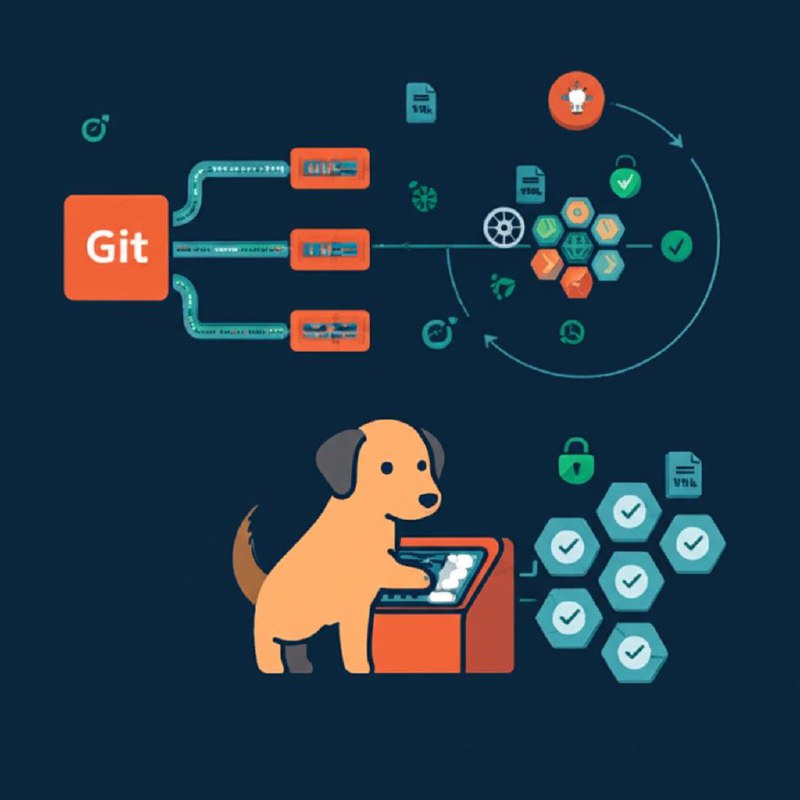
จากซีรีส์ที่ผ่านมา เราเรียน CI/CD, Docker, Kubernetes, Monitoring, Testing... แต่คำถามสำคัญคือ ใครเป็นคน deploy? แล้วถ้า production drift จาก config ที่ตั้งไว้ จะรู้ได้ยังไง?
คำตอบคือ GitOps — ใช้ Git เป็น single source of truth สำหรับ infrastructure และ application deployment ทั้งหมด 🔄🐕
🐕 GitOps คืออะไร? ทำไมต้อง Git เป็นศูนย์กลาง?
GitOps คือแนวคิดที่ใช้ Git repository เป็น "ความจริงเดียว" (single source of truth) สำหรับทุกอย่างที่รันอยู่บน production — ตั้งแต่ Kubernetes manifests, Helm values, config maps ไปจนถึง infrastructure ทั้งหมด ถ้าอยากรู้ว่า production มีอะไรรันอยู่ ดูที่ Git ไม่ใช่ kubectl get pods ถ้าใครแก้ production โดยไม่ผ่าน Git → ระบบจะ detect drift และ revert กลับอัตโนมัติ!
- Dev → CI →
kubectl apply→ Cluster - CI ต้องมี kubeconfig credentials
- ถ้า CI พัง = deploy ไม่ได้
- ไม่รู้ว่า cluster มีอะไรรันอยู่
- คนแก้ด้วยมือ → drift จาก desired state
- Dev → Git push → Git Repo ← ArgoCD
- Git = single source of truth
- ทุกการเปลี่ยนแปลงผ่าน PR
- Audit trail อัตโนมัติ (git log)
- Rollback =
git revert
GitOps = ใช้ Git เป็น single source of truth สำหรับ infrastructure และ application deployment ทั้งหมด
📜 GitOps Principles — 4 หลักการสำคัญ
GitOps มี 4 หลักการที่ต้องทำตามทั้งหมด — ขาดอันใดอันหนึ่งก็ไม่ใช่ GitOps จริง: Declarative (อธิบาย desired state ใน YAML), Versioned & Immutable (ทุก change ผ่าน Git commit), Pulled Automatically (agent ดึง config มา apply เอง ไม่ใช่ push จาก CI), Continuously Reconciled (agent ตรวจสอบตลอดว่า actual state = desired state):
- Declarative — อธิบาย "ต้องการอะไร" ไม่ใช่ "ทำยังไง" → YAML manifests, Helm charts, Kustomize
- Versioned & Immutable — ทุกอย่างอยู่ใน Git → มี history ทุกการเปลี่ยนแปลง (
git log,git diff,git blame) - Pulled Automatically — Agent ใน cluster ดึงจาก Git เอง → ไม่ต้องให้ CI push เข้า cluster
- Continuously Reconciled — ถ้า actual state ≠ desired state → แก้อัตโนมัติ (self-healing, drift detection)
GitOps vs Traditional CI/CD
Traditional CI/CD ใช้ "push model" — CI pipeline build แล้ว push deploy ไปที่ cluster โดยตรง ปัญหาคือ CI ต้องมี credentials เข้าถึง production cluster (security risk) และถ้าใครแก้ config ตรงใน cluster จะ drift ไม่มีใครรู้ GitOps ใช้ "pull model" — agent ใน cluster (ArgoCD/Flux) ดึง config จาก Git มา apply เอง ปลอดภัยกว่าและ self-healing:
| Feature | Traditional CI/CD | GitOps |
|---|---|---|
| Deployment | CI push → cluster | Agent pull ← Git |
| Source of Truth | CI pipeline | Git repo |
| Credentials | CI ต้องมี kubeconfig | Agent ใน cluster มีสิทธิ์อยู่แล้ว |
| Drift | ไม่รู้ ต้องเช็คเอง | Auto-detect & fix |
| Rollback | Re-run pipeline | git revert |
| Audit | CI logs | git log (ครบ 100%) |
| Multi-cluster | ซับซ้อน | 1 repo = N clusters |
| ใครเปลี่ยนอะไร | ดู CI logs | git blame |
🔶 ArgoCD — GitOps Controller ยอดนิยม
ArgoCD เป็น GitOps controller ที่ได้รับความนิยมมากที่สุด — เป็น CNCF graduated project มี Web UI ที่สวยงามแสดง resource tree ทั้งหมด real-time, รองรับ Helm, Kustomize, plain YAML, Jsonnet, และ custom config management plugins หลักการทำงานคือ ArgoCD จะ watch Git repo ของคุณ ถ้ามี commit ใหม่หรือ actual state drift จาก desired state → sync อัตโนมัติ:
ติดตั้ง ArgoCD
การติดตั้ง ArgoCD ง่ายมาก — แค่ kubectl apply manifest จาก GitHub แล้วเข้าถึง Web UI ผ่าน port-forward ได้เลย รหัสผ่าน admin initial ถูกเก็บใน Kubernetes Secret:
# 1. สร้าง namespace
kubectl create namespace argocd

# 2. ติดตั้ง ArgoCD
kubectl apply -n argocd -f \
  https://raw.githubusercontent.com/argoproj/argo-cd/stable/manifests/install.yaml

# 3. รอ pods พร้อม
kubectl wait --for=condition=Ready pods --all -n argocd --timeout=300s

# 4. เข้า ArgoCD UI (port forward)
kubectl port-forward svc/argocd-server -n argocd 8080:443
# → https://localhost:8080

# 5. ดึง initial admin password
kubectl -n argocd get secret argocd-initial-admin-secret \
  -o jsonpath="{.data.password}" | base64 -d

# 6. Login ด้วย CLI
argocd login localhost:8080 --username admin --password <password>

# 7. เปลี่ยน password
argocd account update-password
สร้าง Application แรก
ArgoCD Application คือ resource ที่บอกว่า "ดึง config จาก Git repo นี้ path นี้ แล้ว deploy ไปที่ cluster/namespace นี้" — เมื่อสร้างแล้ว ArgoCD จะ sync อัตโนมัติทุกครั้งที่มี commit ใหม่ในสิ่งที่ผิดปกติเมื่อถูกแก้:
# argocd-app.yaml
apiVersion: argoproj.io/v1alpha1
kind: Application
metadata:
  name: myapp
  namespace: argocd
spec:
  project: default

  # Source — ดึงจากไหน
  source:
    repoURL: https://github.com/myorg/myapp-manifests.git
    targetRevision: main
    path: overlays/production

  # Destination — deploy ไปไหน
  destination:
    server: https://kubernetes.default.svc
    namespace: production

  # Sync Policy
  syncPolicy:
    automated:
      prune: true          # ลบ resources ที่ไม่อยู่ใน Git
      selfHeal: true       # แก้ drift อัตโนมัติ
      allowEmpty: false     # ไม่ deploy ถ้า manifests ว่าง
    syncOptions:
      - CreateNamespace=true
      - PrunePropagationPolicy=foreground
    retry:
      limit: 5
      backoff:
        duration: 5s
        factor: 2
        maxDuration: 3m
# Apply ด้วย kubectl
kubectl apply -f argocd-app.yaml
# หรือใช้ CLI
argocd app create myapp \
--repo https://github.com/myorg/myapp-manifests.git \
--path overlays/production \
--dest-server https://kubernetes.default.svc \
--dest-namespace production \
--sync-policy automated \
--auto-prune \
--self-healArgoCD CLI — คำสั่งที่ใช้บ่อย
นอกจาก Web UI แล้ว ArgoCD มี CLI ที่ใช้ในการจัดการ applications, sync, rollback และตรวจสอบ status ได้จาก terminal — เหมาะกับ automation และ scripting:
# ดู apps
argocd app list
argocd app get myapp

# Sync (deploy)
argocd app sync myapp                 # sync ตอนนี้
argocd app sync myapp --prune         # + ลบ resources ที่ไม่ต้องการ

# ดู diff (อะไรจะเปลี่ยน)
argocd app diff myapp

# History & Rollback
argocd app history myapp
argocd app rollback myapp <revision>

# ดู resources & logs
argocd app resources myapp
argocd app logs myapp

# Health check
argocd app wait myapp --health
📁 Git Repository Structure
หนึ่งในคำถามแรกของ GitOps คือ "จัดโครงสร้าง Git repo ยังไง?" — Best practice คือ แยก app code กับ K8s manifests เป็นคนละ repo เพราะ app code มี commit บ่อย (feature dev) แต่ manifests เปลี่ยนไม่บ่อย (config changes) การแยกทำให้ CI/CD pipeline ชัดเจนและ permissions จัดการง่ายกว่า:
แยก App Code กับ Manifests (แนะนำ!)
myapp/src/myapp/Dockerfilemyapp/k8s/deployment.yaml- ⚠️ ทุก code commit trigger deploy!
- Repo 1: myapp (code)
- → CI: build + test + push image
- Repo 2: myapp-manifests
- → ArgoCD watches this repo
- ✅ Deploy เฉพาะเมื่อ config เปลี่ยน
Manifests Repo Structure (Kustomize)
ใน manifests repo ใช้ Kustomize จัดการ environment-specific config — มี base/ เป็น template กลาง แล้ว overlays/ สำหรับแต่ละ environment (dev/staging/prod) override เฉพาะค่าที่ต่างกัน เช่น replicas, resource limits, image tags:
myapp-manifests/
├── base/                      # shared base
│   ├── deployment.yaml
│   ├── service.yaml
│   └── kustomization.yaml
├── overlays/
│   ├── dev/                   # dev overrides
│   │   ├── kustomization.yaml
│   │   ├── replicas-patch.yaml
│   │   └── env-patch.yaml
│   ├── staging/
│   │   ├── kustomization.yaml
│   │   └── replicas-patch.yaml
│   └── production/            # prod overrides
│       ├── kustomization.yaml
│       ├── replicas-patch.yaml
│       ├── resources-patch.yaml
│       └── hpa.yaml
CI/CD Flow แบบ GitOps
GitOps flow ต่างจาก traditional CI/CD — CI pipeline จะ build + push Docker image เท่านั้น จากนั้น update image tag ใน manifests repo (ไม่ใช่ deploy ตรง) แล้ว ArgoCD ที่ watch manifests repo จะ detect change และ sync ไปยัง cluster ให้อัตโนมัติ:
CI Pipeline — Auto-update Manifests
ตัวอย่าง GitHub Actions pipeline ที่ build Docker image แล้ว auto-update image tag ใน manifests repo — สังเกตว่า CI ไม่ได้ deploy เลย แค่แก้ YAML ใน Git แล้ว commit ArgoCD จัดการ deploy ให้:
# .github/workflows/ci.yml (App Repo)
name: CI/CD
on:
  push:
    branches: [main]

jobs:
  build:
    runs-on: ubuntu-latest
    steps:
      - uses: actions/checkout@v4

      - name: Set version
        id: version
        run: echo "tag=$(git rev-parse --short HEAD)" >> $GITHUB_OUTPUT

      - name: Build & Push Docker Image
        run: |
          docker build -t ghcr.io/myorg/myapp:${{ steps.version.outputs.tag }} .
          docker push ghcr.io/myorg/myapp:${{ steps.version.outputs.tag }}

      # 🔑 อัพเดต manifests repo อัตโนมัติ
      - name: Update manifests repo
        run: |
          git clone https://x-access-token:${{ secrets.MANIFESTS_TOKEN }}@github.com/myorg/myapp-manifests.git
          cd myapp-manifests/overlays/production
          kustomize edit set image ghcr.io/myorg/myapp:${{ steps.version.outputs.tag }}

          git config user.name "CI Bot"
          git config user.email "[email protected]"
          git add .
          git commit -m "chore: update image to ${{ steps.version.outputs.tag }}"
          git push
          # → ArgoCD จะ detect change และ deploy อัตโนมัติ
📦 Helm Charts — Package Manager สำหรับ K8s
Helm คือ "apt/brew สำหรับ Kubernetes" — แทนที่จะ copy-paste YAML manifests สำหรับแต่ละ environment Helm ใช้ templates + values ทำให้เขียน manifest ครั้งเดียวแล้วใส่ค่าต่างกันตาม environment ได้ เช่น dev ใช้ 1 replica, prod ใช้ 3 replicas แค่เปลี่ยน values.yaml:
# สร้าง chart ใหม่
helm create myapp

# โครงสร้าง
myapp/
├── Chart.yaml          # metadata (name, version)
├── values.yaml         # default values
├── templates/
│   ├── deployment.yaml
│   ├── service.yaml
│   ├── ingress.yaml
│   ├── hpa.yaml
│   ├── _helpers.tpl    # template helpers
│   └── NOTES.txt       # post-install message
└── charts/             # dependencies
# values.yaml — ค่า default
replicaCount: 2
image:
repository: ghcr.io/myorg/myapp
tag: "latest"
pullPolicy: IfNotPresent
service:
type: ClusterIP
port: 80
ingress:
enabled: true
host: myapp.example.com
resources:
limits:
cpu: 500m
memory: 256Mi
requests:
cpu: 100m
memory: 128Mi
autoscaling:
enabled: true
minReplicas: 2
maxReplicas: 10
targetCPUUtilizationPercentage: 80# templates/deployment.yaml — ใช้ Go template
apiVersion: apps/v1
kind: Deployment
metadata:
name: {{ include "myapp.fullname" . }}
labels:
{{- include "myapp.labels" . | nindent 4 }}
spec:
replicas: {{ .Values.replicaCount }}
selector:
matchLabels:
{{- include "myapp.selectorLabels" . | nindent 6 }}
template:
metadata:
labels:
{{- include "myapp.selectorLabels" . | nindent 8 }}
spec:
containers:
- name: {{ .Chart.Name }}
image: "{{ .Values.image.repository }}:{{ .Values.image.tag }}"
ports:
- containerPort: 8080
resources:
{{- toYaml .Values.resources | nindent 12 }}
livenessProbe:
httpGet:
path: /health
port: 8080
readinessProbe:
httpGet:
path: /ready
port: 8080# ใช้งาน Helm
helm install myapp ./myapp # install
helm install myapp ./myapp -f prod-values.yaml # custom values
helm upgrade myapp ./myapp # upgrade
helm rollback myapp 1 # rollback to revision 1
helm uninstall myapp # ลบ
helm list # ดู installed releases
helm template myapp ./myapp # ดู rendered manifestsArgoCD + Helm
ArgoCD รองรับ Helm charts โดยตรง — แค่ระบุ source.helm ใน Application spec แล้ว ArgoCD จะ render templates ด้วย values ที่กำหนดให้อัตโนมัติ สามารถ override values per-environment ได้:
# ArgoCD Application ที่ใช้ Helm
apiVersion: argoproj.io/v1alpha1
kind: Application
metadata:
  name: myapp
  namespace: argocd
spec:
  source:
    repoURL: https://github.com/myorg/myapp-manifests.git
    targetRevision: main
    path: charts/myapp
    helm:
      valueFiles:
        - values-production.yaml
      parameters:
        - name: image.tag
          value: "abc1234"
  destination:
    server: https://kubernetes.default.svc
    namespace: production
  syncPolicy:
    automated:
      selfHeal: true
      prune: true
🎨 Kustomize — Template-free Configuration
Kustomize เป็นทางเลือกของ Helm ที่ไม่ใช้ templates — เขียน YAML ธรรมดาใน base/ แล้วใช้ "patches" ใน overlays/ เพื่อ override เฉพาะค่าที่ต่างกัน ข้อดีคือ YAML ที่เขียนเป็น valid K8s manifests อ่านง่ายกว่า Helm templates, built-in มากับ kubectl ไม่ต้องติดตั้งเพิ่ม ข้อเสียคือ logic (if/else, loops) ทำไม่ได้เหมือน Helm:
| Feature | Helm | Kustomize |
|---|---|---|
| แนวคิด | Template engine (Go templates) | Overlay patches (pure YAML) |
| Syntax | {{ .Values.x }} | YAML patches ธรรมดา |
| เหมาะกับ | แจก chart ให้คนอื่น, config ซับซ้อน | Internal teams, simple overlays |
| Built-in | ต้องติดตั้ง | Built-in kubectl |
# base/deployment.yaml — ของจริง ไม่มี template
apiVersion: apps/v1
kind: Deployment
metadata:
  name: myapp
spec:
  replicas: 1
  selector:
    matchLabels:
      app: myapp
  template:
    metadata:
      labels:
        app: myapp
    spec:
      containers:
        - name: myapp
          image: ghcr.io/myorg/myapp:latest
          ports:
            - containerPort: 8080
          resources:
            requests:
              cpu: 100m
              memory: 128Mi
# overlays/production/kustomization.yaml
apiVersion: kustomize.config.k8s.io/v1beta1
kind: Kustomization
resources:
- ../../base
- hpa.yaml
namespace: production
# เปลี่ยน image tag
images:
- name: ghcr.io/myorg/myapp
newTag: v2.1.0
# เพิ่ม labels
commonLabels:
env: production
# เพิ่ม prefix
namePrefix: prod-
# Patch replicas
patches:
- target:
kind: Deployment
name: myapp
patch: |
- op: replace
path: /spec/replicas
value: 5
- path: resources-patch.yaml# ใช้งาน Kustomize
kubectl kustomize overlays/production # ดู rendered output
kubectl apply -k overlays/production # apply
kubectl diff -k overlays/production # ดู diff ก่อน apply
# อัพเดต image tag (ใช้ใน CI)
cd overlays/production
kustomize edit set image ghcr.io/myorg/myapp:v2.2.0🔄 ArgoCD vs Flux — เลือกอะไรดี?
นอกจาก ArgoCD แล้ว Flux (โดย Weaveworks) เป็น GitOps controller อีกตัวที่เป็น CNCF graduated project เช่นกัน ทั้งสองทำงานเหมือนกันในแก่นแท้ แต่ ArgoCD เด่นเรื่อง UI และ multi-cluster management ส่วน Flux เด่นเรื่อง lightweight และ composable architecture:
| Feature | ArgoCD | Flux |
|---|---|---|
| UI | ✅ Web UI สวยมาก | ❌ ไม่มี (CLI only) |
| Setup | ง่าย (install.yaml) | ง่าย (flux bootstrap) |
| Multi-cluster | ✅ ดีมาก | ✅ ได้ (ต่าง approach) |
| Helm | ✅ native | ✅ HelmRelease CRD |
| Kustomize | ✅ native | ✅ Kustomization CRD |
| SSO | ✅ OIDC, SAML | ❌ |
| Image Update | Argo Image Updater | ✅ built-in |
| Community | ⭐⭐⭐ CNCF Graduated | ⭐⭐⭐ CNCF Graduated |
| เหมาะกับ | ทีมใหญ่, ต้องการ UI | ทีมเล็ก, CLI-first |
💡 ส่วนใหญ่เลือก ArgoCD เพราะ UI ดีมาก — ทั้งคู่เป็น CNCF Graduated = production-ready
🌍 Multi-Environment GitOps
ในองค์กรจริงมีหลาย environments (dev, staging, prod) และหลาย applications — จะจัดการ ArgoCD Applications ยังไงให้ scale ได้? คำตอบคือ App-of-Apps Pattern — สร้าง "parent" application ที่ manage "child" applications ทั้งหมด ทำให้เพิ่ม/ลบ apps แค่แก้ Git:
App-of-Apps Pattern
App-of-Apps ทำงานเหมือน "bootstrapper" — ArgoCD Application ตัวหนึ่ง watch directory ที่มี Application manifests ของ apps ทั้งหมด ถ้าอยากเพิ่ม app ใหม่ แค่ commit Application YAML ใหม่เข้าไป ArgoCD จะสร้างให้อัตโนมัติ:
# apps/root-app.yaml — "App ที่สร้าง Apps อื่น"
apiVersion: argoproj.io/v1alpha1
kind: Application
metadata:
  name: root
  namespace: argocd
spec:
  source:
    repoURL: https://github.com/myorg/myapp-manifests.git
    targetRevision: main
    path: apps          # ← folder ที่มี Application manifests
  destination:
    server: https://kubernetes.default.svc
    namespace: argocd
  syncPolicy:
    automated:
      selfHeal: true
      prune: true
# apps/ folder — เพิ่ม file = deploy service ใหม่, ลบ file = ลบ service
apps/
├── myapp-dev.yaml # → deploy to dev namespace
├── myapp-staging.yaml # → deploy to staging namespace
├── myapp-production.yaml # → deploy to production namespace
├── monitoring.yaml # → deploy Prometheus + Grafana
├── cert-manager.yaml # → deploy cert-manager
└── ingress-nginx.yaml # → deploy ingress controllerPromotion Flow (Dev → Staging → Prod)
การ promote application จาก dev → staging → prod ใน GitOps ทำผ่าน Pull Request — ไม่ใช่ปุ่ม deploy ถ้าอยาก promote image tag ใหม่จาก staging ไปยัง prod ก็สร้าง PR ที่แก้ image tag ใน prod overlay ได้ approval แล้ว merge → ArgoCD sync ให้ ทุก change มี audit trail ใน Git:
- CI builds image → push
:abc123 - Bot updates
dev/kustomization.yaml→ auto-deploy - Dev tests pass → Bot opens PR for staging
- Merge PR → staging auto-deploy
- QA approved → Bot opens PR for production
- Team lead approves PR → production deploy ✅
🛡️ GitOps Security
ถ้าทุกอย่างอยู่ใน Git แล้ว secrets ล่ะ? Kubernetes Secrets เป็นแค่ base64 (decode ได้ทันที) ถ้า commit เข้า Git ทุกคนที่มี repo access จะเห็น passwords, API keys ทั้งหมด! ต้องใช้เครื่องมือเข้ารหัส secrets ก่อนเก็บใน Git:
Sealed Secrets — Encrypt secrets ใน Git
Sealed Secrets (โดย Bitnami) แก้ปัญหานี้โดยเข้ารหัส Secret ด้วย public key — เฉพาะ controller ใน cluster ที่มี private key เท่านั้นที่ decrypt ได้ ทำให้ commit SealedSecret เข้า Git ได้อย่างปลอดภัย:
# ติดตั้ง Sealed Secrets controller
helm repo add sealed-secrets https://bitnami-labs.github.io/sealed-secrets
helm install sealed-secrets sealed-secrets/sealed-secrets -n kube-system

# ติดตั้ง CLI
brew install kubeseal

# สร้าง sealed secret
kubectl create secret generic db-creds \
  --from-literal=password=super-secret \
  --dry-run=client -o yaml | \
  kubeseal --format yaml > sealed-db-creds.yaml

# → sealed-db-creds.yaml สามารถ commit ได้อย่างปลอดภัย!
# → Controller ใน cluster จะ decrypt ให้
# sealed-db-creds.yaml (safe to commit!)
apiVersion: bitnami.com/v1alpha1
kind: SealedSecret
metadata:
name: db-creds
namespace: production
spec:
encryptedData:
password: AgBy3i...long-encrypted-string...RBAC — จำกัดสิทธิ์ ArgoCD
ArgoCD มี RBAC (Role-Based Access Control) built-in — กำหนดได้ว่าใครมีสิทธิ์ sync app ไหน, ดู logs ได้ไหม, แก้ config ได้ไหม สำคัญมากเมื่อมีหลายทีมใช้ ArgoCD ร่วมกัน — dev team ไม่ควร sync prod apps ได้:
# ArgoCD RBAC ConfigMap
apiVersion: v1
kind: ConfigMap
metadata:
  name: argocd-rbac-cm
  namespace: argocd
data:
  policy.csv: |
    # role: dev → ดูได้ sync dev ได้
    p, role:dev, applications, get, */dev-*, allow
    p, role:dev, applications, sync, */dev-*, allow

    # role: ops → ทำได้ทุกอย่าง
    p, role:ops, applications, *, */*, allow

    # role: viewer → ดูอย่างเดียว
    p, role:viewer, applications, get, */*, allow

    # assign groups
    g, dev-team, role:dev
    g, ops-team, role:ops
    g, management, role:viewer
  policy.default: role:viewer
📋 GitOps Cheat Sheet
สรุปเครื่องมือและคำสั่งที่ใช้บ่อยในการทำ GitOps — เก็บไว้เป็น quick reference:
- ✅ แยก app repo กับ manifests repo
- ✅ ติดตั้ง ArgoCD
- ✅ สร้าง Application manifest
- ✅ Auto-sync dev environment
- ✅ Manual sync for production
- ✅ Kustomize overlays (dev/staging/prod)
- ✅ CI auto-update image tags
- ✅ Sealed Secrets
- ✅ App-of-Apps pattern
- ✅ ArgoCD notifications (Slack)
- ✅ Helm charts for shared services
- ✅ Multi-cluster deployment
- ✅ PR-based promotion
- ✅ RBAC & SSO integration
- ✅ Image Updater (auto tags)
- ✅ Rollback automation
Quick Commands
# ─── ArgoCD ───
argocd app list                  # ดูทุก apps
argocd app get myapp             # ดูรายละเอียด
argocd app sync myapp            # sync (deploy)
argocd app history myapp         # ดู history
argocd app rollback myapp 3      # rollback to rev 3
argocd app diff myapp            # ดู diff ก่อน sync

# ─── Kustomize ───
kubectl kustomize overlays/prod  # render output
kustomize edit set image app:v2  # update image tag
kubectl apply -k overlays/prod   # apply

# ─── Helm ───
helm template myapp ./chart      # render templates
helm install myapp ./chart       # install
helm upgrade myapp ./chart       # upgrade
helm rollback myapp 1            # rollback
🔑 Key Takeaways
GitOps เปลี่ยนวิธีคิดเรื่อง deployment จาก "กด deploy" เป็น "commit to Git" — ทุก change มี history, review process, และ rollback ได้ทันที ArgoCD ทำให้ GitOps เข้าถึงง่ายด้วย UI ที่สวยงามและ ecosystem ที่ครบครัน:
- GitOps = Git เป็น single source of truth → ทุก change ผ่าน PR
- Pull-based ปลอดภัยกว่า push-based — agent ดึงจาก Git ไม่ต้องให้ CI มี cluster credentials
- ArgoCD = GitOps controller ยอดนิยม — UI สวย, multi-cluster, CNCF Graduated
- แยก repos — app code repo + manifests repo ป้องกัน deploy ทุก commit
- Kustomize สำหรับ simple overlays, Helm สำหรับ complex/shared charts
- Sealed Secrets — encrypt secrets ก่อน commit ใน Git
- App-of-Apps pattern — จัดการหลาย apps/environments ง่ายขึ้น
- Rollback =
git revert— ง่ายที่สุดเท่าที่จะง่ายได้ 🔄🐕
Across this series we have covered CI/CD, Docker, Kubernetes, Monitoring and Testing. But the important question is still open: who actually does the deploying? And if production drifts away from the config you set, how would you ever know?
The answer is GitOps — using Git as the single source of truth for all of your infrastructure and application deployment 🔄🐕
🐕 What Is GitOps? Why Put Git at the Center?
GitOps is the idea of using a Git repository as the "one truth" (the single source of truth) for everything running in production — Kubernetes manifests, Helm values, config maps, right through to the whole of your infrastructure. If you want to know what is running in production, look at Git, not at kubectl get pods. And if someone changes production without going through Git, the system detects the drift and reverts it automatically!
- Dev → CI →
kubectl apply→ Cluster - CI needs kubeconfig credentials
- CI goes down = you cannot deploy
- No idea what is actually running in the cluster
- Someone edits by hand → drift from desired state
- Dev → git push → Git Repo ← ArgoCD
- Git = single source of truth
- Every change goes through a PR
- An audit trail for free (git log)
- Rollback =
git revert
GitOps = using Git as the single source of truth for all of your infrastructure and application deployment
📜 GitOps Principles — The Four That Matter
GitOps has four principles and you have to follow all of them — miss one and it is not really GitOps: Declarative (describe the desired state in YAML), Versioned & Immutable (every change goes through a Git commit), Pulled Automatically (an agent pulls the config and applies it itself, rather than CI pushing), Continuously Reconciled (the agent keeps checking that actual state = desired state):
- Declarative — describe "what you want", not "how to do it" → YAML manifests, Helm charts, Kustomize
- Versioned & Immutable — everything lives in Git → every change has a history (
git log,git diff,git blame) - Pulled Automatically — an agent inside the cluster pulls from Git itself → CI never has to push into the cluster
- Continuously Reconciled — if actual state ≠ desired state → it is fixed automatically (self-healing, drift detection)
GitOps vs Traditional CI/CD
Traditional CI/CD uses a "push model" — the CI pipeline builds, then pushes the deployment straight into the cluster. The problem is that CI needs credentials for the production cluster (a security risk), and if anyone edits config directly in the cluster it drifts with nobody the wiser. GitOps uses a "pull model" — an agent in the cluster (ArgoCD/Flux) pulls the config from Git and applies it itself. Safer, and self-healing:
| Feature | Traditional CI/CD | GitOps |
|---|---|---|
| Deployment | CI push → cluster | Agent pull ← Git |
| Source of Truth | CI pipeline | Git repo |
| Credentials | CI needs a kubeconfig | The in-cluster agent already has the rights |
| Drift | Invisible — you have to check yourself | Auto-detect & fix |
| Rollback | Re-run pipeline | git revert |
| Audit | CI logs | git log (100% complete) |
| Multi-cluster | Complicated | 1 repo = N clusters |
| Who changed what | Read the CI logs | git blame |
🔶 ArgoCD — The Popular GitOps Controller
ArgoCD is the most widely adopted GitOps controller — a CNCF graduated project with a handsome Web UI that shows the entire resource tree in real time, and support for Helm, Kustomize, plain YAML, Jsonnet and custom config management plugins. The principle is simple: ArgoCD watches your Git repo, and when there is a new commit — or when actual state drifts from desired state — it syncs automatically:
Installing ArgoCD
Installing ArgoCD is very easy — just kubectl apply the manifest from GitHub, then reach the Web UI over a port-forward. The initial admin password is kept in a Kubernetes Secret:
# 1. Create the namespace
kubectl create namespace argocd

# 2. Install ArgoCD
kubectl apply -n argocd -f \
  https://raw.githubusercontent.com/argoproj/argo-cd/stable/manifests/install.yaml

# 3. Wait for the pods to be ready
kubectl wait --for=condition=Ready pods --all -n argocd --timeout=300s

# 4. Reach the ArgoCD UI (port forward)
kubectl port-forward svc/argocd-server -n argocd 8080:443
# → https://localhost:8080

# 5. Pull the initial admin password
kubectl -n argocd get secret argocd-initial-admin-secret \
  -o jsonpath="{.data.password}" | base64 -d

# 6. Log in with the CLI
argocd login localhost:8080 --username admin --password <password>

# 7. Change the password
argocd account update-password
Creating Your First Application
An ArgoCD Application is the resource that says "pull the config from this Git repo, at this path, and deploy it to this cluster/namespace" — once created, ArgoCD syncs automatically on every new commit and repairs anything that is edited out from under it:
# argocd-app.yaml
apiVersion: argoproj.io/v1alpha1
kind: Application
metadata:
  name: myapp
  namespace: argocd
spec:
  project: default

  # Source — where to pull from
  source:
    repoURL: https://github.com/myorg/myapp-manifests.git
    targetRevision: main
    path: overlays/production

  # Destination — where to deploy
  destination:
    server: https://kubernetes.default.svc
    namespace: production

  # Sync Policy
  syncPolicy:
    automated:
      prune: true          # delete resources not in Git
      selfHeal: true       # fix drift automatically
      allowEmpty: false     # do not deploy if the manifests are empty
    syncOptions:
      - CreateNamespace=true
      - PrunePropagationPolicy=foreground
    retry:
      limit: 5
      backoff:
        duration: 5s
        factor: 2
        maxDuration: 3m
# Apply it with kubectl
kubectl apply -f argocd-app.yaml
# Or use the CLI
argocd app create myapp \
--repo https://github.com/myorg/myapp-manifests.git \
--path overlays/production \
--dest-server https://kubernetes.default.svc \
--dest-namespace production \
--sync-policy automated \
--auto-prune \
--self-healArgoCD CLI — The Commands You Will Use Most
Beyond the Web UI, ArgoCD has a CLI for managing applications, syncing, rolling back and checking status from the terminal — which is what you want for automation and scripting:
# List apps
argocd app list
argocd app get myapp

# Sync (deploy)
argocd app sync myapp                 # sync right now
argocd app sync myapp --prune         # + delete unwanted resources

# See the diff (what is about to change)
argocd app diff myapp

# History & Rollback
argocd app history myapp
argocd app rollback myapp <revision>

# Inspect resources & logs
argocd app resources myapp
argocd app logs myapp

# Health check
argocd app wait myapp --health
📁 Git Repository Structure
One of the first questions in GitOps is "how do I structure the Git repo?" — and the best practice is to keep app code and K8s manifests in separate repos, because app code commits often (feature development) while manifests change rarely (config changes). Separating them makes the CI/CD pipeline clearer and permissions far easier to manage:
Separate App Code from Manifests (recommended!)
myapp/src/myapp/Dockerfilemyapp/k8s/deployment.yaml- ⚠️ Every code commit triggers a deploy!
- Repo 1: myapp (code)
- → CI: build + test + push image
- Repo 2: myapp-manifests
- → ArgoCD watches this repo
- ✅ Deploy only when the config changes
Manifests Repo Structure (Kustomize)
In the manifests repo, use Kustomize to manage environment-specific config — a shared base/ as the common template, then overlays/ for each environment (dev/staging/prod) overriding only the values that differ, such as replicas, resource limits and image tags:
myapp-manifests/
├── base/                      # shared base
│   ├── deployment.yaml
│   ├── service.yaml
│   └── kustomization.yaml
├── overlays/
│   ├── dev/                   # dev overrides
│   │   ├── kustomization.yaml
│   │   ├── replicas-patch.yaml
│   │   └── env-patch.yaml
│   ├── staging/
│   │   ├── kustomization.yaml
│   │   └── replicas-patch.yaml
│   └── production/            # prod overrides
│       ├── kustomization.yaml
│       ├── replicas-patch.yaml
│       ├── resources-patch.yaml
│       └── hpa.yaml
The CI/CD Flow, GitOps Style
A GitOps flow differs from traditional CI/CD — the CI pipeline only builds and pushes the Docker image, then updates the image tag in the manifests repo (rather than deploying directly). ArgoCD, watching that manifests repo, detects the change and syncs it to the cluster for you:
CI Pipeline — Auto-update Manifests
Here is an example GitHub Actions pipeline that builds a Docker image and then auto-updates the image tag in the manifests repo — notice that CI never deploys at all. It only edits YAML in Git and commits; ArgoCD handles the deployment:
# .github/workflows/ci.yml (App Repo)
name: CI/CD
on:
  push:
    branches: [main]

jobs:
  build:
    runs-on: ubuntu-latest
    steps:
      - uses: actions/checkout@v4

      - name: Set version
        id: version
        run: echo "tag=$(git rev-parse --short HEAD)" >> $GITHUB_OUTPUT

      - name: Build & Push Docker Image
        run: |
          docker build -t ghcr.io/myorg/myapp:${{ steps.version.outputs.tag }} .
          docker push ghcr.io/myorg/myapp:${{ steps.version.outputs.tag }}

      # 🔑 Update the manifests repo automatically
      - name: Update manifests repo
        run: |
          git clone https://x-access-token:${{ secrets.MANIFESTS_TOKEN }}@github.com/myorg/myapp-manifests.git
          cd myapp-manifests/overlays/production
          kustomize edit set image ghcr.io/myorg/myapp:${{ steps.version.outputs.tag }}

          git config user.name "CI Bot"
          git config user.email "[email protected]"
          git add .
          git commit -m "chore: update image to ${{ steps.version.outputs.tag }}"
          git push
          # → ArgoCD will detect the change and deploy automatically
📦 Helm Charts — The Package Manager for K8s
Helm is "apt/brew for Kubernetes" — instead of copy-pasting YAML manifests for every environment, Helm uses templates + values, so you write the manifest once and feed it different values per environment. Dev runs 1 replica, prod runs 3, and all you change is values.yaml:
# Create a new chart
helm create myapp

# The structure
myapp/
├── Chart.yaml          # metadata (name, version)
├── values.yaml         # default values
├── templates/
│   ├── deployment.yaml
│   ├── service.yaml
│   ├── ingress.yaml
│   ├── hpa.yaml
│   ├── _helpers.tpl    # template helpers
│   └── NOTES.txt       # post-install message
└── charts/             # dependencies
# values.yaml — the defaults
replicaCount: 2
image:
repository: ghcr.io/myorg/myapp
tag: "latest"
pullPolicy: IfNotPresent
service:
type: ClusterIP
port: 80
ingress:
enabled: true
host: myapp.example.com
resources:
limits:
cpu: 500m
memory: 256Mi
requests:
cpu: 100m
memory: 128Mi
autoscaling:
enabled: true
minReplicas: 2
maxReplicas: 10
targetCPUUtilizationPercentage: 80# templates/deployment.yaml — using a Go template
apiVersion: apps/v1
kind: Deployment
metadata:
name: {{ include "myapp.fullname" . }}
labels:
{{- include "myapp.labels" . | nindent 4 }}
spec:
replicas: {{ .Values.replicaCount }}
selector:
matchLabels:
{{- include "myapp.selectorLabels" . | nindent 6 }}
template:
metadata:
labels:
{{- include "myapp.selectorLabels" . | nindent 8 }}
spec:
containers:
- name: {{ .Chart.Name }}
image: "{{ .Values.image.repository }}:{{ .Values.image.tag }}"
ports:
- containerPort: 8080
resources:
{{- toYaml .Values.resources | nindent 12 }}
livenessProbe:
httpGet:
path: /health
port: 8080
readinessProbe:
httpGet:
path: /ready
port: 8080# Using Helm
helm install myapp ./myapp # install
helm install myapp ./myapp -f prod-values.yaml # custom values
helm upgrade myapp ./myapp # upgrade
helm rollback myapp 1 # rollback to revision 1
helm uninstall myapp # remove
helm list # list installed releases
helm template myapp ./myapp # inspect the rendered manifestsArgoCD + Helm
ArgoCD supports Helm charts natively — just declare source.helm in the Application spec and ArgoCD renders the templates with the values you give it. You can override values per environment:
# An ArgoCD Application using Helm
apiVersion: argoproj.io/v1alpha1
kind: Application
metadata:
  name: myapp
  namespace: argocd
spec:
  source:
    repoURL: https://github.com/myorg/myapp-manifests.git
    targetRevision: main
    path: charts/myapp
    helm:
      valueFiles:
        - values-production.yaml
      parameters:
        - name: image.tag
          value: "abc1234"
  destination:
    server: https://kubernetes.default.svc
    namespace: production
  syncPolicy:
    automated:
      selfHeal: true
      prune: true
🎨 Kustomize — Template-free Configuration
Kustomize is the alternative to Helm that uses no templates — you write plain YAML in base/, then use "patches" in overlays/ to override only what differs. The upside is that the YAML you write is a valid K8s manifest, easier to read than a Helm template, and it is built into kubectl with nothing extra to install. The downside is that logic (if/else, loops) is not available the way it is in Helm:
| Feature | Helm | Kustomize |
|---|---|---|
| Concept | Template engine (Go templates) | Overlay patches (pure YAML) |
| Syntax | {{ .Values.x }} | Ordinary YAML patches |
| Best for | Distributing a chart to others, complex config | Internal teams, simple overlays |
| Built-in | Needs installing | Built into kubectl |
# base/deployment.yaml — the real thing, no templating
apiVersion: apps/v1
kind: Deployment
metadata:
  name: myapp
spec:
  replicas: 1
  selector:
    matchLabels:
      app: myapp
  template:
    metadata:
      labels:
        app: myapp
    spec:
      containers:
        - name: myapp
          image: ghcr.io/myorg/myapp:latest
          ports:
            - containerPort: 8080
          resources:
            requests:
              cpu: 100m
              memory: 128Mi
# overlays/production/kustomization.yaml
apiVersion: kustomize.config.k8s.io/v1beta1
kind: Kustomization
resources:
- ../../base
- hpa.yaml
namespace: production
# change the image tag
images:
- name: ghcr.io/myorg/myapp
newTag: v2.1.0
# add labels
commonLabels:
env: production
# add a prefix
namePrefix: prod-
# Patch replicas
patches:
- target:
kind: Deployment
name: myapp
patch: |
- op: replace
path: /spec/replicas
value: 5
- path: resources-patch.yaml# Using Kustomize
kubectl kustomize overlays/production # inspect the rendered output
kubectl apply -k overlays/production # apply
kubectl diff -k overlays/production # see the diff before applying
# Update the image tag (used in CI)
cd overlays/production
kustomize edit set image ghcr.io/myorg/myapp:v2.2.0🔄 ArgoCD vs Flux — Which One?
Besides ArgoCD there is Flux (from Weaveworks), another GitOps controller and likewise a CNCF graduated project. At heart the two do the same job, but ArgoCD stands out for its UI and multi-cluster management, while Flux stands out for being lightweight and composable:
| Feature | ArgoCD | Flux |
|---|---|---|
| UI | ✅ A beautiful Web UI | ❌ None (CLI only) |
| Setup | Easy (install.yaml) | Easy (flux bootstrap) |
| Multi-cluster | ✅ Excellent | ✅ Supported (different approach) |
| Helm | ✅ native | ✅ HelmRelease CRD |
| Kustomize | ✅ native | ✅ Kustomization CRD |
| SSO | ✅ OIDC, SAML | ❌ |
| Image Update | Argo Image Updater | ✅ built-in |
| Community | ⭐⭐⭐ CNCF Graduated | ⭐⭐⭐ CNCF Graduated |
| Best for | Large teams that want a UI | Small teams, CLI-first |
💡 Most people pick ArgoCD because the UI is so good — and both are CNCF Graduated, which means production-ready
🌍 Multi-Environment GitOps
A real organization has several environments (dev, staging, prod) and many applications — so how do you manage ArgoCD Applications in a way that scales? The answer is the App-of-Apps Pattern — a "parent" application that manages all the "child" applications, so adding or removing an app is just a Git edit:
App-of-Apps Pattern
App-of-Apps works like a bootstrapper — one ArgoCD Application watches a directory holding the Application manifests of every app. To add a new app, commit a new Application YAML into it and ArgoCD creates it for you:
# apps/root-app.yaml — "the App that creates other Apps"
apiVersion: argoproj.io/v1alpha1
kind: Application
metadata:
  name: root
  namespace: argocd
spec:
  source:
    repoURL: https://github.com/myorg/myapp-manifests.git
    targetRevision: main
    path: apps          # ← the folder holding the Application manifests
  destination:
    server: https://kubernetes.default.svc
    namespace: argocd
  syncPolicy:
    automated:
      selfHeal: true
      prune: true
# the apps/ folder — add a file = deploy a new service, delete a file = remove it
apps/
├── myapp-dev.yaml # → deploy to dev namespace
├── myapp-staging.yaml # → deploy to staging namespace
├── myapp-production.yaml # → deploy to production namespace
├── monitoring.yaml # → deploy Prometheus + Grafana
├── cert-manager.yaml # → deploy cert-manager
└── ingress-nginx.yaml # → deploy ingress controllerPromotion Flow (Dev → Staging → Prod)
In GitOps, promoting an application from dev → staging → prod happens through a Pull Request, not a deploy button. To promote a new image tag from staging to prod, you open a PR that changes the image tag in the prod overlay; once it is approved and merged, ArgoCD syncs it. Every change leaves an audit trail in Git:
- CI builds the image → pushes
:abc123 - A bot updates
dev/kustomization.yaml→ auto-deploy - Dev tests pass → the bot opens a PR for staging
- Merge the PR → staging auto-deploys
- QA approves → the bot opens a PR for production
- The team lead approves the PR → production deploy ✅
🛡️ GitOps Security
If everything lives in Git, what about secrets? A Kubernetes Secret is only base64 (decodable in an instant), so committing one to Git means everyone with repo access can read every password and API key! You need a tool that encrypts secrets before they are stored in Git:
Sealed Secrets — Encrypted Secrets in Git
Sealed Secrets (from Bitnami) solves this by encrypting the Secret with a public key — only the controller in the cluster, which holds the private key, can decrypt it. That makes a SealedSecret safe to commit to Git:
# Install the Sealed Secrets controller
helm repo add sealed-secrets https://bitnami-labs.github.io/sealed-secrets
helm install sealed-secrets sealed-secrets/sealed-secrets -n kube-system

# Install the CLI
brew install kubeseal

# Create a sealed secret
kubectl create secret generic db-creds \
  --from-literal=password=super-secret \
  --dry-run=client -o yaml | \
  kubeseal --format yaml > sealed-db-creds.yaml

# → sealed-db-creds.yaml is safe to commit!
# → the controller in the cluster will decrypt it
# sealed-db-creds.yaml (safe to commit!)
apiVersion: bitnami.com/v1alpha1
kind: SealedSecret
metadata:
name: db-creds
namespace: production
spec:
encryptedData:
password: AgBy3i...long-encrypted-string...RBAC — Limiting What ArgoCD Users Can Do
ArgoCD has RBAC (Role-Based Access Control) built in — you decide who may sync which app, who may read logs, who may edit config. This matters enormously once several teams share one ArgoCD: the dev team should not be able to sync prod apps:
# The ArgoCD RBAC ConfigMap
apiVersion: v1
kind: ConfigMap
metadata:
  name: argocd-rbac-cm
  namespace: argocd
data:
  policy.csv: |
    # role: dev → can view, can sync dev
    p, role:dev, applications, get, */dev-*, allow
    p, role:dev, applications, sync, */dev-*, allow

    # role: ops → can do everything
    p, role:ops, applications, *, */*, allow

    # role: viewer → read-only
    p, role:viewer, applications, get, */*, allow

    # assign groups
    g, dev-team, role:dev
    g, ops-team, role:ops
    g, management, role:viewer
  policy.default: role:viewer
📋 GitOps Cheat Sheet
A summary of the tools and commands you will reach for most often in GitOps — keep it as a quick reference:
- ✅ Split the app repo from the manifests repo
- ✅ Install ArgoCD
- ✅ Create an Application manifest
- ✅ Auto-sync the dev environment
- ✅ Manual sync for production
- ✅ Kustomize overlays (dev/staging/prod)
- ✅ CI auto-update image tags
- ✅ Sealed Secrets
- ✅ App-of-Apps pattern
- ✅ ArgoCD notifications (Slack)
- ✅ Helm charts for shared services
- ✅ Multi-cluster deployment
- ✅ PR-based promotion
- ✅ RBAC & SSO integration
- ✅ Image Updater (auto tags)
- ✅ Rollback automation
Quick Commands
# ─── ArgoCD ───
argocd app list                  # list every app
argocd app get myapp             # show the details
argocd app sync myapp            # sync (deploy)
argocd app history myapp         # show the history
argocd app rollback myapp 3      # rollback to rev 3
argocd app diff myapp            # see the diff before syncing

# ─── Kustomize ───
kubectl kustomize overlays/prod  # render output
kustomize edit set image app:v2  # update image tag
kubectl apply -k overlays/prod   # apply

# ─── Helm ───
helm template myapp ./chart      # render templates
helm install myapp ./chart       # install
helm upgrade myapp ./chart       # upgrade
helm rollback myapp 1            # rollback
🔑 Key Takeaways
GitOps changes how you think about deployment — from "press deploy" to "commit to Git". Every change has a history, a review process, and an instant rollback. ArgoCD makes GitOps easy to adopt with a handsome UI and a complete ecosystem:
- GitOps = Git as the single source of truth → every change goes through a PR
- Pull-based is safer than push-based — the agent pulls from Git, so CI never needs cluster credentials
- ArgoCD = the popular GitOps controller — good-looking UI, multi-cluster, CNCF Graduated
- Separate repos — an app code repo plus a manifests repo stops every commit from deploying
- Kustomize for simple overlays, Helm for complex or shared charts
- Sealed Secrets — encrypt secrets before committing them to Git
- App-of-Apps pattern — managing many apps and environments gets much easier
- Rollback =
git revert— about as easy as easy gets 🔄🐕